Key Takeaways
- Business process automation uses software to automate complex, multistep workflows, reducing manual work and errors.
- BPA integrates with multiple IT systems, making it ideal for processes that span departments like order processing or employee onboarding.
- Robotic process automation (RPA) and business process management (BPM) are related but distinct disciplines that complement BPA.
- Companies adopting BPA report significant efficiency gains, cost reductions, and improved employee satisfaction.
- Modern BPA uses artificial intelligence to handle unstructured data and adapt to changing conditions.
- A structured implementation roadmap , from process discovery to monitoring , is critical for BPA success.
Business process automation is the use of software to automate complex, multistep business processes, reducing manual work and errors. It streamlines operations across departments by integrating with IT systems.
What Is Business Process Automation?

The Definition of BPA
Business process automation is a strategy that uses software to automate complex and repetitive business processes. In plain English, BPA takes over the manual, time-consuming tasks that keep a business running. These aren’t isolated, one-off tasks , they’re end-to-end sequences that touch multiple people, systems, and often departments. For example, processing a customer order from receipt to payment to shipping confirmation involves several steps, each requiring data entry, approvals, and notifications. BPA ties these steps together in an automated flow.
The goal isn’t just to replace humans but to optimize how work gets done. By automating the routine parts of a process, employees can focus on higher-value activities such as strategy, problem-solving, and customer engagement. Business process automation is sometimes called low-code automation because many modern BPA platforms allow teams to design workflows with drag-and-drop interfaces, reducing the need for deep programming skills.
Core Components of a BPA Solution
A typical automation solution includes several key components:
- Workflow engine – defines the sequence of steps, rules, and decision points (e.g., “If invoice amount > $10,000, route to senior manager for approval”).
- Integration layer – connects the BPA tool to other enterprise systems (ERP, CRM, HRIS) via APIs, allowing data to flow smoothly.
- User interface – provides forms, dashboards, and notifications for human interaction when needed.
- Analytics and monitoring – tracks performance metrics such as process cycle time, error rates, and throughput.
- Artificial intelligence (AI) modules – increasingly used to interpret unstructured data (emails, documents, images) and to make predictive decisions.
Together, these components let organizations standardize operations, enforce compliance, and scale without proportionately adding headcount.
Why Automation Matters for Modern Businesses

The Business Case for Automation in 2026
Automation is no longer optional. Splunk reports that around 60% of companies already use automation tools in their workflows, citing research from Duke University’s Fuqua School of Business. The automation market itself is on pace to reach $23.9 billion by 2029. These numbers make it clear: organizations that ignore BPA risk falling behind faster, leaner competitors.
The urgency is compounded by macroeconomic pressures. Service industries now dominate global GDP, and according to McKinsey, 30% of the activities in 60% of all occupations could be automated with today’s technology. That translates to millions of hours of repetitive work that can be redirected toward innovation and customer experience.
Digital Transformation and Competitive Advantage
BPA is often the first tangible step in a digital transformation journey. By digitizing and automating a core process , say, invoice management , a company not only cuts costs but also builds a foundation for broader modernization. Red Hat notes that organizations frequently apply BPA as part of a digital transformation strategy to streamline workflows and operate more efficiently. The ripple effects include faster time-to-market, better compliance, and the ability to scale without linearly increasing operational overhead.
“Business process automation is a strategy that uses software to automate complex and repetitive business processes, with the goal of keeping the business functioning smoothly.” , IBM Think
Core Components of BPA

Task Automation
Task automation addresses the smallest unit of work , the single, repetitive action. Examples include sending a follow-up email, populating a field in a CRM record, or generating a PDF document. While simple, these tasks consume an enormous amount of employee time when performed manually. Task automation tools remove the need for clicking, typing, and switching between applications.
Virtually every modern BPA platform includes task automation capabilities. They’re often the lowest-hanging fruit and can deliver a quick return on investment, sometimes within weeks.
Robotic Process Automation (RPA)
RPA is a subset of BPA that uses software bots to mimic human interactions with digital systems. RPA bots are programmed to perform predefined, structured, and repetitive sets of tasks. They excel at data entry, form filling, screen scraping, and rule-based decisions , essentially, anything a human can do with a keyboard and mouse but faster and without error.
RPA is particularly appealing because it can be deployed on top of existing applications without changing the underlying code. Many teams can train an RPA bot in days, making it a popular entry point into automation.
Hyperautomation and Intelligent Automation
Hyperautomation combines RPA with advanced technologies such as AI, machine learning, and process mining to automate not just isolated tasks but entire end-to-end processes. Gartner coined the term to describe a systematic approach to scaling automation. In practice, hyperautomation might involve an AI model that reads and classifies incoming emails, an RPA bot that extracts key data, and a workflow engine that routes the information to the right department , all without human intervention.
This approach is especially powerful for processes that involve unstructured data, like contracts or customer emails. AI-driven bots can understand natural language, recognize images, and even generate automatic transcripts from audio and video.
BPA vs. BPM vs. RPA: Understanding the Differences
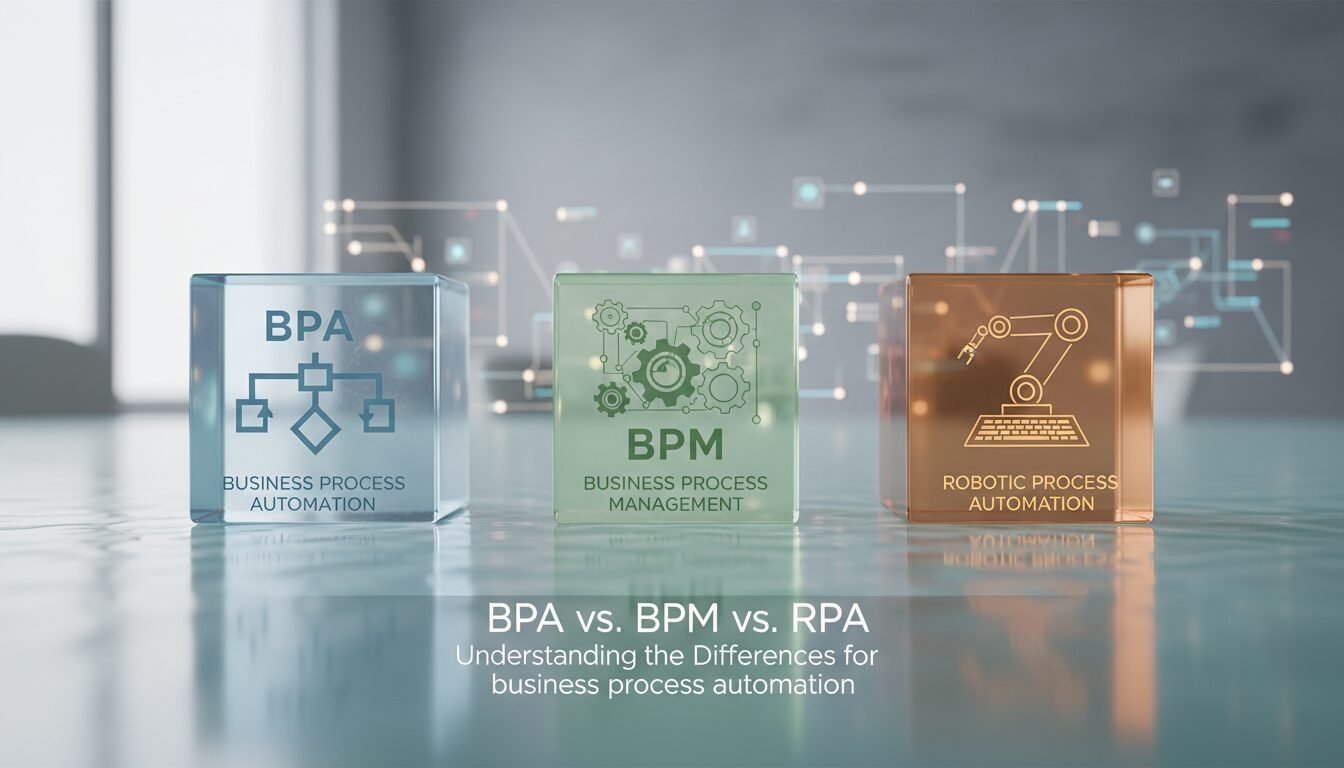
Although the terms are sometimes used interchangeably, BPA, BPM, and RPA occupy distinct spaces. The table below clarifies their primary characteristics.
| Aspect | BPA (Business Process Automation) | BPM (Business Process Management) | RPA (Robotic Process Automation) |
|---|---|---|---|
| Definition | Software-based automation of complex, multi-step business processes | A discipline of modeling, analyzing, and continuously improving processes | Software bots that mimic human actions to perform rule-based tasks |
| Scope | End-to-end processes, often cross-functional | Strategic, organization-wide view of processes | Individual, repetitive tasks |
| Technology | Workflow engines, APIs, AI, cloud platforms | Process modeling tools, performance dashboards, governance frameworks | Bots that interact with user interfaces |
| Goal | Streamline operations, reduce errors, free up staff | Align processes with business strategy, foster continuous improvement | Handle high-volume, monotonous tasks without human fatigue |
| Example | Automating the entire procure-to-pay cycle | Redesigning the customer onboarding journey based on feedback loops | Copying data from an email into an ERP system |
How BPA and RPA Work Together
RPA can act as a building block within a larger BPA strategy. For instance, an RPA bot might extract invoice data from a PDF, while the BPA workflow handles approvals, payment scheduling, and record updates across multiple systems. Red Hat explains that many BPA solutions incorporate RPA software, highlighting how the two complement rather than compete with each other.
The BPM Context
BPM provides the overarching discipline. A BPM initiative might identify a bottleneck in the loan approval process, model a new workflow, and then use BPA to execute it consistently. IBM emphasizes that BPM is a continuous collaboration between business and IT teams, and BPA is one of the tools they can deploy to achieve measurable improvement.
Pros and Cons
Pros
- Significant reduction in process cycle times and operational costs
- Eliminates human errors in repetitive tasks
- Creates complete audit trails for compliance
- Frees employees for higher-value strategic work
- Scales operations without proportional headcount increases
- Improves customer experience through faster response times
Cons
- High upfront investment in software and implementation
- Requires ongoing maintenance and system updates
- Can create employee resistance and change management challenges
- Risk of automating broken or inefficient processes
- Dependency on technology that may fail or become obsolete
- Complex integration requirements with existing systems
Top Benefits of Automating Business Processes
Operational Efficiency and Cost Savings
The most immediate benefit of BPA is speed. Tasks that once took hours , manually entering data from a stack of forms, for example , can be completed in seconds. Organizations typically see a significant reduction in process cycle times. By eliminating manual handoffs and duplicated effort, BPA also drives down operational costs. Employee time is freed for strategic work, and fewer errors mean less rework and financial leakage.
Error Reduction and Compliance
Humans are fallible, especially when performing repetitive, monotonous work. A typo in a customer address or a missed approval step can cause cascading issues. BPA enforces rules consistently: every action follows the prescribed logic, and every step is logged. This not only reduces errors but also creates a complete audit trail, which is invaluable for compliance with regulations like ISO 9001, SOX, or GDPR.
Sustainability and Environmental Impact
A less obvious but growing driver for BPA is sustainability. Automating paper-based processes , such as contract signing, expense reporting, or record-keeping , cuts paper usage, reduces physical storage, and diminishes the carbon footprint associated with printing and shipping documents. In an era of ESG reporting, digitized, automated processes help organizations meet their environmental goals.
Industry-Specific Applications
Finance and Accounting
The finance function is a hotbed for automation. Accounts payable, accounts receivable, travel and expense management, and financial close are all process-heavy and rule-based. IBM cites purchase orders and accounts payable as prime examples: BPA routes invoices for approval, matches them to purchase orders, and processes payments automatically. This speeds up the procure-to-pay cycle and strengthens financial controls.
Human Resources
Employee onboarding is a classic BPA use case. When a new hire joins, a series of tasks must be orchestrated: creating user accounts across IT systems, sending welcome emails, scheduling orientation, assigning policy documents, and setting up payroll. BPA ensures that nothing falls through the cracks and that every new employee experiences a smooth, consistent start. Offboarding follows a similar pattern, with the added importance of revoking access promptly for security reasons.
Supply Chain and Logistics
Inventory management automation can monitor stock levels in real time and generate purchase orders when inventory falls below a defined threshold. It can also update product information from supplier feeds, generate trend reports, and forecast demand. These capabilities, highlighted by IBM, help prevent stockouts and overstock situations while reducing the manual effort in supply chain operations.
Small and Medium Enterprises
BPA isn’t the exclusive domain of large corporations. With the rise of low-code platforms and cloud-based subscription models, small and medium businesses (SMBs) can now automate processes that were once feasible only with large IT budgets. A 15-person marketing agency might automate client reporting, or a local manufacturer might digitize its quality inspection workflow. Because SMBs often operate with lean teams, the time saved through automation can have an outsized impact on growth and customer service.
How to Implement Business Process Automation
Step 1: Identify and Map Your Processes
Start by listing the processes that are most time-consuming, error-prone, or critical to customer experience. Common candidates include invoice processing, employee onboarding, and customer support ticket routing. Once identified, map each process in detail , who does what, when, and with which systems. This discovery phase often reveals hidden bottlenecks and unnecessary steps. Pipefy notes that a process model should include not only tasks but also the people, systems, and information involved.
Step 2: Select the Right Automation Tools
Evaluate BPA platforms based on your organization’s technical environment, scalability needs, and user skill set. Key criteria include:
- Integration capabilities – does the tool offer pre-built connectors for your ERP, CRM, and other systems?
- Ease of use – can business analysts design workflows without developer help?
- AI features – does it support intelligent document processing or decision automation?
- Pricing model – is it consumption-based, user-based, or flat fee?
Many vendors offer free trials, which can help you validate a shortlist before committing.
Step 3: Execute, Monitor, and Optimize
Deploy the automation in a controlled pilot. Monitor key metrics such as processing time, error rate, and user satisfaction. Use dashboards to track performance and gather feedback from employees who interact with the automated process. Iteration is critical , no workflow stays perfect forever. Regularly revisit your processes to incorporate changes, new compliance requirements, or better tools.
Common Challenges and Best Practices
Pitfalls to Avoid
Despite its benefits, automation projects can stumble. The most common missteps include:
- Automating a broken process – if the current workflow is inefficient, automation will only make it faster at being bad. Redesign first, then automate.
- Insufficient stakeholder buy-in – employees may fear job loss and resist new tools. Clear communication about how BPA augments rather than replaces roles is essential.
- Over-engineering – trying to automate every exception and edge case can lead to overly complex, brittle workflows. Aim for the 80% most common scenarios first.
- Neglecting maintenance – integrations break, APIs change. Allocate resources for ongoing support and updates.
Best Practices for Sustainable Automation
Leading organizations follow a set of proven practices:
- Start with a small, high-impact process – quick wins build momentum and prove value.
- Design for scalability – use a centralized automation center of excellence (CoE) to govern standards and share reusable components.
- Involve IT and business teams together – ServiceNow emphasizes that BPA success requires cross-functional collaboration.
- Use process intelligence – tools like process mining can objectively reveal where automation will have the biggest impact.
- Invest in change management – training, documentation, and a feedback loop ensure adoption and continuous improvement.
The Future of Business Process Automation
AI-Driven and Autonomous Processes
Artificial intelligence is propelling BPA into new territory. Early automation had to follow rigid, predefined rules. Today, AI models can analyze unstructured data, detect patterns, and make decisions autonomously. For example, an AI-powered contract management system can automatically extract key clauses, assess risk levels, and even suggest negotiation points , tasks that traditionally required lawyers. The combination of automation and AI enables robots to learn and improve processes by continuously analyzing outcomes.
The Road Ahead
Looking forward, several trends will shape automation in 2026 and beyond:
- Low-code/no-code dominance – citizen developers outside IT will increasingly build and manage automations, democratizing BPA.
- Hyperpersonalization – BPA platforms will tailor workflows to individual user behavior and preferences, much like a Netflix recommendation engine.
- Process composability – reusable, plug-and-play process components will allow companies to rapidly reconfigure operations in response to market changes.
- Deeper integration with IoT and edge computing – physical events, such as a machine detecting a component failure, will trigger end-to-end digital workflows.
- Ethical and explainable AI – as automation makes more autonomous decisions, transparent audit trails and bias checks will become mandatory.
The organizations that thrive will not be those that simply cut costs through automation but those that use BPA to reimagine how work gets done, delivering unparalleled speed and customer value.
Book a free demo at digimeapp.com to see how AI can transform your practice.
Frequently Asked Questions
What is business process automation in simple terms?
Business process automation is the use of software to handle multi-step, repetitive business tasks that would otherwise require manual effort. It connects different IT systems to move work forward automatically, reducing errors and freeing employees for higher-value activities.
How is business process automation different from RPA?
RPA is a subset of BPA. RPA focuses on automating individual, rule-based tasks (like copying data between applications), while BPA addresses entire processes that span multiple systems and often involve complex logic and human decision points.
What are some common examples of BPA?
Common examples include automating employee onboarding (creating accounts, sending welcome emails), processing purchase orders and invoices, managing contracts, and handling customer service ticket routing.
How do I choose the right BPA platform?
Start by identifying your automation needs and the systems you must integrate with. Evaluate platforms based on ease of use (low-code capabilities), AI features, scalability, and pricing. Always run a pilot before committing.
Can small businesses benefit from BPA?
Yes. Cloud-based, low-code BPA tools have made automation accessible to SMBs. Even simple automations, like automated invoice reminders or lead follow-ups, can save hours each week and improve customer responsiveness.
What is the role of AI in BPA?
AI enhances BPA by handling unstructured data (emails, images, contracts), making intelligent decisions, and continuously learning from process outcomes. This enables automation of more complex, judgment-based tasks.