Enterprise Workflow Automation: Tools, Benefits & Best Practices for 2026
Enterprise workflow automation is the use of software, integrations, and business rules to replace manual handoffs across departments. Organizations routinely cut process times by up to 80% and operational costs by around 30%, according to Vidi Corp’s 2026 guide.
Key Takeaways
- Definition: workflow automation coordinates tasks, data, and approvals across systems without manual intervention.
- Proven ROI: Up to 80% faster processes and roughly 30% lower operational costs based on real-world implementations.
- Top Tools for 2026: Adobe Workfront, Microsoft Power Automate, Atomicwork, Creatio Studio, and Screendragon each lead in different scenarios.
- Implementation: A structured, phased rollout avoids the most common pitfalls: overengineering, poor data quality, and lack of process ownership.
- ROI Measurement: Track time saved, error reduction, compliance incidents, and employee satisfaction to prove value.
- Market Size: The workflow automation market surpassed $78 billion in 2023, reflecting how central this technology has become.
What Is Enterprise Workflow Automation?
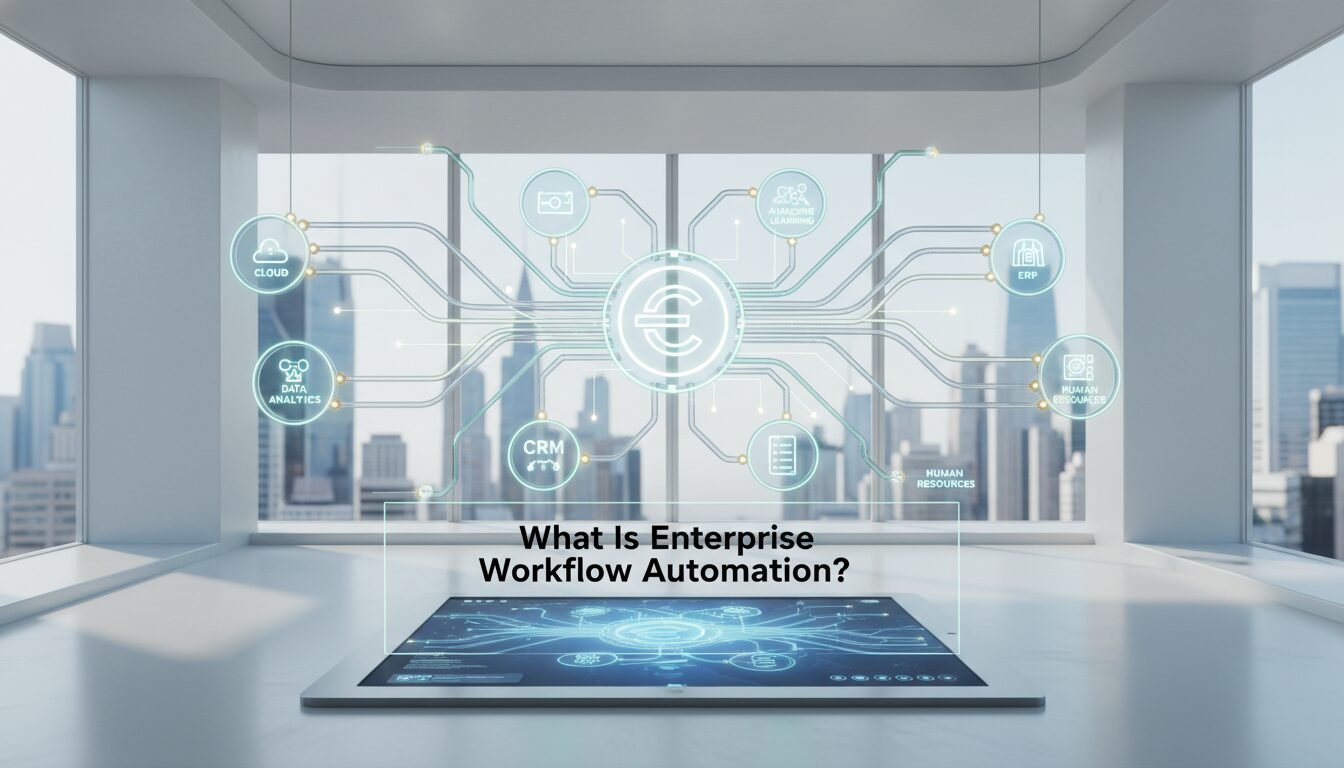
this type of automation is the process of using software, integrations, and business rules to automate multi-step processes across departments, systems, and teams. Instead of employees manually forwarding documents or re-entering data, a centralized system triggers actions based on predefined logic. According to the Elementum AI 2026 guide, every automated workflow runs on three core mechanics: triggers, logic, and integrations.
Definition and Core Mechanics
Workflow automation software executes, routes, and manages process steps without manual intervention. A trigger – such as a form submission, email arrival, or database update – starts the process. Logic determines the next actions, like sending an approval request or checking a budget. Integrations connect the workflow to existing enterprise systems including ERP, CRM, and ITSM platforms. This model eliminates handoff delays and ensures every step is logged for audit purposes.
Enterprise vs. Basic Task Automation
Basic task automation might move a single file or auto-respond to an email. this kind of automation, by contrast, orchestrates end-to-end processes that cross departments and involve multiple systems. A procurement request, for example, can automatically check a budget in SAP, route to the correct approver based on amount, pull vendor data from an ERP, and update a Power BI report, all in one integrated flow, according to Vidi Corp.
Types of Workflows: Process, Project, and Case
Docubee’s enterprise workflow management guide identifies three main types: process workflows (highly repetitive, low-variance tasks like expense approvals), project workflows (unique initiatives with defined timelines), and case workflows (processes requiring human judgment and multiple possible paths). Most enterprise automation focuses on process workflows because they offer the clearest ROI and the fastest payback period.
Key Benefits of Enterprise Workflow Automation

Adopting a structured automation strategy delivers measurable improvements across speed, cost, accuracy, and scalability. A 2026 Vidi Corp analysis of real-world implementations found that organizations routinely slash process times by up to 80% and reduce operational expenses by around 30%. These gains come from eliminating manual handoffs, reducing errors, and freeing staff to focus on higher-value work.
Faster Process Times and Cost Reduction
Manual workflows typically involve multiple email threads, approval delays, and duplicate data entry. Automation compresses cycle times dramatically. An automated procurement workflow that previously took days can complete in hours, according to Elementum AI. Cost savings come from reduced labor hours and fewer process exceptions. The workflow automation market surpassed $78 billion in 2023, per Docubee’s market research, reflecting the massive shift toward operational efficiency.
Improved Data Accuracy and Compliance
Automated systems enforce business rules consistently, cutting manual data entry errors at the source. Every action is tracked, creating an immutable audit trail that simplifies regulatory compliance. Automated invoice processing in finance departments, for instance, reduces duplicate payments and ensures approval hierarchies are followed every time. Segregation of duties and retention policies become programmable rather than reliant on human vigilance.
Scalable Operations and Better Visibility
As organizations grow, manual processes break down under volume. enterprise workflow scales horizontally, handling higher transaction volumes without adding headcount. Real-time dashboards in tools like Microsoft Power Automate and Power BI give managers clear visibility into bottlenecks and process health. According to Vidi Corp, automated reporting can refresh key metrics instantly, whereas manual reporting often lags by days or even weeks.
Pros and Cons of Enterprise Workflow Automation

workflow automation delivers real, measurable value, but it also comes with implementation challenges that every team should plan for honestly.
Pros
- Up to 80% faster cycle times on high-volume processes like invoice approvals and onboarding.
- Roughly 30% reduction in operational costs through fewer labor hours and fewer process exceptions.
- Consistent compliance via immutable audit trails and programmable segregation of duties.
- Scales without headcount, handling growing transaction volumes using the same infrastructure.
- Real-time visibility through dashboards that refresh automatically rather than waiting on manual reports.
- Frees skilled staff from repetitive data entry so they can focus on judgment-intensive work.
Cons
- Integration complexity with legacy systems can require RPA workarounds or expensive middleware layers.
- Poor data quality compounds quickly: automation amplifies bad inputs rather than correcting them.
- Change management is hard: user resistance and lack of process ownership are the top reasons projects stall.
- Overengineering risk: trying to automate every edge case on day one creates fragile, unmaintainable flows.
- Ongoing maintenance required: API deprecations and business process changes can break workflows silently if nobody monitors them.
Top Enterprise Workflow Automation Tools in 2026
 Workflow Automation Tools in 2026 – enterprise workflow automation | DigiMe” class=”wp-image-1268″ loading=”lazy” width=”1792″ height=”1024″ />
After testing 28 platforms over 14 years, The Digital Project Manager published a 2026 shortlist of the 10 best workflow automation tools. Each platform excels in different enterprise scenarios. Below, we compare five standout options across the key dimensions that matter most to operations and IT leaders.
Adobe Workfront, Microsoft Power Automate, and More
Adobe Workfront remains a top choice for comprehensive project oversight, while Atomicwork introduces AI agents that handle context-aware, cross-functional automations. Microsoft Power Automate dominates for organizations running deep in the Microsoft 365 ecosystem, offering tight integration with SharePoint, Teams, and SQL Server. Creatio Studio stands out for highly customized workflows in regulated industries, and Screendragon provides no-code AI-powered automation for marketing and creative teams.
Comparison Table of Features
| Tool | Best For | Key Integration Support | AI / Agentic Features | Pricing Model |
|---|---|---|---|---|
| Adobe Workfront | Enterprise project management & oversight | Adobe Creative Cloud, Workfront Fusion, 50+ native connectors | Resource optimization, predictive work assignments | Per-user license |
| Microsoft Power Automate | Microsoft-centric process automation | 300+ connectors, deep SharePoint & Dynamics integration | AI Builder, process mining | Per-flow or per-user plans |
| Atomicwork | AI-agentic IT & HR service workflows | Okta, Workday, Jira, 1,000+ apps | AI agents, natural language generation, resilient error recovery | Platform subscription |
| Creatio Studio | Highly customized enterprise workflows | SAP, Salesforce, Oracle, custom APIs | Low-code AI, process designer | Per-user, unlimited objects |
| Screendragon | No-code AI marketing & approval workflows | Adobe, Salesforce, Slack, MS Teams | No-code AI routing, auto-approval | Per-user or flat fee |
Data sourced from The Digital Project Manager’s 2026 review, vendor documentation, and Atomicwork’s features page.
AI-Agentic Automation: Atomicwork and Emerging Tech
Traditional workflow rules follow rigid if-then logic. AI-agentic platforms like Atomicwork go further by interpreting natural language, handling exceptions, and dynamically routing tasks based on context. As noted in their 2026 release documentation, Atomicwork’s AI agents recover gracefully from failures and make decisions that rigid rules cannot, expanding the scope of automatable work from roughly 10% to potentially 90% of routine business requests.
“The shift from rule-based workflow tools to AI-agentic platforms is the most significant change in enterprise process automation since the move from on-premise to cloud. Organizations that make this transition early will handle 5-10x the process volume with the same team size.” – Elementum AI, 2026 Enterprise Automation Guide
Hyperautomation: The Next Level of Enterprise Workflow Automation
Hyperautomation is the practice of combining multiple automation technologies, including this type of automation, RPA, AI, and process mining, to automate as many business processes as possible end-to-end. Where standard workflow automation handles a defined process, hyperautomation continuously discovers, analyzes, and automates new processes across the organization. Gartner identifies hyperautomation as one of the top strategic technology trends, noting that organizations pursuing it can reduce operational costs by 30 percent or more when the full stack is deployed together. For most teams, the practical starting point is solid this kind of automation, then layering in AI agents and process mining as maturity grows.
Process Mining: Finding What to Automate First
Process mining uses event log data from your existing systems, such as your ERP, CRM, or ITSM platform, to reconstruct exactly how processes actually run versus how they were designed to run. Tools like Celonis and Microsoft Power Automate’s built-in process mining module analyze thousands of real process instances to surface bottlenecks, deviations, and automation opportunities you might never find through manual process mapping alone. As of 2026, process mining is increasingly bundled directly into enterprise workflow platforms, making it a practical first step rather than a separate project. Start with a process mining scan before committing to an automation build, and you will prioritize the workflows with the highest ROI from day one.
UI Automation vs. API Integration: Choosing the Right Approach
workflow automation projects face a critical early decision: connect systems through APIs or automate the user interface directly. Each approach has a distinct role, and most mature programs use both.
API-First Integration
API-based integration is the preferred approach for this type of automation. APIs provide stable, structured data exchange between systems like Salesforce, SAP, and Workday. Microsoft Power Automate, for example, offers 300+ pre-built connectors that use official APIs, making integrations faster to build and easier to maintain. When an API exists, use it. API connections are faster, more reliable, and far less likely to break when a vendor updates their interface.
UI Automation and RPA for Legacy Systems
Many core enterprise processes still run on legacy ERPs or custom-built applications that expose no API. This is where robotic process automation (RPA) fills the gap. RPA tools simulate user interactions, clicking buttons, reading screen fields, and entering data, to automate tasks that would otherwise require a human at a keyboard. The tradeoff: UI-based automations are more fragile and require maintenance whenever the underlying application changes. A practical architecture combines API-driven this kind of automation for modern systems with targeted RPA for legacy access points, rather than treating either as a universal solution.
“We consistently see teams waste months building RPA scripts for systems that actually have a perfectly good API buried in the documentation. Always audit your API options before defaulting to UI automation.” – Vidi Corp, Enterprise Automation Implementation Guide, 2026
Common Use Cases for Enterprise Workflow Automation
Enterprise workflow automation spans every department. Finance, HR, procurement, operations, and IT are the most frequent adopters, according to examples from Formsonfire and Vidi Corp. Below are the use cases that consistently deliver the fastest payback.
Finance and Procurement
Invoice processing, purchase order approvals, expense reimbursement, and budget reviews are prime candidates for enterprise workflow automation. Automations can capture invoice data from emails, match POs, enforce approval limits, and update ERPs like SAP or Oracle without a human touching the transaction. Vidi Corp highlights that automated finance workflows reduce reporting lag and eliminate spreadsheet-based reconciliation entirely.
HR Onboarding and IT Service Management
New employee onboarding often involves 20 or more manual steps across HR, IT, and facilities. Workflow automation can trigger account creation in Okta, assign training modules, and provision equipment, all from a single HRIS entry. In IT service management, ticket routing, SLA escalation, and knowledge-base updates become hands-free. Atomicwork, for instance, automates device setup via Intune and Jamf and revokes access automatically during offboarding, reducing a process that once took days to under an hour.
Reporting and Analytics Automation
Many enterprises still manually compile weekly status reports by copying data from different systems. With enterprise workflow automation, scheduled triggers fetch data from databases and Power BI or Tableau dashboards refresh automatically, then distribute formatted PDFs via email. This cuts report generation time from hours to minutes and improves decision-making speed across the leadership team.
How to Measure ROI from Workflow Automation
Quantifying the return on investment requires tracking both hard savings and soft benefits. Vidi Corp’s guide suggests six categories of metrics, grouped below into three practical areas that any operations leader can track from day one.
Time-Based and Efficiency Metrics
Measure the reduction in process cycle time, for example invoice approval dropping from 3 days to 2 hours, and total employee hours saved per month. Efficiency gains often translate directly to higher throughput with the same headcount, which is the clearest argument for budget approval.
Quality and Compliance Metrics
Track the decrease in error rates, audit findings, and compliance incidents before and after automation. Automated audit trails and programmable segregation of duties reduce regulatory risk in a way that manual checklists simply cannot match consistently. For industries subject to ISO 27001 or SOC 2 requirements, this metric alone can justify the investment.
People and Visibility Metrics
Employee satisfaction surveys before and after automation reveal the human impact of removing repetitive work. Track the number of real-time dashboards available to managers and the time required to produce monthly reports. When report generation drops from 8 hours to 20 minutes, that is a visibility metric worth presenting to the executive team.
Step-by-Step Guide to Implementing Enterprise Workflow Automation
Rolling out automation at scale requires a disciplined approach. Vidi Corp recommends an 8-step process that has proven successful across their client engagements. We have condensed the critical path into three phases that reflect how the most successful implementations actually unfold.
Step 1: Pick the Right Process and Map It
Start with a high-volume, repetitive process that has clear rules, such as expense approvals or purchase order creation. Map the current state with actual participants to uncover hidden steps and exceptions. This flowchart becomes the blueprint for your enterprise workflow automation build, and skipping it is the single most common reason projects fail to deliver expected ROI.
Step 2: Choose the Right Platform and Build a Minimum Viable Version
Select a platform that integrates with your existing tech stack. Microsoft Power Automate works well for SharePoint-heavy environments; Creatio Studio fits SAP-centric organizations; Atomicwork is the right call when AI-agentic routing across IT and HR is the priority. Build a minimal viable version that handles the 80 percent common case, not every edge scenario. Involve real users in testing from the first week, not the last.
Step 3: Test, Train, and Monitor
Run parallel tests with real data to catch exceptions before go-live. Document the new workflow clearly, hold focused training sessions, and assign a named process owner. Post-launch, monitor completion rates, error logs, and user feedback weekly. Adjust the automation iteratively. Abandoned automations are a common failure mode, and continuous monitoring is the only reliable way to prevent it.
Integration Challenges and How to Overcome Them
Enterprise environments rarely have a single clean system. Legacy mainframes, cloud applications, and shadow IT create complex integration landscapes that require a deliberate architecture strategy.
Legacy Systems and API Strategies
Many core processes still run on older ERPs or custom databases. API-based integration is always preferred, but where APIs are unavailable, RPA can simulate user interactions for screen-based tasks. Vidi Corp often combines Power Automate for cloud flows with RPA components for legacy access, creating a hybrid architecture that covers the full process without requiring a costly system replacement.
Data Mapping and Sync Failures
Different systems use different field names and formats. Building a middleware layer or using an integration platform as a service (iPaaS) helps normalize data across sources. Monitoring sync failures and setting up automatic retries ensures data integrity over time. Atomicwork’s platform includes built-in error recovery and retry actions specifically to maintain workflow resilience when upstream systems return unexpected responses.
Security, Governance, and Audit Trails
Automated workflows must respect access controls, data retention policies, and segregation of duties. Solutions such as Microsoft Fabric Activator and dedicated workflow governance modules enforce these rules at the platform level. Compliance standards like ISO 27001 and SOC 2 require detailed logs, which automated systems provide natively, turning a compliance burden into a built-in feature.
Why Enterprise Workflow Automation Projects Fail – and How to Avoid It
Even with the right tools, many initiatives stall. Analysis by Vidi Corp and Elementum AI points to a consistent set of avoidable mistakes that account for the majority of failed or abandoned automation programs.
No Process Ownership and Poor Data Quality
If nobody owns the automated process, it degrades over time as business rules change and nobody updates the flow. Similarly, if source data is incomplete or inconsistent, automation compounds the errors at scale rather than correcting them. Start with clean data and assign a named process owner before writing a single automation rule.
Overengineering and Lack of Adoption
Trying to handle every edge case on day one leads to bloated, fragile flows that nobody trusts. Automate the 80 percent common case first and handle exceptions manually until you understand their frequency. User resistance often stems from poor change management. Involve end-users from the process mapping phase and they will advocate for the automation rather than working around it.
Neglecting Post-Launch Monitoring
Automations need ongoing oversight. Orphaned flows, API deprecations, and business process changes can break enterprise workflow automation silently if nobody is watching. Assign a dedicated owner or use tools like Microsoft Power Automate’s analytics dashboard to track flow health, error rates, and run volumes on a weekly basis.
Frequently Asked Questions
What is enterprise workflow automation?
Enterprise workflow automation is the use of software, integrations, and business rules to orchestrate multi-step processes across departments without manual intervention. It replaces email handoffs and repetitive data entry with automated triggers, logic, and system connections that run consistently every time.
How does workflow automation differ from RPA?
Workflow automation connects multiple systems and routes tasks based on logic, while RPA mimics human actions on a single screen, primarily for legacy systems that expose no API. Many enterprises use both together: RPA for screen-based legacy access and enterprise workflow automation for end-to-end process orchestration across modern systems.
What are the best enterprise workflow automation tools in 2026?
Top tools include Adobe Workfront for project oversight, Microsoft Power Automate for Microsoft-centric environments, Atomicwork for AI-agentic workflows, Creatio Studio for custom enterprise needs, and Screendragon for no-code marketing automations. The right choice depends on your existing tech stack and the specific processes you want to automate first.
What ROI can companies expect from automating workflows?
Real-world data shows up to 80 percent faster cycle times and roughly 30 percent lower operational costs, according to Vidi Corp’s 2026 analysis. Additional ROI comes from improved data accuracy, stronger compliance posture, and higher employee satisfaction as repetitive work is removed from their daily routines.
Which industries benefit most from enterprise workflow automation?
Finance, healthcare, manufacturing, human resources, and IT services see the greatest gains due to high volumes of repetitive, rules-based processes. Automated invoice processing in finance and patient scheduling in healthcare are two proven use cases with well-documented payback periods of under 12 months.
How can we avoid automation project failures?
Begin with a well-defined, high-volume process, ensure data cleanliness, assign a process owner, and build a minimal viable version before expanding scope. Continuous monitoring and focused user training are essential to prevent automation decay as business processes evolve over time.
Ready to see how enterprise workflow automation can work for your business? Book a free demo at digimeapp.com to see how AI can transform your practice.