An ap automation workflow is the end-to-end digital process that replaces manual invoice handling with AI-powered capture, smart routing, and automated reconciliation. Organizations that adopt it typically cut per-invoice costs from $15.00 to $2.94 and reduce processing time by 70% or more.
Key Takeaways
- A complete automation workflow covers invoice capture, GL coding, three-way matching, approval routing, and payment reconciliation.
- Per-invoice costs drop from roughly $15.00 to $2.94 when touchless processing replaces manual entry, according to Emburse research.
- According to Ardent Partners’ State of ePayables, automation cuts total AP processing costs by 60–80%.
- AI-powered GL coding and intelligent document processing reduce manual errors and keep financial reporting consistent.
- Successful rollouts start with process mapping, clear KPIs, and phased implementation before going fully live.
- Leading platforms including Medius, HighRadius, PairSoft, and DocuWare offer pre-built ERP connectors for NetSuite, Dynamics 365, and Sage Intacct.
What Is an AP Automation Workflow?

The Traditional Manual AP Process
Manual accounts payable is a sequence of labor-intensive, error-prone steps that most finance teams know all too well. Invoices arrive on paper or via email, clerks key data into ERP systems by hand, and approvals travel through email chains or physical in-trays. According to a 2024 study cited by QuickBooks, 52% of AP teams spend more than 10 hours each week solely on invoice processing. Emburse data shows that 18% of manually processed receipts contain data entry errors. Paper-based routing creates approval bottlenecks that drag on for days or weeks, causing missed early payment discounts and strained vendor relationships.
How Automation Redefines the Workflow
An this type of workflow replaces those disjointed manual tasks with a unified digital process. Using optical character recognition (OCR), artificial intelligence, and machine learning, the system captures invoice data the moment it arrives, whether as a PDF, scanned image, or electronic file. The software then indexes, validates, and routes the invoice through pre-configured approval paths, often without any human touch. Touchless processing is the defining feature: invoices that match all criteria are automatically coded, matched against purchase orders, and scheduled for payment. Finance teams only step in to handle exceptions. The result is a shift from reactive firefighting to strategic analysis.
Core Components of an AP Automation Workflow
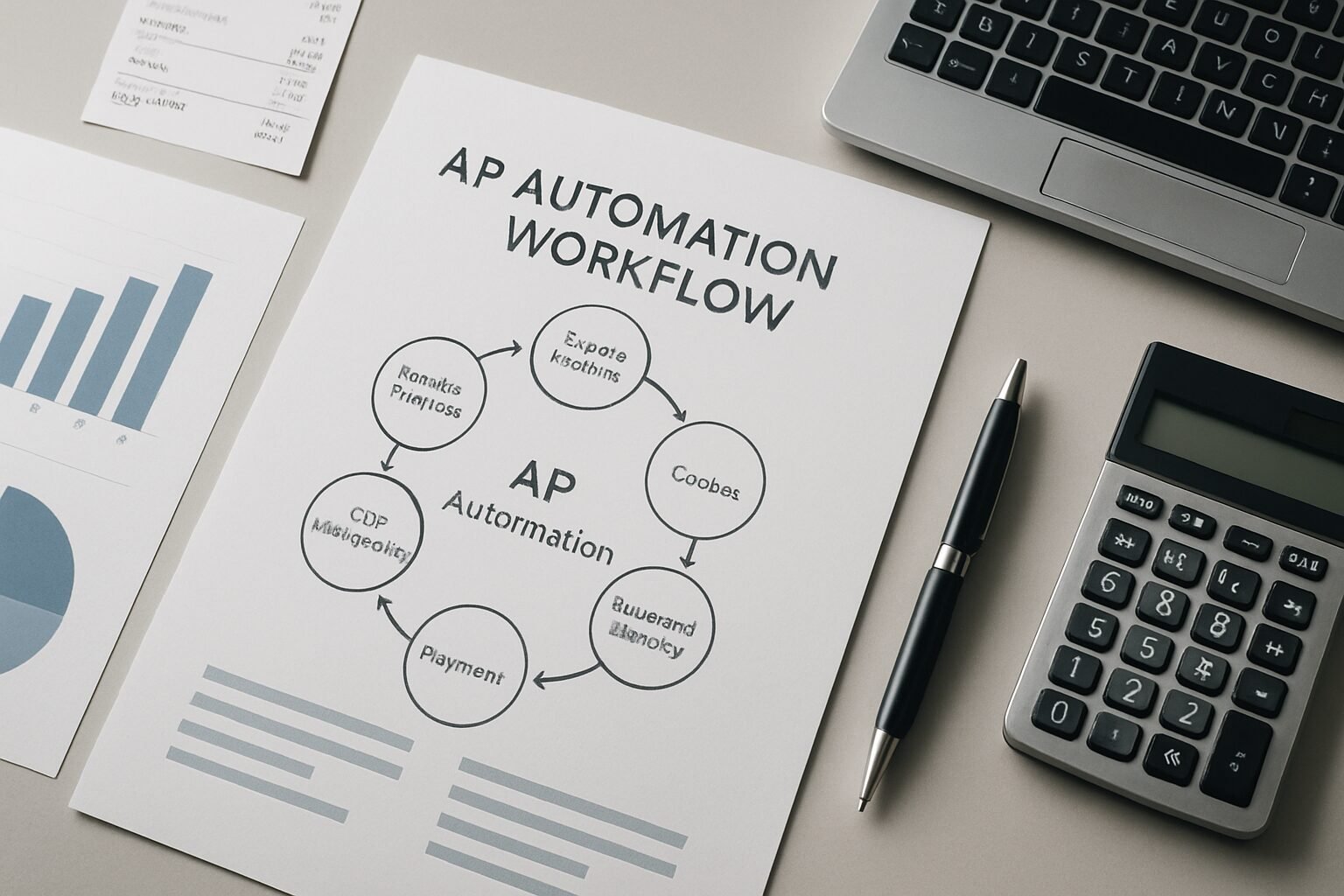
Invoice Capture and Data Extraction
Invoice capture is where the this kind of workflow begins, and it sets the quality of everything downstream. OCR technology converts text images into machine-readable data, while intelligent document processing (IDP) goes further by identifying and extracting fields such as invoice number, date, total amount, and line-item details. Modern solutions like PairSoft’s AP automation enable drag-and-drop invoice uploads that automatically populate the AP system without manual typing. This stage converts chaotic, multi-format inputs into structured digital records, ensuring nothing is lost even during high-volume periods.
AI-Powered General Ledger Coding
AI-powered GL coding is one of the highest-value components in a modern ap automation. The AI learns an organization’s historical coding patterns and automatically assigns expense categories to each invoice. PairSoft’s AI-driven GL coding, for example, analyzes past transactions to predict the correct accounts, reducing manual coding errors and keeping entries consistent with business rules. This capability eliminates the need for finance teams to manually code every invoice, saving hours each week and improving the accuracy of financial reporting. Over time, the model becomes more precise, further accelerating throughput.
Three-Way Matching and Validation
Automated three-way matching ensures that invoices correspond exactly to purchase orders and receiving documents. The system cross-references quantities, pricing, and terms, then flags any discrepancy for human review. This built-in safeguard prevents overpayments, duplicate payments, and fraudulent invoices. Platforms like Medius and HighRadius incorporate AI to handle even complex, non-PO invoices by matching them to contracts or historical spend. The result is a continuous validation layer that reduces financial leakage while keeping the process moving at speed.
Pros and Cons

Pros
- Dramatic cost reduction: Per-invoice costs drop from $15.00 to roughly $2.94, and total processing costs fall by 60–80% according to Ardent Partners.
- Faster approvals: Automated routing cuts approval cycles from days or weeks down to minutes or hours.
- Fewer errors: Built-in validation and three-way matching reduce data entry error rates to near zero compared to the 18% error rate typical of manual processes.
- Real-time visibility: Live dashboards show every invoice’s status, upcoming payment obligations, and cash flow trends at a glance.
- Fraud protection: ML models flag duplicate invoices, anomalous amounts, and suspicious vendor bank-detail changes before payments go out.
- Audit readiness: Every action is logged in a centralized digital trail that is instantly retrievable during internal reviews or external audits.
Cons
- Upfront implementation effort: Mapping existing processes, configuring integrations, and training staff takes 4–8 weeks and requires active stakeholder involvement.
- Change resistance: Teams accustomed to manual workflows may push back, requiring deliberate change management and clear communication of benefits.
- Integration complexity: Organizations running custom or legacy ERP systems may face additional configuration work beyond standard pre-built connectors.
- Ongoing maintenance: AI models need periodic review to stay accurate as vendor formats, business rules, and GL structures evolve.
The Step-by-Step AP Automation Process
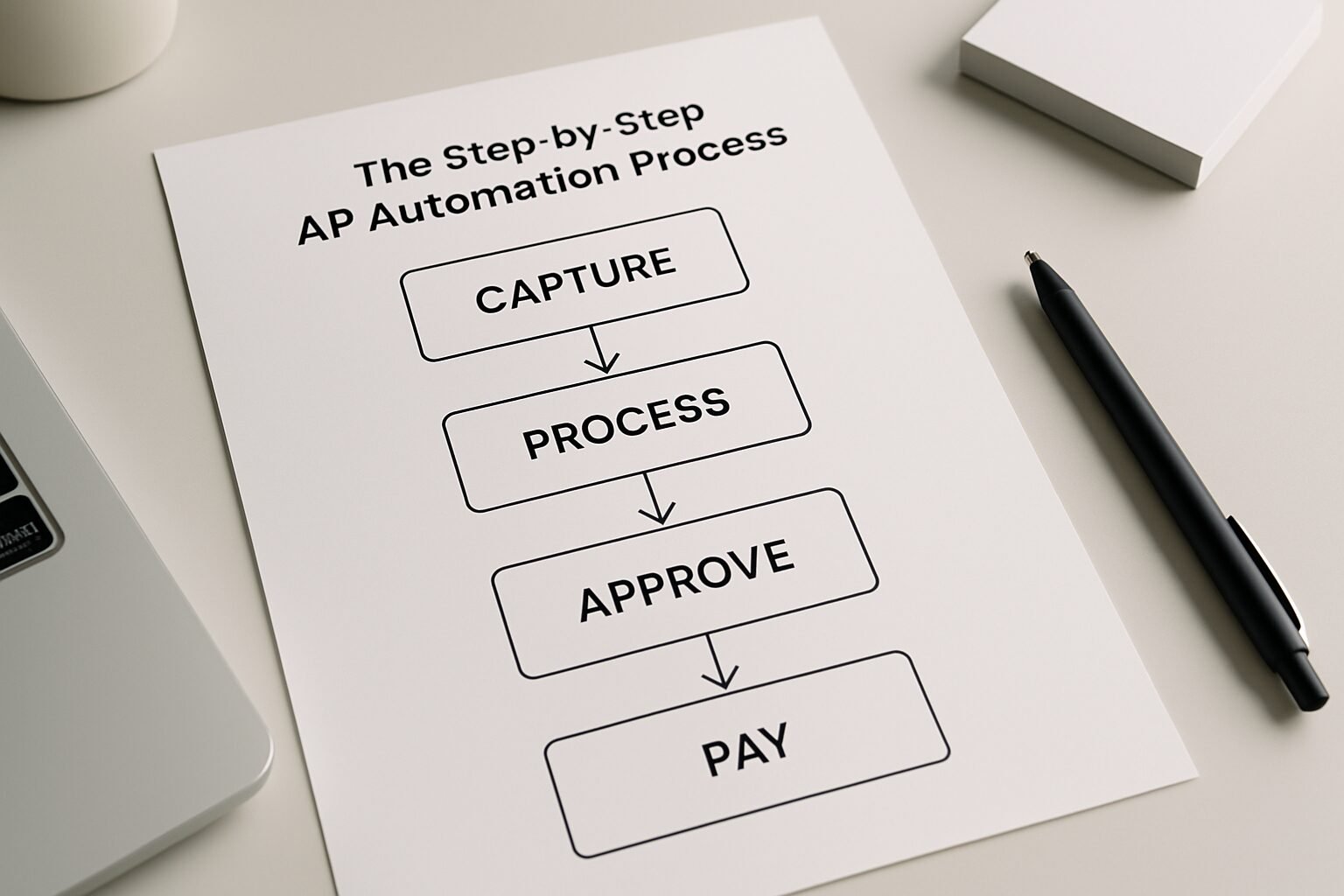
While specific features vary by software, a modern automation workflow typically follows six core stages.
Step 1: Invoice Ingestion and Digitization
All invoices, regardless of source, are funneled into a central inbox. The system uses OCR and IDP to digitize paper documents and extract structured data from electronic files. Indexing automatically associates each invoice with the correct vendor and account. This step eliminates manual data entry and ensures that no invoice is lost or overlooked, even during peak periods.
Step 2: Automated Approval Routing
Once captured, invoices are routed to designated approvers according to pre-set rules based on amount, department, vendor, or project code. Approvers receive automatic notifications via email or mobile app, and reminders fire if action is delayed. Approval decisions can be made from anywhere, cutting the cycle from days to hours. For recurring, low-risk invoices such as utilities under $500, the system can process payments without any approval at all, a concept known as touchless payment.
Step 3: Payment Execution and Reconciliation
After approval, payments are scheduled and executed using the vendor’s preferred method: ACH, virtual cards, wire, or check. The system automatically reconciles outgoing payments with open invoices and updates the general ledger in real time. Automated reconciliation removes the painful manual task of matching bank statements to payment records, enabling month-end closes in hours rather than days. An this type of workflow that includes payment execution also captures early payment discounts of 1–2% of invoice value and avoids late fees.
Benefits of Adopting an AP Automation Workflow
Cost Reduction and Efficiency Gains
The financial case for automation is well-documented. According to Ardent Partners’ State of ePayables, automated AP cuts processing costs by 60–80%. Emburse reports that the average manual invoice cost of $15.00 drops to just $2.94 with end-to-end automation. Processing time shrinks by 70% or more, freeing staff for higher-value work. A HighRadius survey found that 66% of finance teams still manually key invoices into their ERP. Eliminating that single step alone generates immediate, measurable labor savings. Automated workflows also reduce paper, postage, and physical storage expenses.
Improved Accuracy and Compliance
Human error is a structural problem in manual AP, not a people problem. Emburse data shows 18% of manually processed receipts contain data entry mistakes. An automated ap automation workflow uses validation checks to ensure data completeness, matching, and proper authorization. Systems like Medius and DocuWare create audit trails that log every action, making compliance straightforward during internal reviews or external audits. User permissions and segregation of duties are enforced automatically, minimizing fraud risk and making financial reports more reliable.
Enhanced Visibility and Strategic Insights
Real-time dashboards show the status of every invoice, upcoming payment obligations, and cash flow trends. Finance leaders can instantly see spend by category, vendor, or department, enabling proactive cash management. Advanced analytics, often powered by AI, identify patterns such as which vendors offer early payment discounts and predict future cash needs. This transparency turns AP from a back-office cost center into a genuine source of business intelligence.
Challenges in Manual AP Workflows That Automation Solves
Data Entry Errors and Processing Delays
Manual keying leads to transposition errors, misaligned GL codes, and lost invoices. A misplaced document can cause weeks of delay and damage vendor relationships. By capturing data automatically and enforcing validation rules, automation reduces error rates to near zero. Real-time tracking ensures nothing falls through the cracks, eliminating the need for emergency check runs.
Approval Bottlenecks and Missed Discounts
When approvals rely on email chains or paper in-trays, invoices can sit idle for weeks. Organizations miss early payment discounts, often 1–2% of invoice value, and incur late fees. According to MineralTree research, 33% of businesses still make more than half of their payments by check, further slowing the process. An ap automation workflow routes invoices immediately, sends automatic reminders, and can auto-approve low-risk payments, ensuring vendors are paid on time and discounts are captured.
Fraud Risks and Audit Complexity
Without centralized controls, duplicate payments and fraudulent invoices are hard to detect. Manual audits mean sifting through filing cabinets or scattered spreadsheets. Automation enforces purchase order matching, flags anomalies, and attaches supporting documents to every transaction. A digital audit trail is instantly retrievable, making audits faster and fraud far riskier to attempt.
Manual vs. Automated AP Workflow: A Comparison Table
| Aspect | Manual AP Workflow | Automated AP Workflow |
|---|---|---|
| Invoice Data Entry | Manual keying; 66% of teams still do this (HighRadius, 2024) | OCR and AI capture data automatically |
| Error Rate | 18% of receipts contain data entry errors (Emburse, 2025) | Built-in validation and three-way matching reduce errors to near zero |
| Processing Cost per Invoice | $15.00 average (Emburse) | $2.94 with touchless automation |
| Approval Time | Days to weeks due to manual routing | Minutes to hours with automated routing and reminders |
| Payment Timing | Often late; missed early payment discounts | Scheduled, on-time or early; captures 1–2% discounts |
| Audit Trail | Paper-based; difficult to retrieve during audits | Centralized digital trail; real-time dashboards |
How AI and Machine Learning Enhance AP Automation
Intelligent Document Processing (IDP)
Intelligent document processing is what separates modern AP automation from basic OCR scanning. Traditional OCR pulls text from a standard invoice layout, but IDP uses AI to understand any format, including handwriting and non-standard templates. It learns which data fields matter and extracts them with increasing accuracy over time. This dramatically reduces the number of invoices that require human review, pushing touchless rates higher. Providers like Medius have built IDP capabilities that process invoices with minimal exceptions, accelerating the entire ap automation workflow.
Predictive Analytics and Fraud Detection
Machine learning models monitor thousands of transactions to spot irregularities: duplicate invoices, anomalous amounts, or sudden changes in vendor bank details. These models alert the finance team before a fraudulent payment goes out. AI also forecasts cash requirements based on past payment patterns and seasonal trends, enabling better working capital management. An ap automation workflow infused with ML becomes a proactive control center, not just a data processor.
“The shift from manual to automated AP is not just an efficiency play. It is a risk management decision. Every unmatched invoice and every unchecked vendor change is a potential loss event.” – Industry perspective shared by Ardent Partners in their State of ePayables research.
Selecting the Right AP Automation Software
Key Features to Evaluate
Not all solutions are equal, and the wrong choice creates new problems rather than solving old ones. When evaluating software, look for robust OCR and IDP, AI-powered GL coding, configurable approval workflows, and multi-method payment capabilities. Supplier portals that allow vendors to submit invoices and check payment status can further reduce inbound inquiries. Platforms like PairSoft, HighRadius, and DocuWare each emphasize different strengths. PairSoft stands out with its AI-driven GL coding, while Medius excels in fraud detection and supplier communication. A free demo or trial period helps assess fit before committing.
Integration with Existing ERP Systems
ERP integration is non-negotiable for a successful ap automation workflow. The automation tool must connect with your current ERP, whether that is NetSuite, Microsoft Dynamics 365, Sage Intacct, or a custom system. Look for pre-built connectors and APIs that sync invoices, vendors, GL codes, and payments bi-directionally. Solutions including AvidXchange and QuickBooks Bill Pay offer plug-and-play integrations for popular ERPs. Without tight integration, you risk creating data silos that undermine the efficiency gains you are trying to achieve.
“Pre-built ERP connectors are the difference between a 6-week implementation and a 6-month one. Finance teams should treat integration depth as a first-tier evaluation criterion, not an afterthought.” – Based on implementation guidance from HighRadius and Medius documentation.
Best Practices for Implementing an AP Automation Workflow
Assessing Current Processes and Setting KPIs
Start by mapping your existing AP process from invoice receipt to payment. Identify bottlenecks: where are invoices delayed, how many errors occur, and which steps consume the most staff time. Use this baseline to set measurable KPIs such as cost per invoice, approval cycle time, and touchless rate. Involving cross-functional stakeholders early ensures alignment and realistic goals. Industry benchmarks suggest organizations that define clear metrics before rollout achieve faster time-to-value than those that configure software first and measure later.
Change Management and Training
Technology alone does not guarantee success. Employees accustomed to manual workflows may resist the shift, especially if they see automation as a threat to their roles rather than a relief from tedious tasks. Communicate the benefits clearly and provide hands-on training. Show how automation removes repetitive work and frees staff for analytical roles. Many vendors offer onboarding support and change management resources. A phased rollout, starting with a pilot group, allows the team to adapt gradually while the provider refines the configuration. Once the ap automation workflow proves its value, remaining resistance typically fades on its own.
The Future of AP Automation Workflows
As of 2026, ap automation workflows are becoming more intelligent and more autonomous with each product cycle. AI-driven coding, predictive cash flow analytics, and multi-system integrations are pushing touchless rates toward 90% and beyond. The line between AP and procurement is blurring as data flows in real time, giving CFOs a complete picture of committed spend before invoices even arrive. Implementing a robust ap automation workflow today is not just about catching up to competitors. It is about building a finance function that can scale without adding headcount.
Frequently Asked Questions
What is the typical ROI of an AP automation workflow?
Most organizations see a return within 6–12 months, driven by processing cost reductions of 60–80%, fewer late fees, and captured early payment discounts. According to Ardent Partners, automated AP often pays for itself in under a year when all cost categories are included.
How does AI improve AP automation workflows?
AI powers intelligent data extraction, automatic GL coding, and fraud detection, reducing manual effort across the entire process. For example, PairSoft’s AI learns historical coding patterns to automatically categorize invoices with high precision, cutting the time finance teams spend on routine coding tasks.
Can AP automation integrate with my existing ERP system?
Yes. Leading solutions like Medius, HighRadius, and DocuWare provide pre-built connectors for NetSuite, Dynamics 365, Sage Intacct, Oracle, and others. These connectors sync data bi-directionally, ensuring smooth data flow without disrupting existing financial processes.
What is touchless invoice processing?
Touchless processing means an invoice is captured, matched, coded, and scheduled for payment entirely by the system with no human intervention required. Only exceptions flagged by the system, such as price mismatches or missing PO numbers, require manual review.
How long does it take to implement an AP automation workflow?
A phased implementation typically takes 4–8 weeks, depending on company size and integration complexity. The critical success factors are thorough process assessment before configuration begins and active stakeholder engagement throughout the rollout.
Is AP automation suitable for small businesses?
Absolutely. Cloud-based solutions like QuickBooks Bill Pay scale to small teams and offer significant efficiency gains without large upfront costs. Even processing 100 invoices per month can reclaim several hours of staff time each week, which adds up quickly across a year.
Ready to see what an ap automation workflow can do for your finance team? Book a free demo at digimeapp.com and we will walk you through exactly how AI can reduce your per-invoice costs and free your team from manual processing.