Document workflow automation is the use of software to manage, route, and process documents automatically, replacing manual steps like email forwarding, printing, and hand-signing. It covers the full document lifecycle: creation, review, approval, distribution, and storage.
Key Takeaways
- Document workflow automation replaces manual document handling with technology-driven processes, reducing errors and speeding up approvals.
- Businesses can save up to 10 hours per week per user on repetitive document tasks by implementing automation, according to Wrike.
- Key components include creation, review, approval, distribution, and storage of documents.
- Successful implementation requires mapping current processes, choosing the right software, and training teams.
- Compliance and security are critical considerations, especially in regulated industries like healthcare and finance.
As of 2026, businesses generate more documents than ever: contracts, invoices, reports, client records. Yet many teams still rely on manual workflows that drain productivity. This guide unpacks what automation entails, why it has become essential, and how to adopt it successfully without disrupting your already busy teams.
Pros and Cons
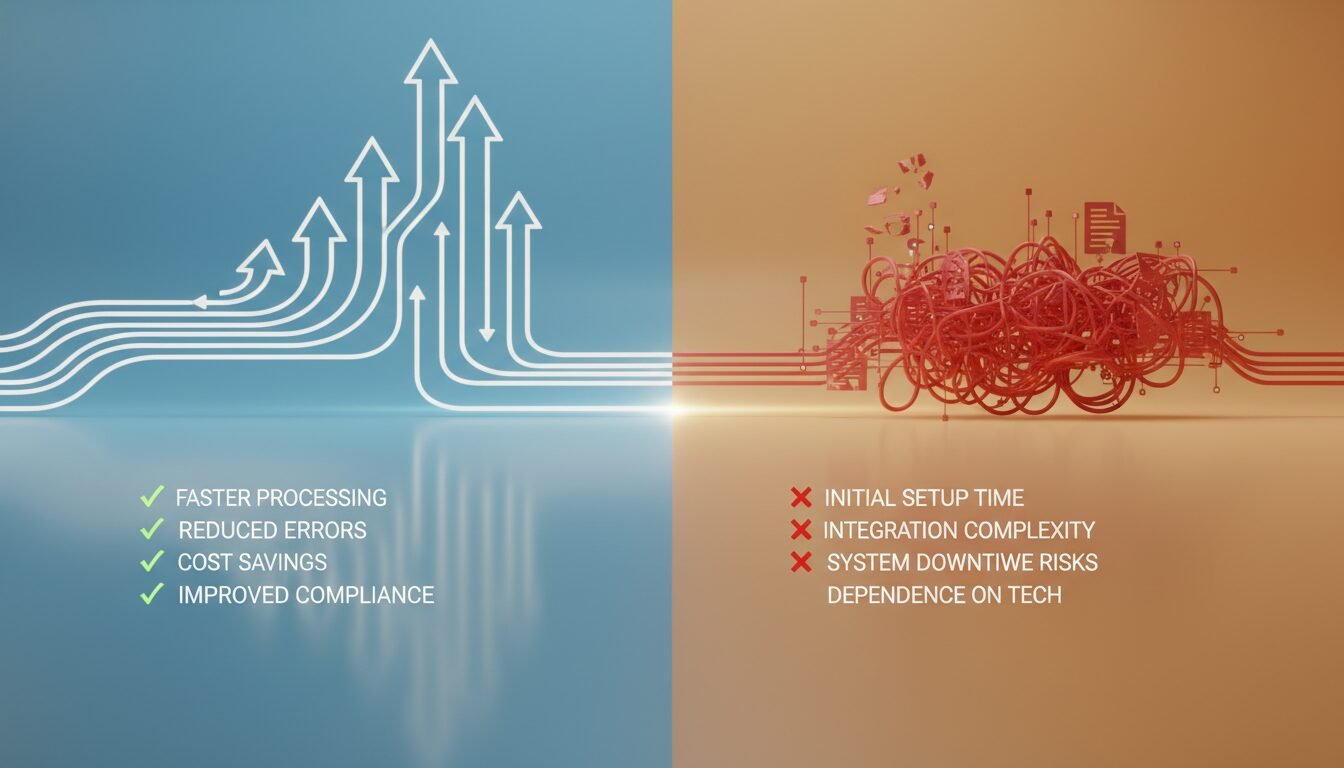
Pros
- Significant time savings: Automating repetitive document tasks can free up to 10 hours per week per user for higher-value work.
- Fewer errors: Enforced templates and mandatory fields eliminate common mistakes like wrong client names or missing attachments.
- Stronger compliance: Built-in audit trails and role-based access help regulated industries meet HIPAA, GDPR, and SOX requirements.
- Faster approvals: Automated routing and e-signature integrations cut approval cycles from days to minutes.
- Scalable for any business size: Lightweight tools like Zapier or Microsoft Power Automate make automation accessible even for small teams.
Cons
- Change management challenges: Teams accustomed to email-based approvals may resist new systems, requiring deliberate onboarding effort.
- Upfront setup time: Mapping processes, building templates, and testing workflows takes real investment before you see returns.
- Risk of over-engineering: Building workflows for every edge case creates brittle systems that frustrate users and invite workarounds.
- Integration complexity: Connecting automation tools to legacy ERP or CRM systems can require IT support and extended timelines.
What Is Document Workflow Automation?

Definition and Core Concept
Document workflow automation is the use of software to manage, route, and process documents automatically, replacing manual steps such as email forwarding, printing, and hand-signing. Instead of an employee manually moving a file from one inbox to the next, automation rules trigger each action, like sending a contract to Legal for review once Sales fills in the client details. IBM defines a document workflow as “the system that manages how documents are circulated within an organization,” and automation layers technology on top to enforce that system without constant human intervention.
The Traditional Manual Document Flow
Before automation, a typical document’s journey was paper-heavy or email-based. An invoice might be drafted in Word, saved on a local drive, emailed to a manager for approval, then forwarded to finance for payment. At each handoff, the document could be lost, sit unread, or loop back for corrections. According to Knack, these manual routines lead to “lost files, slow approvals, version control headaches, and human errors,” each one a small leak in an organization’s productivity.
How Automation Transforms Each Stage
With automation, every stage becomes traceable and fast. Creation pulls data from CRM or ERP systems into pre-approved templates. Reviewers receive notifications with one-click access to the latest version. Approvals happen via mobile or web, often with electronic signatures. Once approved, the document is automatically stored in the correct folder with tags for easy retrieval. This end-to-end flow ensures that no step is skipped and that every action is logged for audit purposes.
Core Elements of a Document Workflow

Creation and Template Standardization
Every document begins with creation. Automated systems provide standardized templates that maintain brand consistency and legal wording. Users fill in variable data, and the system populates the rest. This eliminates formatting errors and speeds up initial drafting. A sales proposal, for example, might automatically pull client names, pricing tiers, and service descriptions from a CRM before the rep even opens the document.
Review and Collaborative Editing
Once created, documents often need input from multiple stakeholders. The system routes the file to the right people in parallel or sequentially, tracking changes and comments. Team members can co-edit in real time without version conflicts, because the system maintains a single source of truth. Notifications keep everyone informed, reducing the time a document spends waiting in someone’s inbox.
Approval Routing and Electronic Signatures
Approvals are a common pain point in any organization. Automated workflows send documents to designated approvers based on roles, dollar amounts, or other rules. An expense report over $1,000 might require both a department head and finance director to sign off. E-signature tools like DocuSign or Adobe Sign can be embedded directly into the workflow, cutting approval cycles from days to minutes.
Secure Storage and Version Control
After approval and execution, documents need organized storage. The system automatically saves files to a central repository like SharePoint, Google Drive, or a dedicated document management system. Metadata such as client name, date, and document type is appended for easy search. Version history ensures that auditors can trace every change, and access permissions keep sensitive files out of the wrong hands.
Benefits That Transform Business Operations

Time Savings and Productivity Gains
Manual document handling eats into deep-work hours. Searching for files, chasing approvals, and correcting version mix-ups consume significant portions of a workweek. Wrike’s research shows that AI-powered automation can save up to 10 hours per week per user on repetitive tasks. When applied to the entire document lifecycle, these savings multiply across departments, freeing staff for higher-value activities like client strategy or creative problem-solving.
Error Reduction and Compliance Strength
Human errors, wrong client names, outdated terms, missing attachments, can damage trust and trigger regulatory fines. Automated document workflows minimize these risks by enforcing business rules. Only approved templates are used; mandatory fields must be filled; approvals cannot be bypassed. In industries like healthcare or finance, this compliance enforcement is invaluable. HIPAA-covered entities, for instance, can build workflows that redact protected health information before sharing with insurers, reducing breach potential significantly.
Actionable Audit Trails
Automated systems log every action: who opened a document, when they modified it, who approved it, and on what date. This creates a tamper-proof audit trail that satisfies internal auditors and external regulators alike. In a manual environment, reconstructing such a chain is nearly impossible. With automation, a compliance officer can generate a full report in seconds, demonstrating clear control over sensitive documents.
Environmental and Cost Benefits of Going Paperless
Reducing paper consumption is a real, measurable benefit that often gets overlooked. Organizations that shift to digital document workflows typically cut printing and physical storage costs by thousands of dollars annually. Beyond the budget impact, reducing paper use supports corporate sustainability goals. Industry data suggests that a mid-size office can eliminate tens of thousands of printed pages per year by automating just 3 to 5 core document processes. That is a meaningful reduction in both cost and environmental footprint.
How to Implement Document Workflow Automation in 6 Steps
Step 1: Map Current Document Processes
Begin by documenting every manual step your documents currently follow, from inception to final archive. Interview staff across departments, sales, legal, finance, to uncover hidden loops, redundant approvals, and common pain points. Create a flowchart for each document type (contract, invoice, HR form) to visualize the current state. This baseline reveals where automation will have the greatest impact.
Step 2: Define Automation Goals and KPIs
Set clear, measurable objectives. Do you want to cut contract turnaround from 5 days to 1 day? Reduce document-related errors by a significant margin? Achieve full audit readiness? These goals will guide software selection and workflow design. KPIs might include average approval time, number of lost documents, or employee satisfaction scores related to document processes.
Step 3: Choose the Right Software Platform
Select a platform that matches your technical environment and scalability needs. Options range from lightweight tools like Zapier or Microsoft Power Automate to robust enterprise suites such as IBM Business Automation Workflow or Templafy. Key factors include integration with existing apps (Microsoft 365, Salesforce), no-code vs. developer-friendly capabilities, and support for electronic signatures and AI features.
Step 4: Digitize and Standardize Your Document Templates
Convert critical documents into digital templates that the system can populate. This often involves working with legal and branding teams to lock down non-negotiable clauses, fonts, and logos, while leaving data fields open for dynamic insertion. Consistent templates reduce ambiguity and speed up document creation, often dramatically, according to industry benchmarks from organizations like AIIM (Association for Intelligent Information Management).
Step 5: Build and Test Automated Workflows
Using your process maps, construct workflows in a sandbox environment. Define triggers, conditions, and actions. For example: when a new client signs a contract (trigger), if the deal exceeds $50,000 (condition), route to VP of finance for additional approval (action). Test with real documents and real users before going live to catch logic gaps and ensure all notifications fire correctly.
Step 6: Train, Launch, and Monitor
Roll out the system in phases. Start with one department or document type. Provide hands-on training and create quick-reference guides. After launch, monitor the KPIs established in Step 2. Use analytics dashboards to identify bottlenecks. If one approver consistently holds up the queue, you might adjust the routing threshold or schedule a coaching session. Revisit workflows quarterly to accommodate changing business needs.
Common Pitfalls to Avoid
Underestimating Change Management
Technology alone won’t fix broken processes if employees resist. Many teams are accustomed to email-based approvals and may see automation as a threat. Address concerns early by explaining the reasoning behind the shift. Highlight personal benefits such as less tedious follow-up and fewer weekend email checks. Involving power users from each department as champions can accelerate adoption considerably.
Overcomplicating Automation Rules
It’s tempting to build workflows for every edge case, but complexity leads to brittle systems that break when conditions change. Start with the 80/20 rule: automate the most common paths, and handle rare exceptions manually through a simple escalation process. A convoluted 20-step approval chain is likely to frustrate users and invite workarounds, defeating the purpose of the entire initiative.
Ignoring Compliance from Day One
Security and regulatory requirements must be built into the automation design, not added later. If your industry mandates document retention periods, configure the system to archive records automatically after the legal hold expires. Encrypt documents at rest and in transit. Restrict access based on roles, and ensure that e-signature integrations comply with regulations like eIDAS in the EU or the U.S. ESIGN Act.
Choosing the Right Document Workflow Automation Software
Matching features to business needs is critical, and the right choice depends heavily on your team size, existing tech stack, and compliance requirements. The table below compares several popular platforms based on their strengths and ideal use cases.
| Platform | Key Features | Best For | Notable AI Capabilities |
|---|---|---|---|
| Wrike | Workflow automation rules, Gantt charts, dashboards, AI agents | Project-driven teams needing visibility across tasks and documents | AI agents that autonomously execute recurring workflows, saving up to 10 hours per user weekly |
| Templafy | Template management, document generation within Microsoft 365, brand governance | Enterprises where brand consistency and compliance are paramount | AI agents that produce on-brand, compliant presentations and documents from simple prompts |
| FlowForma | No-code workflow builder, native Microsoft 365 integration, real-time dashboards | Mid-market companies wanting rapid deployment without heavy IT support | Process intelligence to suggest automation improvements based on workflow analytics |
| Knack | Custom database apps, drag-and-drop form builder, API integrations | Organizations that need to automate document workflows tied to structured data | Rules-based triggers for document generation from database records |
| IBM Business Automation Workflow | Enterprise-grade process automation, AI-powered capture, deep governance controls | Large, regulated industries (banking, insurance, government) with complex compliance needs | IBM watsonx AI for natural language processing and document classification |
When evaluating vendors, request a proof of concept with your actual document types. The right tool will complement your team’s existing tech stack and scale as your needs grow.
Industry-Specific Applications
Healthcare: Patient Intake and Claims Processing
Hospitals and clinics handle thousands of intake forms, insurance verifications, and discharge summaries daily. Automated document workflows digitize these at the point of entry, automatically routing them to billing, nursing, or specialist teams. A patient’s signed consent form can trigger a notification to the surgery scheduling desk and simultaneously update the electronic health record. This reduces wait times and cuts data-entry errors that could lead to claim denials.
Financial Services: Loan Origination and KYC Compliance
Banks and credit unions face strict Know Your Customer regulations. Automated workflows guide a loan application from initial inquiry to funding by orchestrating document collection, credit checks, and compliance reviews. If an applicant uploads a blurry ID, the system requests a rescan before moving forward, preventing delays later. The result is faster closings, often within 48 hours, and a fully documented audit trail for regulators.
Legal: Contract Lifecycle Management
Law firms and corporate legal departments thrive on precision. Automated contract workflows ensure that every agreement is built from the latest approved clause library, routed for the right internal reviews, and e-signed by authorized signatories only. Version histories are preserved, so if a dispute arises, the firm can show exactly who edited what and when. This reduces contract turnaround from weeks to days and virtually eliminates negotiation deadlocks caused by lost versions.
Construction: Submittals and RFIs
Construction projects generate a large volume of submittals, RFIs (Requests for Information), and change orders. Automated document workflows move these through architect, engineer, and contractor teams with clear deadlines and automatic escalations. A cloud-based workflow ensures that field and office teams access the same information, avoids costly rework, and keeps the project on schedule.
Open-Source and Budget-Friendly Options
Not every organization needs an enterprise platform. Open-source document management tools like Alfresco Community Edition and OpenDocMan offer workflow capabilities at low or no licensing cost. These platforms suit technically capable teams willing to handle their own hosting and configuration. For businesses with tighter budgets, free tiers of Microsoft Power Automate or Zapier can automate basic document routing between tools like Google Drive, Gmail, and Slack without any upfront spend. The trade-off is typically less built-in compliance tooling and more manual setup work compared to paid platforms.
The Future of Document Workflow Automation: AI and Beyond
AI-Powered Content Understanding
Current automation follows explicit rules, but next-generation systems use AI to understand document content. An AI model can scan an incoming invoice, extract the vendor name and amount without human mapping, and route it to the correct cost center automatically. IBM’s watsonx and similar tools are making unstructured data actionable, reducing the need for manual data entry and template matching across industries.
Generative AI for Document Creation
Instead of filling in a template, generative AI can draft a complete contract or proposal based on a short prompt, then apply corporate branding and compliance rules. Templafy’s platform already lets users type a prompt and receive a ready-to-use PowerPoint deck. This capability is expanding to legal documents, medical reports, and technical specifications, cutting creation time while maintaining quality standards.
Low-Code Platforms and Broader Automation
Industry analysts have noted a strong shift toward low-code and no-code development, with enterprises increasingly expecting business analysts, not just IT teams, to design and modify workflows through visual interfaces. Document workflow automation sits at the center of this trend. Combined with robotic process automation (RPA), these platforms handle end-to-end processes that span documents, data entry, and even physical mail scanning, all without writing a single line of code.
Best Practices for Long-Term Success
Design for Flexibility, Not Perfection
Business requirements evolve. Build workflows with adjustable parameters, such as approval thresholds or routing paths, that authorized users can modify without developer help. This keeps your automation relevant as teams restructure or new regulations emerge. Avoid hard-coding values that will lock you into a static model that breaks every time the business changes.
Establish a Governance Council
Appoint a cross-departmental group to oversee document automation standards. The council should approve new template requests, review security policies, and prioritize workflow improvement projects. This prevents siloed automation sprawl where the sales team uses one tool and HR uses another, creating integration headaches. A unified governance approach ensures consistency and maximizes ROI.
Prioritize Mobile and Remote Access
Modern work happens everywhere. Ensure that your document workflow automation platform is fully functional on smartphones and tablets. Approvers should be able to review and sign documents from a mobile device while traveling. Role-appropriate mobile apps keep processes moving and reduce approval bottlenecks caused by desk dependency.
“Documentation is the memory of an organization. Good document management preserves best practices, historical decisions and past experiences.” – IBM
“The goal of workflow automation is not to replace human judgment, but to eliminate the low-value tasks that prevent people from applying that judgment where it matters most.” – AIIM (Association for Intelligent Information Management), industry research on intelligent information management
Ready to see what this looks like for your specific business? Book a free demo at digimeapp.com to see how AI can transform your practice.
Frequently Asked Questions
What exactly does document workflow automation mean?
Document workflow automation means using software to move documents through a business process automatically, instead of emailing files or carrying paper forms. The technology handles routing, approvals, and storage based on rules you define, with every action logged for accountability.
How is document workflow automation different from a document management system?
A document management system (DMS) focuses on storing, organizing, and retrieving files. Automation adds the flow: it pushes documents from one step to the next and enforces sequencing. Many DMS products, including SharePoint and Alfresco, now include workflow automation features built in.
Can small businesses benefit from document workflow automation?
Absolutely. Even a five-person company can save hours per week by automating invoice approvals or client onboarding checklists. Lightweight, affordable tools like Zapier or free Microsoft Power Automate plans make it accessible without a large IT budget.
What types of documents are best suited for automation?
Repetitive, rule-based documents are ideal: sales contracts, purchase orders, employee expense reports, vendor agreements, and HR onboarding forms. Documents that require frequent approvals or multiple stakeholders see the biggest time savings.
How long does it take to implement document workflow automation?
It depends on complexity. A simple single-department workflow can be live in a few days using no-code tools. Enterprise-wide deployment with integration to legacy systems may take 3 to 6 months. Starting small and expanding incrementally is the fastest path to results.
Is document workflow automation secure enough for sensitive data?
Yes, when properly configured. Leading platforms offer encryption, role-based access, and audit logs. Industries like healthcare and banking use automation to strengthen compliance with regulations such as HIPAA, GDPR, and SOX. Always vet the vendor’s security certifications before committing.