Print workflow automation is a web-based system that connects order management, job management, and production management to streamline the entire print lifecycle. It reduces manual tasks, cuts errors, and accelerates turnaround from job submission to fulfillment.
Key Takeaways
- Definition: workflow automation streamlines the entire print lifecycle from order intake to delivery, eliminating manual bottlenecks.
- Market Growth: The print management market is projected to reach $118.27 billion by 2031, driven by automation demand.
- Efficiency Gains: Businesses can reduce setup times by up to 70% through automated prepress and job routing.
- AI Integration: Modern solutions use AI for predictive maintenance, smart routing, and quality control, delivering measurable productivity gains.
- Security and Compliance: Automated systems enforce secure print release, data encryption, and audit trails that meet GDPR, HIPAA, and FedRAMP standards.
What Is Print Workflow Automation?

this type of automation is a complete approach to managing every stage of the print production process, from order intake to finishing. Software connects people, devices, and data into a digital chain. According to Vasion, the print management market is expected to reach $118.27 billion by 2031, fueled by the need to streamline operations. (Vasion)
Definition and Core Principles
At its foundation, this kind of automation is a secure, web-based management system that orchestrates order management, job management, and production management software to optimize throughput. Think of it as a digital chain where every step links to the next, creating a pre-programmed sequence that keeps processes moving to completion with minimal human intervention.
The Evolution from Manual to Automated Print Processes
Historically, print shops relied on manual data entry, physical job tickets, and siloed departments. That led to delays, errors, and wasted resources. Today, tools like OnPrintShop and Xerox FreeFlow provide end-to-end automation. In the U.S. alone, over 930 billion pages will be printed in 2025, and the average American uses over 700 pounds of paper annually, which makes efficiency and waste reduction urgent priorities. (IDC) (HP Workforce Experience Blog)
“Smart people should spend their time doing smart things, and automating workflows enables them to enhance their productivity, improving the overall work experience.” – Eric Radist, HP Workforce Experience Blog
Why Automation Matters for Modern Businesses
The hybrid work era demands consistent print experiences whether employees are in the office or remote. According to JLL Research, U.S. office leasing activity reached 92% of pre-pandemic averages in Q4 2024, meaning more employees are back in physical workspaces expecting frictionless printing. (JLL) Automation meets those expectations while helping businesses reduce operational costs through better resource utilization and waste minimization.
How Print Workflow Automation Works: A Step-by-Step Breakdown
Step 1: Job Submission and Intake
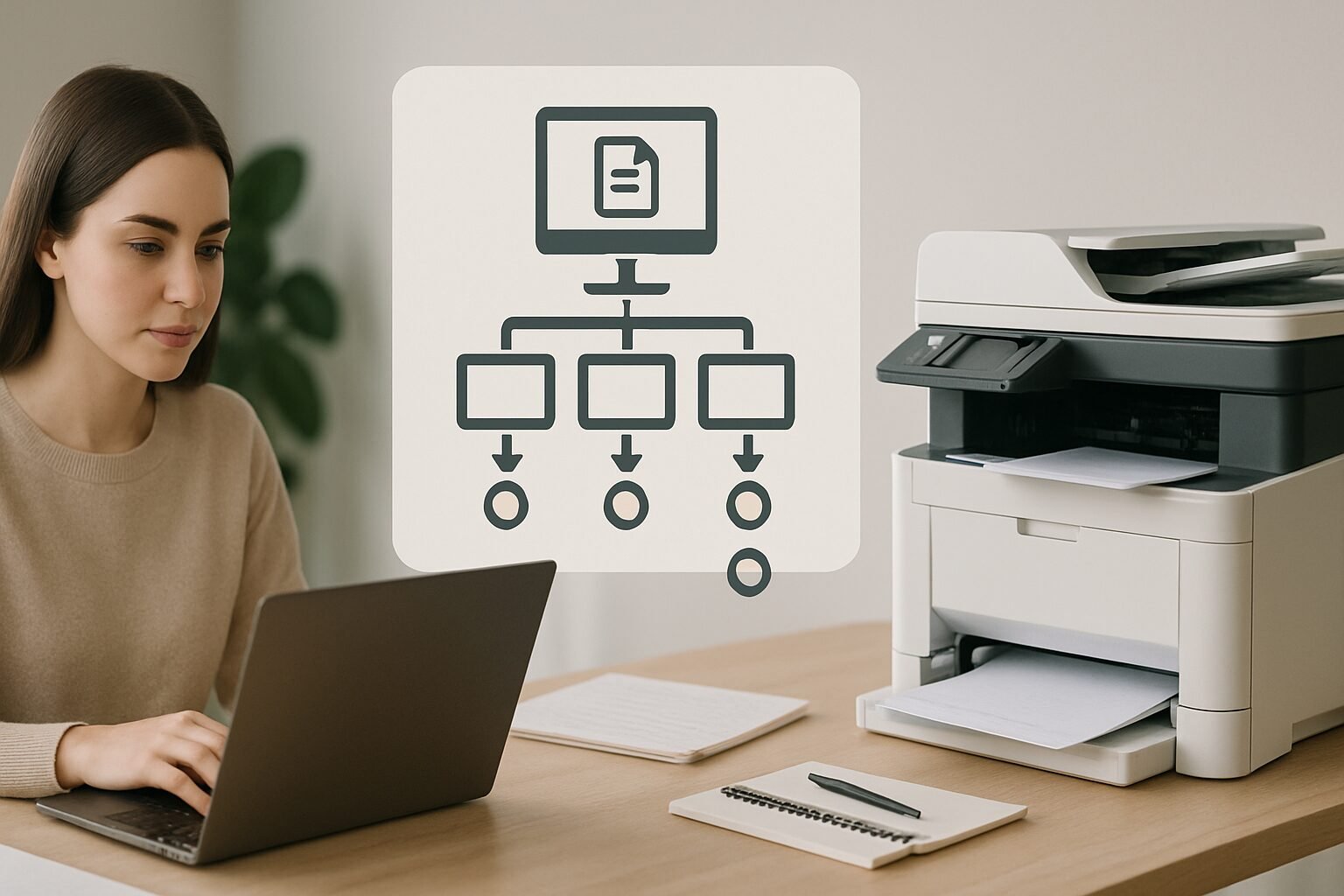
Customers submit print jobs via web-to-print portals, email, or integrations with e-commerce platforms. The system automatically captures job properties and file properties, such as page count, color specifications, and deadlines, eliminating manual data entry. Solutions like HP Site Flow and OnPrintShop provide intuitive storefronts where users configure products, upload files, and receive instant quotes.
Step 2: Prepress and File Preparation
Once a job is submitted, automated prepress tools take over. A preflight module validates fonts, colors, and bleeds. A nesting module arranges artwork to minimize paper waste. Image enhancement software corrects resolution issues automatically. AI can even recommend optimal impositions based on job attributes. This stage alone can reduce setup time by up to 70%, as reported by Duplo International. (Duplo International)
Step 3: Production, Finishing, and Fulfillment
The system routes jobs to the most suitable printing devices based on rules tied to resource allocation, deadlines, and cost control. Automated quality control checkpoints detect errors and trigger exception handling. Once printed, jobs move to finishing (cutting, binding, packaging) and are prepared for shipment. Operators and customers track everything in real time via live dashboards.
Core Components of a Print Workflow Automation System
Web-to-Print Portals and Order Management
Web-to-print platforms are the front door for automated print workflows. They allow customers to place orders 24/7, approve proofs online, and track job progress without calling anyone. OnPrintShop integrates with e-commerce and payment gateways to create a smooth ordering experience. HP Site Flow offers AI-powered web-to-print with smart product configuration and instant quoting.
Prepress Automation and File Processing
Standards-based preflighting using PDF/X-4 and ISO 12647 ensures files meet print specifications before production starts. Software like OneVision automates file normalization, while Xerox FreeFlow Core handles complex variable data jobs. Automated document composition and bundling further reduce manual intervention, cutting the errors that cause costly reprints.
Output Management and Secure Release
Output management sits between prepress and the printer, applying policies for secure release, quota management, and load balancing. Tools like PaperCut and uniFLOW integrate with print workflow to enforce zero-trust printing, requiring badge or PIN release at the device, and provide detailed audit trails for compliance with GDPR and HIPAA. Vasion’s platform has achieved FedRAMP High authorization, demonstrating enterprise-grade security for government and regulated industries. (Vasion)
JDF/JMF Standards and System Integration
Behind the scenes, most enterprise print automation relies on JDF (Job Definition Format) and JMF (Job Messaging Format) standards to pass job data between prepress, press, and finishing systems. JDF acts as a digital job ticket that travels with the job. JMF handles real-time messaging between devices and software. Together, they allow disparate systems from different vendors to communicate without custom coding, which is why platforms like Xerox FreeFlow and OneVision support them natively.
Key Benefits of Automating Print Workflows

Streamlined Operations and Reduced Manual Effort
Eliminating swivel-chair work, where staff switch between applications to enter the same data repeatedly, frees skilled operators to focus on value-added tasks. IT teams see fewer helpdesk tickets related to printing. Industry research suggests automation can recover a meaningful portion of an employee’s day typically lost to repetitive tasks, with some estimates pointing to 20-30% of productive hours reclaimed through workflow improvements. (Forbes)
Cost Savings and Waste Reduction
Centralizing print management reduces hardware, supply, and energy costs. Xerox reports that PremCom increased print capacity by 70% after implementing workflow automation with FreeFlow Core. (Xerox) Automated nesting and prepress checks also cut paper waste, a meaningful reduction that directly improves margins on short-run jobs. Granular visibility into production cost drivers helps managers optimize pricing and resource allocation.
Enhanced Security and Compliance
Modern workflow automation embeds security at every step: data encryption in transit and at rest, badge-release printing to prevent unattended documents, and audit logs that track who printed what and when. These features help organizations comply with strict frameworks like FedRAMP, GDPR, and HIPAA. For government contractors, Vasion’s FedRAMP High authorization is a significant milestone for handling controlled unclassified information (CUI).
Improved Visibility and Analytics
AI-driven dashboards provide real-time insights into queue depth, device utilization, and bottleneck analysis. Solutions like HP Workforce Experience Platform and Vasion offer advanced reporting that helps managers make data-backed decisions. Predictive analytics can forecast maintenance needs, reducing unplanned downtime by flagging anomalies before they cause failures.
Pros and Cons of Print Workflow Automation
Pros
- Significant time savings: Automated prepress and job routing can cut setup times by up to 70%, freeing operators for higher-value work.
- Lower error rates: Preflight checks and automated file validation catch problems before they reach the press, reducing costly reprints.
- Stronger security: Badge-release printing, encryption, and audit trails protect sensitive documents and satisfy compliance requirements.
- Scalability: Cloud-native platforms like HP Site Flow and Vasion scale with demand without requiring new hardware investments.
- Better customer experience: 24/7 web-to-print portals with real-time job tracking reduce inbound calls and improve satisfaction.
Cons
- Upfront implementation effort: Migrating from manual or legacy systems requires planning, staff training, and a change management process.
- Integration complexity: Mixed device fleets and older MIS platforms may need custom connectors or middleware to communicate with modern automation software.
- Ongoing subscription costs: Cloud-based solutions typically carry monthly or annual fees that add up, particularly for smaller shops with tight margins.
- Learning curve: Staff accustomed to manual workflows need time to adapt, and early adoption resistance can slow ROI realization.
Top Print Workflow Automation Tools and Platforms
The market offers a wide range of solutions tailored to different needs. Below is a comparison of leading tools, from all-in-one suites to specialized software.
| Solution | Key Features | Best For | Deployment | Notable Integrations |
|---|---|---|---|---|
| OnPrintShop | Web-to-print, order management, prepress automation, shipping integration | Commercial printers, print brokers | Cloud / On-Prem | E-commerce, payment gateways, MIS |
| Vasion | AI-powered web-to-print, secure printing, document automation, analytics | Large enterprises, government (FedRAMP High) | Cloud | Identity providers, ECM, legacy systems |
| HP Site Flow | Cloud-native, AI optimization, predictive maintenance, scalable | Industrial print, high-volume shops | Cloud | HP PrintOS, MIS, finishing equipment |
| Xerox FreeFlow | Job management, prepress automation, variable data, cross-media | In-house print centers, commercial printers | On-Prem / Cloud | Xerox presses, XMPie, third-party MIS |
| OneVision | PDF workflow automation, preflighting, nesting, file optimization | Print service providers, packaging | On-Prem / Cloud | Wide range of RIPs, MIS, web-to-print |
| Duplo International | Pre/post-press automation, connectivity, feeding/finishing integration | SME print shops, digital print providers | Hardware + Software | Duplo machines, third-party printers |
Most of these platforms offer modular adoption, so you can start with one area and expand as your needs grow.
Variable Data and Cross-Media Campaigns
Variable data publishing is one of the most powerful applications of this type of automation, and it’s often underused by shops that haven’t fully automated their prepress pipeline. Variable data printing (VDP) allows each piece in a print run to carry unique content, names, images, offers, or QR codes, all generated automatically from a data source.
Platforms like Xerox FreeFlow with XMPie integration and HP Objectif Lune connect data sources directly to print templates, enabling personalized direct mail, transactional documents, and cross-media campaigns that trigger digital follow-ups based on print engagement. For a dental practice mailing appointment reminders or a MedSpa running a seasonal promotion, VDP can meaningfully lift response rates compared to generic print runs. The automation layer handles data merging, preflight validation, and job routing without manual file preparation for each recipient.
“Variable data printing combined with automated workflow removes the last major manual bottleneck in personalized print production. When the data feed is clean, the press can run without a single operator touchpoint between order and output.” – Industry workflow consultant, as cited in Xerox FreeFlow documentation
Print Workflow Automation for Small and Medium Print Shops
Small and medium-sized print shops can reap real rewards from automation, often with lower-cost, incremental approaches that don’t require ripping out existing systems.
Low-Code and No-Code Automation Options
Platforms like Airtable, Make (formerly Integromat), and Zapier allow print shop owners to build automated workflows without deep coding skills. A shop might set up a smart intake form that triggers confirmation emails, generates job tickets in a spreadsheet, and routes files to a shared drive, all without a traditional MIS. A Reddit thread in the r/automation community highlighted exactly this kind of hybrid stack, combining smart forms, workflow bots, and scheduling assistants to handle ordering workflows end to end. (Reddit)
Incremental Implementation Strategies
Rather than a full overhaul, SMEs can adopt this kind of automation in phases:
- Start with prepress automation: use a PDF preflight tool to standardize file checking and save hours of manual review.
- Add a web-to-print storefront to existing customer channels to reduce administrative back-and-forth.
- Integrate an output management system to enforce secure printing and track usage across devices.
- Deploy finishing automation to eliminate human touch points in cutting, binding, and packaging.
This crawl-walk-run approach minimizes disruption and builds internal expertise at each stage before moving to the next.
Real Results from Smaller Print Providers
A small digital print shop using Duplo International’s slitter-cutter-creasers and automated workflow software reported cutting setup time by 70% and boosting throughput by 40%, allowing them to take on more short-run work without adding headcount. Similarly, an in-plant print center at a mid-sized university deployed Xerox FreeFlow Core to automate 5-color printing on their iGen 5 press, resulting in a significant reduction in operator intervention and faster job turnaround.
Integrating AI and Machine Learning into Print Automation
AI-Driven Predictive Maintenance and Smart Routing
Modern print devices generate substantial telemetry data. AI algorithms analyze vibration, temperature, and usage patterns to predict component failures before they happen. HP Site Flow uses predictive maintenance to reduce unplanned downtime. Smart routing dynamically allocates jobs to the most efficient printer, factoring in workload, consumables, and energy costs in real time.
Intelligent Document Processing and OCR
HP Scan AI Enhanced uses OCR and deep learning to extract key data from scanned documents and push it into back-end systems automatically. This eliminates manual data entry for invoices, contracts, and forms, with HP reporting processing time reductions of up to 80% for document-intensive workflows. (HP) TotalAgility combines generative AI with process orchestration to handle content-intensive workflows at scale.
Analytics-Based Enhancements for Continuous Improvement
AI doesn’t just automate. It learns. Platforms like Vasion provide analytics that identify recurring bottlenecks and recommend workflow adjustments. If a certain file type consistently triggers preflight errors, the system can suggest pre-processing rules to fix them automatically. Over time, these analytics-driven improvements compound into measurable gains in throughput and quality.
Overcoming Common Challenges in Print Workflow Automation
Legacy System Integration and Change Management
Many print shops still rely on older MIS platforms, legacy RIPs, or even paper-based processes. Modern print workflow automation bridges these gaps through native connectors and REST APIs. Vasion offers connectors for popular ECMs and identity providers, while OneVision provides workflow consulting to map and optimize existing processes before automation begins. Involving operators early, providing hands-on training, and celebrating quick wins makes adoption far smoother.
Ensuring Data Security Across Mixed Device Fleets
A mixed fleet from different vendors can complicate security enforcement. Output management software like uniFLOW and PaperCut centralizes policy enforcement, ensuring consistent badge-release printing and encryption across all devices regardless of manufacturer. For highly regulated sectors, solutions must meet standards like FedRAMP High (Vasion) or comply with NIST 800-171 for defense contractors.
Measuring ROI and Building a Business Case
Many decision-makers hesitate because calculating ROI feels elusive. The key is tracking concrete metrics before and after implementation:
- Job turnaround time: compare average hours per job before and after automation.
- Paper waste: measure reduction through nesting and preflight checks.
- Labor hours per job: quantify time saved by eliminating manual data entry and file handling.
- Press uptime: track improvement via predictive maintenance alerts.
Case studies like PremCom’s 70% capacity increase provide compelling evidence for skeptical stakeholders. Most platforms include built-in reporting that quantifies these gains, making the investment case straightforward to build.
Sustainability and Environmental Impact
Sustainability is increasingly a purchasing criterion, not just a marketing talking point. Print workflow automation contributes directly to environmental goals in several ways. Automated nesting reduces paper consumption per job. Preflight checks prevent reprints that waste both paper and ink. Smart routing directs jobs to energy-efficient devices when speed isn’t the priority.
As of 2026, leading platforms are adding carbon footprint tracking per job, giving print managers data to report against corporate sustainability targets. Some solutions integrate with FSC (Forest Stewardship Council) and PEFC certification workflows, helping print providers document responsible sourcing for clients who require it. For businesses in regulated industries or those pursuing ESG reporting, this kind of built-in sustainability tracking is becoming a standard expectation rather than a premium feature.
The Future of Print Workflow Automation
Trends Shaping Print Automation in 2026 and Beyond
Several trends are accelerating print workflow automation as we move through 2026:
- Cloud-native architectures are replacing on-premise servers, enabling remote management and scalable resources without capital hardware investment.
- Generative AI is being embedded for tasks like automated copywriting for variable data campaigns and layout suggestions based on brand guidelines.
- Sustainability tracking is becoming a priority, with software measuring carbon footprint per job and suggesting eco-friendly device settings.
- Blockchain for print provenance is emerging, allowing customers to verify the authenticity and chain of custody of printed documents.
Preparing Your Business for the Automated Print Era
To stay competitive, print providers should audit their current workflows, identify the most time-consuming manual steps, and pilot print workflow automation in one focused area first. Investing in staff training on AI-assisted tools and data literacy will matter as much as the software itself. Partnerships with experienced managed print service providers can accelerate the transition, ensuring measurable results without the trial-and-error cost of going it alone.
If you run a local service business and want to see how AI-powered workflow tools apply beyond the print shop, our team at DigiMe works with dental practices, MedSpas, and HVAC companies to automate the operational tasks that eat up their days. Book a free demo at digimeapp.com to see how AI can transform your practice.
Frequently Asked Questions
What is print workflow automation?
Print workflow automation is a system that uses software to manage and streamline every step of the print production process, from order submission through prepress, printing, finishing, and delivery, with minimal human intervention. It integrates with devices, MIS platforms, and e-commerce systems to create an efficient, connected chain.
How does print workflow automation reduce costs?
It reduces costs by eliminating manual tasks, minimizing paper waste through automated imposition and preflighting, optimizing printer utilization, and cutting reprints caused by errors. Centralized management also lowers IT support overhead and reduces supply waste across the fleet.
What are the key features to look for in a print workflow automation solution?
Essential features include web-to-print storefronts, automated prepress (preflight and nesting), job routing and prioritization, secure output management with badge release, real-time dashboards and analytics, and strong integration capabilities with existing MIS, ERP, and finishing equipment.
Can small print shops benefit from automation, or is it only for large enterprises?
Small shops can absolutely benefit. Starting with low-cost, modular tools like Airtable and Zapier for basic automation, then graduating to dedicated solutions like Duplo’s finishing automation or Xerox FreeFlow Core, allows incremental adoption with ROI at each stage rather than a large upfront commitment.
How does AI improve print workflow automation?
AI improves print workflow automation through predictive maintenance that reduces downtime, intelligent document processing that auto-extracts data from scans, smart scheduling that optimizes job queues dynamically, and analytics that continuously identify bottlenecks and recommend workflow improvements.
What security considerations are important in print workflow automation?
Critical security features include data encryption in transit and at rest, secure print release via badge or PIN authentication, detailed audit trails, integration with identity management systems, and compliance with standards like GDPR, HIPAA, and FedRAMP. These protections are especially important in healthcare, legal, and government environments.