Top Workflow Automation Tools 2026: AI & Open Source Picks
Workflow automation tools are software platforms that automate manual processes and repetitive tasks using rule-based logic, improving productivity and reducing human error. These tools range from simple task sequencers to AI-powered systems that handle complex decision-making across integrated applications.
Key Takeaways
- Workflow automation tools eliminate time-consuming manual tasks by connecting apps and executing rule-based actions.
- AI-powered automation adds decision-making capabilities, moving beyond simple triggers to intelligent routing and content generation.
- Open-source options like n8n and Activepieces provide flexibility, customization, and meaningful cost savings compared to proprietary alternatives.
- Proprietary tools such as Wrk offer managed services with over 2,500 pre-built bots for rapid deployment without developer resources.
- Choosing the right tool requires evaluating integration depth, AI capabilities, security certifications, and scalability for your specific industry.
- Local service businesses, including dental practices, MedSpas, and HVAC companies, can save 10-20 hours per week by automating scheduling, follow-ups, and dispatch workflows.
What Are Workflow Automation Tools?

Workflow automation tools are applications designed to streamline business processes by automatically triggering actions based on predefined rules. According to a comprehensive review by The Digital Project Manager, which tested 28 different platforms, only 10 earned top recommendations, highlighting the wide range of quality available in the market.
How Do Workflow Automation Tools Work?
These tools typically use “if this, then that” logic. When a new lead is added to a CRM, the tool can automatically send a welcome email, assign a task to a sales rep, and update a tracking spreadsheet, all without human intervention. More advanced, AI-driven tools can analyze unstructured data like emails or social media posts and decide the next step based on content rather than just triggers.
Traditional Automation vs. AI-Powered Automation
Traditional automation relies on strict, rule-based sequences. AI-powered workflow automation tools introduce large language models (LLMs) that can interpret data, generate content, and make judgment calls. This allows for more flexible handling of complex scenarios, reducing the need for human oversight while maintaining consistency.
Why Businesses Need Workflow Automation in 2026

As of 2026, the volume of digital operations continues to grow at a pace most small business teams simply cannot keep up with manually. Activepieces, a leading open-source platform, now offers over 724 integrations, illustrating the critical need to connect disparate systems. Without workflow automation tools, teams spend excessive time on manual data transfer and coordination, leading to errors and costly delays.
For local service businesses specifically, the stakes are high. A dental front desk managing appointment reminders, insurance verifications, and patient follow-ups manually can easily lose 3-4 hours every single day to tasks that a well-configured automation workflow handles in seconds. That time compounds fast across a year.
Key Benefits for Modern Enterprises
- Efficiency gains: Automating routine tasks frees employees for strategic, revenue-generating work.
- Error reduction: Rule-based execution minimizes human mistakes in data handling and communication.
- Scalability: Automated processes handle increased volumes without proportional headcount growth.
- Cost savings: Reducing manual effort directly lowers operational costs, often recovering the tool’s subscription cost within the first month.
Real-World Impact of Workflow Automation
Businesses that implement workflow automation tools report faster turnaround times and improved accuracy across departments. Marketing teams automate lead nurturing sequences. IT departments auto-provision user accounts. HVAC companies auto-dispatch technicians based on job type and location, all logged and auditable. The pattern is consistent: the businesses that automate first gain a measurable operational edge over competitors still doing things by hand.
“Workflow automation software helps you eliminate repetitive tasks so you can focus on higher-impact work.” Ben Aston, Founder of The Digital Project Manager
RPA vs. Workflow Automation: Understanding the Difference
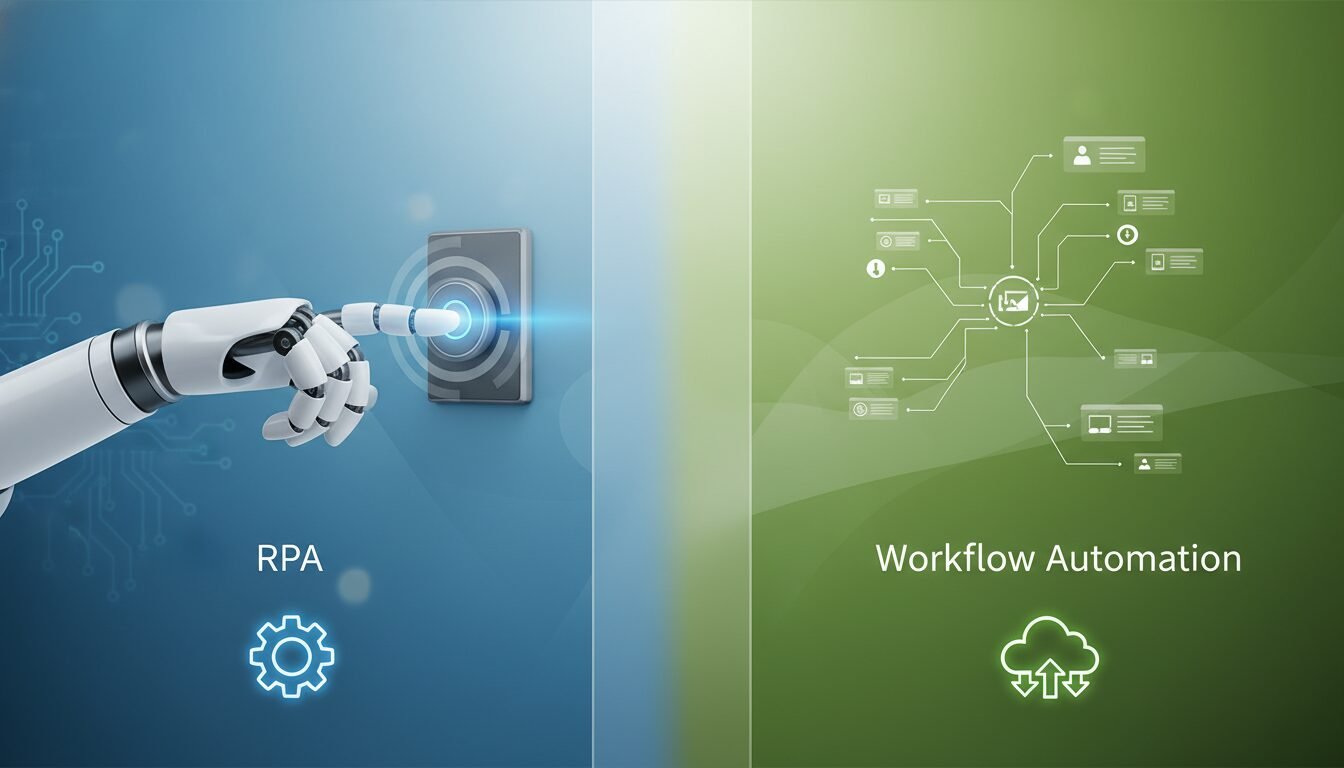
Robotic Process Automation (RPA) and workflow automation tools are related but serve distinct purposes. RPA uses software “robots” to mimic human interactions with existing user interfaces, clicking buttons, copying data, and filling forms, without requiring API access. Workflow automation, by contrast, connects systems through native integrations and APIs to pass data between them directly.
Think of RPA as a workaround for systems that don’t talk to each other natively. Workflow automation is the preferred approach when proper integrations exist, because it’s faster, more reliable, and easier to maintain. In practice, many enterprise setups use both: RPA handles legacy systems with no API, while workflow automation tools manage the modern application stack.
When to Choose RPA Over Workflow Automation
- Your business relies on older software with no API or integration support.
- You need to automate tasks inside a desktop application or web browser.
- The process involves reading data from PDFs, scanned documents, or screen-based interfaces.
When Workflow Automation Is the Better Fit
- Your apps support native integrations or REST APIs.
- You want real-time data sync between CRM, scheduling, billing, and communication tools.
- You need AI-driven decision-making built into the process flow.
Types of Workflow Automation Tools

The market includes several categories tailored to different use cases and technical skill levels. Open-source solutions like n8n have become especially popular, with its repository surpassing 162,000 GitHub stars, reflecting a large developer community and extensive customization potential.
Project Management Workflow Tools
Tools like Adobe Workfront and monday.com integrate task creation, status updates, and resource allocation across teams. They ensure that project milestones trigger appropriate notifications and assignments, reducing the risk of missed deadlines. Adobe Workfront, for example, is widely used by marketing operations teams managing campaigns across multiple channels and approval stages.
AI Workflow Automation Platforms
AI-driven tools such as Gumloop and Lindy AI use natural language processing to automate complex chains. A customer support request can be classified, summarized, and routed to the correct department without manual triage. These platforms are particularly valuable for MedSpas and healthcare-adjacent businesses where patient inquiries vary widely in content and urgency.
Open-Source Workflow Automation Tools
Activepieces, n8n, and Apache Airflow offer self-hosted, customizable workflows. They’re ideal for organizations with strict data governance requirements, since all processing can remain on-premises. Apache Airflow, originally developed at Airbnb, has become the standard for data pipeline orchestration in technical teams.
“With the addition of AI, we can take productivity to an entirely new level.” Maddy Osman, n8n blog
Low-Code AI Workflow Platforms
Low-code platforms sit between fully visual tools like Zapier and developer-first tools like n8n. Platforms such as Make (formerly Integromat) and Vellum-compatible tools let non-technical users build sophisticated automations using drag-and-drop interfaces, while still allowing developers to inject custom code where needed. This category has grown significantly in 2025-2026 as businesses look to reduce dependency on dedicated automation engineers.
Top 10 Workflow Automation Tools for 2026
The Digital Project Manager’s rigorous testing of 28 options yielded a shortlist of 10 standout tools. Below, we present a comparison of leading options that represent different strengths, from open-source flexibility to managed enterprise services.
Comparison of Top Workflow Automation Tools
| Tool | Type | Notable Metric | Pricing Model | Best For |
|---|---|---|---|---|
| n8n | Open Source | 162,000+ GitHub stars | Free self-hosted; cloud from $28/mo | Developers needing full control |
| Activepieces | Open Source | 724+ integrations | Free self-hosted; cloud plans available | Teams wanting open-source AI flows |
| Wrk | Proprietary | 2,500+ pre-built bots | Managed service, custom pricing | Ops teams without dev resources |
| Zapier | Proprietary SaaS | 6,000+ app integrations | Free tier; paid from $19.99/mo | Non-technical business users |
| Make (Integromat) | Proprietary SaaS | Visual scenario builder | Free tier; paid from $9/mo | Complex multi-step visual workflows |
| Gumloop | AI-Native SaaS | Autonomous agent builder | Usage-based pricing | AI-first automation without coding |
| Adobe Workfront | Enterprise SaaS | End-to-end project orchestration | Enterprise pricing, custom quotes | Marketing ops and creative teams |
| Apache Airflow | Open Source | Industry standard for data pipelines | Free; managed cloud options vary | Data engineering and ETL workflows |
Other Notable Mentions
Beyond these, Lindy AI provides an AI-native environment for building autonomous agents, and Screendragon offers workflow management tailored to creative and marketing agencies. Each of these workflow automation tools brings unique advantages depending on your technical expertise, team size, and budget.
Workflow Automation for Local Service Businesses
Local service businesses, including dental practices, MedSpas, HVAC companies, and law firms, have some of the most repetitive, high-volume workflows of any industry. Yet they’re also among the last to adopt automation, often because the tools feel designed for tech companies rather than service providers.
That’s changing fast. According to industry data from ServiceTitan and similar field service platforms, HVAC and home service businesses that automate dispatch, follow-up, and review requests typically recover 10-15 hours of administrative time per week. That’s time redirected to customer service and revenue-generating activity.
Dental Practice Automation Use Cases
- Appointment reminders: Automatically send SMS and email reminders 48 hours and 2 hours before appointments, reducing no-shows by a meaningful margin.
- Insurance verification: Trigger verification workflows the moment a new patient books, so front desk staff arrive at the appointment with paperwork ready.
- Post-visit follow-up: Send care instructions and review requests automatically after each visit, improving both outcomes and online reputation.
MedSpa Booking and Follow-Up Workflows
- Lead capture to booking: When a prospect fills out a contact form, automatically assign them to a coordinator, send a personalized intro message, and add them to a nurture sequence if they don’t book within 48 hours.
- Pre-treatment prep: Send consent forms, pre-care instructions, and parking details automatically based on the treatment type booked.
- Loyalty and rebooking: Trigger a rebooking offer 6-8 weeks after a treatment, timed to when results typically peak and clients are most receptive.
HVAC Dispatch and Customer Communication
- Job assignment: When a service request comes in, automatically match it to the nearest available technician based on location and skill set.
- Customer updates: Send automated ETAs and technician profile links so customers know exactly who’s coming and when.
- Post-service reviews: Trigger a Google review request 2 hours after a job is marked complete, while the experience is still fresh.
If you want to see how DigiMe builds these workflows specifically for dental and MedSpa businesses, visit our dental automation page or our MedSpa solutions page for industry-specific details.
What to Look For When Choosing Workflow Automation Tools
Selecting the right workflow automation tools requires more than picking the most popular name. The best tool for a 3-person dental office is almost certainly different from the best tool for a 50-person marketing agency. Here’s what actually matters when you’re evaluating options.
Integration Depth and App Compatibility
Check whether the tool natively integrates with the specific apps you already use, not just a generic list of “supported” platforms. A tool that connects to 6,000 apps but only has shallow, one-way syncs with your EHR or CRM is less useful than one with 200 deep, bidirectional integrations. Activepieces’ 724+ integrations and Zapier’s 6,000+ connections are impressive numbers, but always verify the depth of the specific connectors you need before committing.
AI and Decision-Making Capabilities
If your workflows involve unstructured data, such as patient messages, customer emails, or social media inquiries, you need a tool with genuine AI capabilities, not just basic conditional logic. Look for platforms that support LLM integration, natural language classification, and sentiment analysis as native features rather than bolt-on add-ons.
Security Certifications and Compliance
For healthcare-adjacent businesses, this is non-negotiable. Look for ISO 27001 certification, SOC 2 compliance, and HIPAA-ready configurations. If you’re handling patient data, the tool must support data residency requirements and provide audit logs for every automated action. Self-hosted open-source tools like n8n give you maximum control here, but require your team to manage security configurations actively.
Ease of Use vs. Customization Trade-Off
No-code tools like Zapier are fast to set up but hit a ceiling quickly when workflows get complex. Developer-first tools like n8n offer near-unlimited customization but require technical expertise to maintain. Low-code platforms like Make sit in the middle and often represent the best balance for growing businesses with mixed technical teams.
Pricing Structure and Total Cost of Ownership
Look beyond the monthly subscription fee. Factor in the cost of additional users, the price per task or workflow run, and whether you’ll need developer time to build and maintain automations. A $9/month tool that requires 20 hours of setup and ongoing maintenance may cost more in real terms than a $200/month managed service that works out of the box.
Vendor Support and Community
For open-source tools, community size matters enormously. n8n’s 162,000+ GitHub stars translate to thousands of community-built templates, active forums, and rapid bug fixes. For proprietary tools, evaluate the quality of documentation, response times for support tickets, and whether dedicated onboarding is included in your plan.
Pricing Guide: Budget, Mid-Range, and Premium Tiers
Workflow automation tools span a wide price range, and the right tier depends entirely on your workflow complexity and team size. Here’s a practical breakdown to help you budget appropriately.
| Tier | Monthly Cost Range | Best For | Example Tools |
|---|---|---|---|
| Free / Open Source | $0 (self-hosted) | Technical teams, startups, data-sensitive orgs | n8n Community, Activepieces, Apache Airflow |
| Budget SaaS | $9 to $30/mo | Small businesses, simple multi-step workflows | Make (from $9), n8n Cloud (from $28), Zapier Starter |
| Mid-Range SaaS | $50 to $300/mo | Growing teams, moderate complexity, CRM integration | Zapier Professional, Make Business, Lindy AI |
| Enterprise / Managed | $500+/mo or custom | Large orgs, compliance-heavy industries, no dev resources | Wrk (custom), Adobe Workfront (custom), Gumloop Pro |
Most local service businesses find the budget-to-mid-range tier covers their needs well. A dental practice or MedSpa running appointment reminders, lead nurturing, and review requests can typically accomplish everything needed for $30-100 per month in tool costs, with the time savings paying back that investment many times over within the first 30 days.
How to Choose the Right Workflow Automation Tool
Selecting the best fit requires a structured approach. Drawing on extensive project management experience, Ben Aston of The Digital Project Manager advises evaluating tools based on their ability to handle both current and future process complexity, not just today’s immediate needs.
Step 1: Map Your Critical Processes
Identify which manual workflows consume the most time and are most prone to errors. Document the apps involved, the data flow, and the desired outcomes. Be specific: “we manually copy new form submissions into our CRM every morning” is more actionable than “we have manual processes.”
Step 2: Define Must-Have Features
Consider the depth of integrations, need for AI decision-making, scalability, security certifications such as ISO 27001, and whether you require self-hosting for compliance. Write these down as a checklist before you start evaluating tools, not after.
Step 3: Compare Shortlisted Options
Test the top candidates using free trials. Evaluate the user interface, speed of execution, and quality of community or vendor support. The review of 28 tools by The Digital Project Manager found that the difference between an average and an excellent tool often lies in the ease of error handling and logging, not in the feature list.
Step 4: Run a Pilot on One High-Impact Workflow
Don’t try to automate everything at once. Pick one workflow that is repetitive, well-documented, and high-frequency. Build it, test it with real data for two weeks, and measure the time saved. A successful pilot builds internal confidence and gives you a template for scaling.
Step 5: Plan for Maintenance and Ownership
Automations break when the apps they connect to update their APIs or change their data structures. Assign clear ownership for each workflow, establish a review cadence (quarterly works well for most businesses), and document every automation so that knowledge doesn’t live only in one person’s head.
Open Source vs. Proprietary Automation
The choice between open-source and proprietary workflow automation tools often comes down to control versus convenience. Wrk exemplifies the proprietary model with its 2,500+ pre-built bots, offering turnkey automation without the need for coding or infrastructure management.
Cost and Licensing
Open-source tools like n8n’s community edition are free to self-host, which can reduce software costs to near zero for technical teams. That said, they require real expertise to deploy, secure, and maintain. Proprietary solutions charge subscription fees but include support, automatic updates, and often dedicated onboarding, which has genuine value for non-technical teams.
Security and Customization
With open-source tools, your team can audit the code for vulnerabilities and modify workflows without restrictions. Proprietary software may be faster to set up but locks you into the vendor’s roadmap and data handling practices. For industries with strict data residency laws or HIPAA considerations, self-hosted open-source tools are often the preferred path.
Implementing Workflow Automation: A Step-by-Step Guide
Even the best workflow automation tools need a well-planned implementation to deliver results. Industry experience consistently shows that companies piloting small, high-impact automations first are far more likely to scale successfully than those attempting organization-wide rollouts from day one.
Phase 1: Design and Test
Start with a simple workflow involving two or three apps. Build it, test it with sample data, and verify that the triggers and actions work consistently across different scenarios, including edge cases like missing data fields or failed API calls.
Phase 2: Monitor and Optimize
Once live, monitor the automation’s performance daily for the first two weeks. Look for bottlenecks, failures, or unexpected outputs and adjust the rules accordingly. Over time, you can layer on AI-based decisions to handle edge cases that rule-based logic misses.
Phase 3: Scale Across the Organization
After a successful pilot, document the process thoroughly and train team members who will own it. Gradually extend automation to other departments, ensuring each new workflow adheres to your data governance and security policies. A library of documented, tested workflows becomes a genuine operational asset.
What to Expect After Implementation
Setting realistic expectations before you go live saves a lot of frustration. Workflow automation tools deliver real results, but they’re not instant magic. Here’s what the first 90 days typically look like for local service businesses.
Week 1-2: Setup and Initial Testing
Expect to spend meaningful time mapping your first workflow, connecting integrations, and testing with sample data. Most no-code tools take 2-4 hours to set up a basic workflow. More complex, multi-step automations with conditional logic can take a full day or more. Budget this time honestly.
Month 1: First Results and Adjustments
You’ll likely catch a few edge cases your initial setup didn’t account for. A patient with an unusual appointment type. A lead form submission with missing fields. This is normal. The adjustment phase is where you refine the logic and build confidence in the system. By the end of month one, most businesses report the automation running reliably and saving measurable time daily.
Month 2-3: Expanding and Compounding
Once your first workflow is stable, the natural next step is adding a second, then a third. Each new automation builds on the infrastructure already in place. By month three, businesses typically have 3-5 active workflows running, covering appointment management, lead follow-up, review generation, and internal task assignment. The cumulative time savings at this point are often 10-20 hours per week across the team.
Ongoing Maintenance Expectations
Plan for quarterly reviews of each active automation. App updates, API changes, and evolving business processes will occasionally break or invalidate existing workflows. Assign a clear owner for each automation, document the logic in plain language, and set up error notifications so broken workflows surface immediately rather than silently failing for days.
CRM and ERP Integration: Getting the Most From Your Automation Stack
Workflow automation tools deliver their highest value when connected to the systems that hold your most important business data: your CRM and, for larger organizations, your ERP. Without these integrations, automations operate on isolated data and can’t reflect the full picture of a customer relationship or business operation.
CRM Integration Use Cases
When your workflow automation tool connects directly to your CRM, such as Salesforce, HubSpot, or a dental-specific platform like Dentrix, you can trigger automations based on real customer data. A lead who opens three emails but hasn’t booked can automatically receive a personalized follow-up. A patient overdue for a recall appointment can receive a targeted reactivation message. These aren’t generic blasts. They’re contextual, data-driven communications that feel personal because they’re based on actual behavior.
ERP Integration for Larger Operations
For businesses running ERP systems like NetSuite or SAP, workflow automation tools act as the connective tissue between operational data and customer-facing processes. An inventory update in the ERP can automatically trigger a supplier reorder workflow. A completed service job can push data to billing, update the customer record, and trigger a satisfaction survey, all without a single manual step.
Integration Depth Matters More Than Integration Count
As mentioned in the buying guide section, the number of integrations a tool advertises is less important than how deep those integrations go. A shallow integration might only sync contact names and email addresses. A deep integration reads and writes across custom fields, triggers on specific record changes, and handles bidirectional data sync in real time. Always test the specific integration you need during your free trial period before committing to a paid plan.
Pros and Cons of Workflow Automation Tools
Workflow automation tools offer substantial advantages for most businesses, but they’re not without trade-offs. Here’s an honest look at both sides.
Pros
- Significant time savings: Automating repetitive tasks frees 10-20 hours per week for most small service business teams, time that goes directly toward revenue-generating activity.
- Reduced human error: Rule-based execution is consistent. Unlike manual processes, automations don’t forget steps, mistype data, or skip tasks on busy days.
- Scalability without headcount: A well-built automation stack handles 2x or 3x the volume without requiring additional staff, which is critical for growing businesses managing costs carefully.
- Improved customer experience: Faster follow-ups, timely reminders, and personalized communications improve how clients and patients perceive your business, often before they’ve even spoken to a human.
- Accessible pricing: With free tiers and plans starting as low as $9/month, meaningful automation is within reach for businesses of almost any size.
Cons
- Setup time investment: Building effective automations requires upfront time to map processes, configure integrations, and test thoroughly. This is not a plug-and-play solution for complex workflows.
- Maintenance overhead: Automations break when connected apps update. Without clear ownership and monitoring, broken workflows can silently fail for days, causing more problems than they solve.
- Learning curve for advanced features: AI-powered and developer-first tools like n8n have steep learning curves for non-technical users. The most powerful features often require coding knowledge or dedicated training time.
- Integration gaps: Legacy systems, niche industry software, and older platforms may not have native connectors, requiring custom API development that adds cost and complexity.
- Over-automation risk: Automating a broken process just makes the broken process faster. Without proper process design upfront, automations can amplify existing problems rather than solve them.
Frequently Asked Questions
What is the primary purpose of workflow automation tools?
Workflow automation tools primarily reduce manual effort by automatically executing repetitive tasks, improving efficiency, and ensuring consistency across business processes. For local service businesses, this typically means automating appointment reminders, lead follow-ups, and internal task assignments that would otherwise consume hours of staff time each day.
How do AI workflow automation tools differ from traditional ones?
AI workflow automation tools incorporate machine learning and natural language processing to make intelligent decisions, whereas traditional tools rely solely on predefined rules and triggers. The practical difference is that AI tools can handle unstructured inputs like customer emails or support messages and decide the appropriate next action, while traditional tools require every possible scenario to be mapped out in advance.
Are open-source workflow automation tools secure?
Yes, open-source tools can be highly secure because the source code is transparent and can be audited for vulnerabilities by your own team or the broader community. Self-hosting also gives you full control over where data is stored and processed, which is particularly valuable for healthcare-adjacent businesses with HIPAA or data residency requirements.
What are examples of popular workflow automation tools?
Popular options include n8n, Zapier, Make, Activepieces, and Wrk. Each serves different needs: n8n and Activepieces for developer-centric customization, Zapier and Make for business-user-friendly interfaces, and Wrk for fully managed automation without any coding requirement. AI-native platforms like Gumloop and Lindy AI are gaining ground for businesses that need intelligent decision-making built into their workflows.
How much do workflow automation tools cost?
Costs range from free self-hosted solutions like n8n Community Edition to enterprise managed services that can exceed $1,000 per month. Most small and mid-sized businesses find that cloud-based plans in the $9-100 per month range cover their needs well. The real cost calculation should include setup time and ongoing maintenance, not just the subscription fee.
Can workflow automation integrate with legacy systems?
Many tools provide standard connectors for popular modern apps, but legacy system integration often requires custom API development or an RPA layer to bridge the gap. Open-source platforms like n8n allow custom nodes to be built for almost any system, while proprietary tools may offer professional services for legacy integrations at additional cost.
Which workflow automation tools are best for small local service businesses?
For most local service businesses without dedicated technical staff, Zapier and Make offer the best balance of ease-of-use and capability in the $9-50 per month range. Businesses with more complex needs or data sensitivity requirements may find n8n’s self-hosted option worth the setup investment. DigiMe’s AI-powered platform is purpose-built for dental, MedSpa, and HVAC businesses and handles the setup and maintenance for you, which is often the most practical path for busy practice owners.
Ready to see how workflow automation can work specifically for your practice or service business? Book a free demo at digimeapp.com to see how AI can transform your operations without requiring a technical team to manage it.