Key Takeaways
- Modern web development goes beyond basic websites , it’s about creating systems that generate revenue
- Local service businesses need different web solutions than e-commerce or tech companies
- AI-powered features can automate appointment booking, lead qualification, and customer follow-up
- Your website should work as your best salesperson, even when you’re not available
- ROI-focused development pays for itself through increased bookings and reduced administrative work
What Web Development Actually Means for Your Business

Most business owners think web development is just building a website. We get it , that’s how it used to work. You’d hire someone to create a few pages, add your contact info, and call it done.
But here’s what’s changed: your website isn’t just a digital brochure anymore. It’s become the central hub of your entire customer acquisition system.
Beyond Basic Websites: Revenue-Generating Systems
Today’s web development creates systems that work around the clock. A dental practice we worked with recently saw their online booking increase by significantly after implementing an AI-powered scheduling system. Patients could book appointments at 2 AM, get automatic confirmations, and receive pre-visit instructions , all without involving the front desk.
This isn’t about fancy technology for its own sake. It’s about building digital infrastructure that directly impacts your bottom line. When a MedSpa client can book a consultation, receive personalized treatment recommendations, and schedule follow-up appointments through one integrated system, that’s web development solving real business problems.
The Local Business Difference
Local service businesses have unique web development needs. You’re not selling products online like Amazon. You’re building trust with people who will visit your physical location and work with your team face-to-face.
Your web development priorities should focus on credibility, convenience, and conversion. That means professional design, easy appointment booking, clear service information, and social proof from real patients or clients. The technical complexity happens behind the scenes , your visitors just experience a smooth, professional interaction.
Integration is Everything
Modern web development connects your website to your practice management software, payment systems, email marketing, and customer communication tools. When someone fills out a contact form, that information should automatically flow into your CRM, trigger a follow-up sequence, and alert your team.
This level of integration used to require expensive custom development. Now, with the right approach, it’s becoming standard practice for businesses that want to compete effectively.
The Technology Stack That Actually Matters

Walk into any web development discussion, and you’ll hear about React, Node.js, Python, and dozens of other technologies. Most of it doesn’t matter for your business goals.
What matters is choosing technologies that solve your specific problems reliably and cost-effectively.
Frontend vs Backend: What You Need to Know
Frontend development is what your customers see and interact with , the design, layout, forms, and user experience. Backend development is the engine that powers everything behind the scenes , databases, integrations, automation, and business logic.
For local service businesses, frontend development should prioritize mobile responsiveness (most of your traffic comes from phones), fast loading times, and clear calls-to-action. Your backend needs to handle appointment scheduling, customer data management, and integration with your existing business systems.
The key is balance. A beautiful website that doesn’t integrate with your practice management software creates more work for your team. A powerful backend system with a confusing user interface frustrates potential customers.
Mobile-First Development
Over 70% of local business website traffic comes from mobile devices. This isn’t just about making your site look good on phones , it’s about designing the entire user experience for mobile users first.
Mobile-first development means larger buttons for easy tapping, simplified navigation, faster loading times, and forms that work well on small screens. When someone searches for “emergency dental care near me” at 10 PM, they need to find your information and contact you quickly from their phone.
Performance and Speed Optimization
Website speed directly impacts your business results. Google’s research shows that 53% of mobile users abandon sites that take longer than 3 seconds to load. For local businesses, this translates to lost appointments and revenue.
Modern web development includes performance optimization from the ground up , optimized images, efficient code, content delivery networks, and caching strategies. These technical details might not excite you, but they determine whether potential customers stay on your site long enough to book an appointment.
AI Integration: Beyond the Hype

Everyone’s talking about AI, but most explanations make it sound like science fiction. For local service businesses, AI integration is practical and immediately useful.
We’re not talking about robots taking over your practice. We’re talking about smart automation that handles routine tasks so your team can focus on patient care.
Intelligent Chat and Customer Service
AI-powered chat systems can handle common questions 24/7. When someone visits your website at midnight asking about pricing or availability, an intelligent system can provide immediate answers and capture their contact information for follow-up.
The best AI chat systems learn from your actual customer interactions. They understand the difference between someone asking about teeth whitening costs versus someone describing dental pain symptoms. One gets pricing information; the other gets connected to your emergency line immediately.
This isn’t about replacing human interaction , it’s about ensuring every potential customer gets helpful information immediately, even when your office is closed.
Automated Lead Qualification
Not every website visitor is ready to book an appointment immediately. AI can help identify which leads are most likely to convert and prioritize them for your team’s attention.
For example, someone who spends 5 minutes reading about a specific treatment, downloads a guide, and fills out a detailed contact form is probably more serious than someone who just submitted a basic inquiry. AI systems can score these leads automatically and route them to the appropriate team member.
Personalized User Experiences
AI can customize website content based on visitor behavior and preferences. If someone repeatedly visits pages about cosmetic dentistry, the system can highlight relevant services and testimonials on their next visit.
This level of personalization used to require expensive custom development. Now it’s becoming accessible for local businesses through modern web development platforms that include AI capabilities.
Essential Features for Local Service Websites
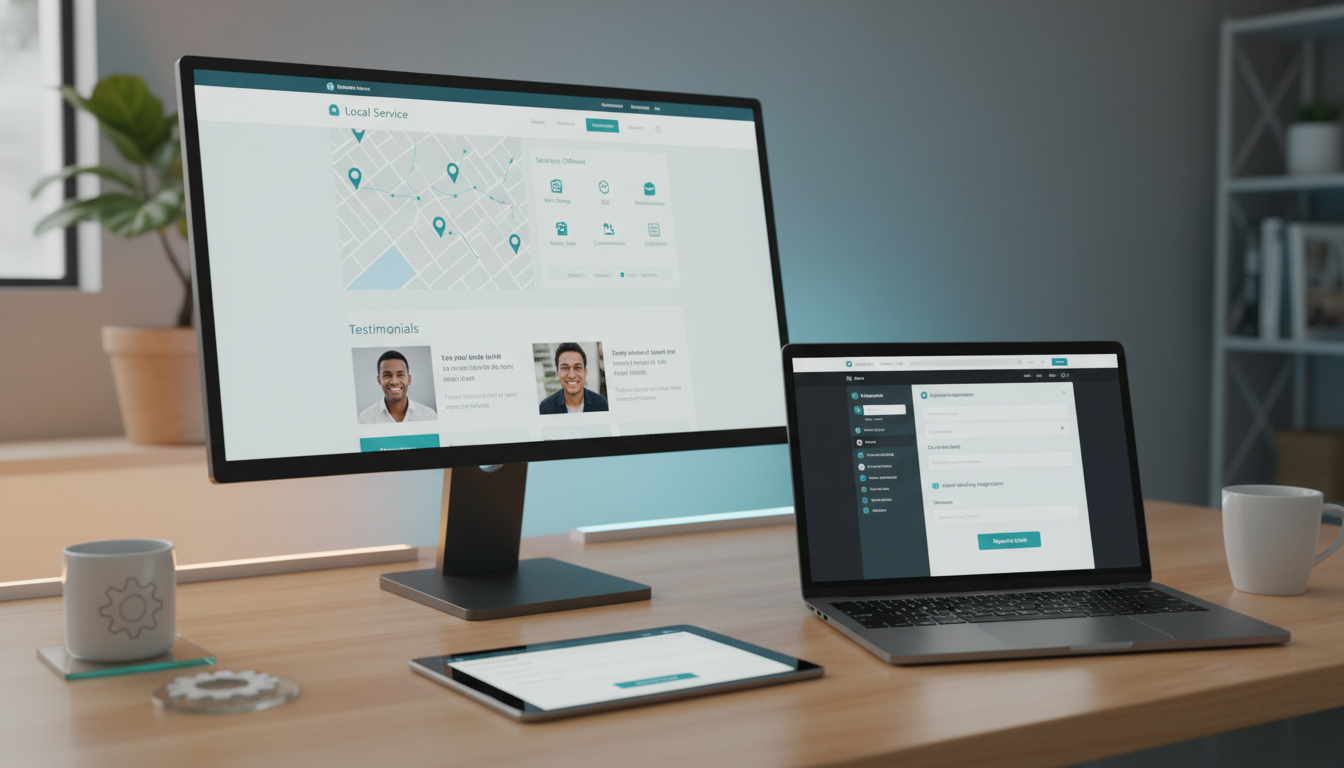
Your website needs to work as hard as your best team member. That means including features that actively generate leads, nurture prospects, and convert visitors into customers.
But not every feature is worth the investment. Focus on capabilities that directly impact your business goals.
Smart Appointment Scheduling
Online appointment booking isn’t optional anymore , it’s expected. But basic scheduling systems create as many problems as they solve. Double bookings, no-shows, and scheduling conflicts waste time and frustrate customers.
Smart scheduling systems integrate with your practice management software, automatically block unavailable times, send confirmation and reminder messages, and allow customers to reschedule or cancel online. Some systems even use AI to optimize appointment timing based on treatment types and customer preferences.
A well-implemented scheduling system typically reduces no-shows by 30-40% and saves 10-15 hours of administrative work per week.
Lead Capture and Nurturing Systems
Most website visitors aren’t ready to book immediately. They’re researching, comparing options, and building trust. Your website needs systems to capture their interest and nurture them toward becoming customers.
This includes strategically placed contact forms, downloadable resources (treatment guides, pricing information, before/after galleries), email automation sequences, and retargeting systems that keep your practice visible as they continue their research.
The goal is staying connected with potential customers throughout their decision-making process, not just hoping they remember to call when they’re ready.
Review and Reputation Management
Online reviews significantly impact local business success. Your website should make it easy for satisfied customers to leave reviews and help you manage your online reputation proactively.
This includes automated review request systems, review monitoring and response tools, and prominent display of positive reviews throughout your website. Some advanced systems can even identify unhappy customers before they leave negative reviews and route them to customer service for resolution.
Security and Compliance Considerations
Local service businesses handle sensitive customer information , health records, financial data, personal details. Your website development must prioritize security and regulatory compliance from the beginning.
Security isn’t just about preventing hackers. It’s about building customer trust and protecting your business from liability.
HIPAA Compliance for Healthcare Practices
Dental practices, MedSpas, and other healthcare businesses must ensure their websites comply with HIPAA regulations. This affects everything from contact forms to appointment scheduling systems to patient communication tools.
HIPAA-compliant web development includes encrypted data transmission, secure hosting environments, proper access controls, and audit trails for all patient data interactions. It also requires business associate agreements with all technology vendors and regular security assessments.
Non-compliance isn’t just a legal risk , it’s a business risk. Patients expect their healthcare providers to protect their privacy, and security breaches can destroy trust and reputation.
Data Protection and Privacy
Even non-healthcare businesses need strong data protection practices. Customer contact information, payment data, and behavioral tracking information all require secure handling.
Modern web development includes SSL certificates, secure payment processing, regular security updates, backup systems, and privacy policy compliance. These aren’t optional extras , they’re fundamental requirements for any business website.
Regular Security Updates and Monitoring
Website security isn’t a one-time setup. It requires ongoing monitoring, regular updates, and proactive threat detection. Hackers constantly develop new attack methods, and security vulnerabilities are discovered regularly in popular web technologies.
Your web development plan should include automatic security updates, regular security scans, malware detection, and incident response procedures. This ongoing maintenance protects your business and ensures your website remains trustworthy for customers.
Cost Considerations and ROI Planning
Web development costs vary dramatically based on complexity, features, and implementation approach. Understanding the investment required and expected returns helps you make informed decisions about your digital strategy.
The key is thinking about web development as business infrastructure, not just a marketing expense.
Initial Development vs Ongoing Costs
Most businesses focus on initial development costs but underestimate ongoing expenses. A professional business website typically requires monthly hosting, security monitoring, content updates, feature additions, and technical support.
Initial development for a local service business website with essential features (professional design, mobile optimization, basic SEO, contact forms, service pages) typically ranges from $3,000 to $15,000. Adding advanced features like AI chat, automated scheduling, or CRM integration can increase costs to $15,000 to $50,000.
Ongoing costs usually run $200 to $800 per month, depending on hosting requirements, security services, content management, and feature updates.
Measuring Return on Investment
Web development ROI comes from increased leads, higher conversion rates, reduced administrative work, and improved customer satisfaction. Track metrics that matter to your business goals.
For appointment-based businesses, measure online booking rates, lead quality scores, customer acquisition costs, and lifetime customer value. A dental practice that invests $20,000 in web development but gains 10 additional patients per month (average value $2,000 each) sees positive ROI within the first year.
Don’t forget to measure time savings. If automated systems save your team 15 hours per week of administrative work, that’s worth $15,000 to $25,000 annually in staff costs.
Phased Development Approach
You don’t need to implement every feature immediately. A phased approach allows you to start with essential functionality and add advanced features as your business grows and ROI becomes clear.
Phase 1 might include professional design, mobile optimization, and basic contact forms. Phase 2 adds online scheduling and email automation. Phase 3 introduces AI features and advanced integrations.
This approach spreads costs over time and allows you to validate ROI before making larger investments.
Choosing the Right Development Approach
You have several options for web development , DIY website builders, freelance developers, agencies, or integrated business platforms. Each approach has advantages and limitations for local service businesses.
The right choice depends on your technical comfort level, budget, timeline, and long-term business goals.
DIY vs Professional Development
Website builders like Squarespace, Wix, and WordPress.com make it easy to create basic websites without technical knowledge. They’re cost-effective for simple needs but have significant limitations for growing businesses.
DIY solutions work well for basic information websites but struggle with advanced features like appointment scheduling, CRM integration, or AI-powered automation. They also require ongoing time investment for updates, security, and troubleshooting.
Professional development costs more upfront but provides custom solutions, ongoing support, and scalability for business growth. The decision often comes down to whether you want to spend time learning web development or focus on running your business.
Agency vs Freelancer vs Platform
Web development agencies offer complete services and project management but typically cost more and may not understand local business needs. Freelance developers can be more affordable and flexible but may lack specialized business knowledge or long-term availability.
Integrated business platforms (like DigiMe) combine web development with business-specific features and ongoing support. They understand local service business needs and provide solutions designed specifically for practices like yours.
Consider your need for ongoing support, feature updates, and business growth when choosing an approach.
Questions to Ask Potential Developers
Before hiring any web development service, ask specific questions about their experience with local service businesses, their approach to security and compliance, their process for ongoing updates and support, and their understanding of your industry’s unique needs.
Ask for examples of similar projects, references from current clients, and clear explanations of what’s included in their pricing. Understand their process for handling problems, making changes, and adding new features over time.
Most importantly, ensure they understand that your website needs to generate business results, not just look professional.
| Approach | Best For | Typical Cost | Pros | Cons |
|---|---|---|---|---|
| DIY Builder | Basic info sites | $20-100/month | Low cost, quick setup | Limited features, time investment |
| Freelancer | Custom features | $2,000-20,000 | Flexible, affordable | Variable quality, support issues |
| Agency | Complex projects | $10,000-100,000+ | Full service, expertise | High cost, may not understand local business |
| Business Platform | Local services | $200-800/month | Industry-specific, ongoing support | Less customization |
Future-Proofing Your Web Development Investment
Technology changes rapidly, but your web development investment should serve your business for years. Planning for future needs and technological evolution protects your investment and ensures continued business growth.
The goal is building systems that can adapt and grow with your business rather than requiring complete rebuilds every few years.
Scalable Architecture and Growth Planning
Your website architecture should accommodate business growth without requiring complete redevelopment. This means choosing technologies and platforms that can handle increased traffic, additional locations, new services, and expanded team sizes.
Scalable development includes modular design that allows adding new features without disrupting existing functionality, database structures that can grow with your customer base, and hosting solutions that can handle traffic spikes during busy periods.
Plan for growth scenarios: What happens when you add a second location? How will you handle 10x more website traffic? Can your systems support additional team members or service offerings?
Emerging Technologies and Trends
Stay informed about technological trends that could impact your business, but don’t chase every new development. Focus on technologies that solve real business problems and have proven track records.
Current trends worth watching include voice search optimization (important for local businesses), progressive web apps that work like mobile apps, advanced AI features for customer service and personalization, and improved integration capabilities between business systems.
The key is maintaining flexibility to adopt useful new technologies without constantly rebuilding your entire web presence.
Ongoing Maintenance and Updates
Web development isn’t a one-time project , it requires ongoing maintenance, security updates, feature improvements, and content management. Plan for these ongoing needs from the beginning.
Regular maintenance includes security patches, software updates, performance optimization, content updates, and feature additions based on business needs and customer feedback. Budget 15-25% of your initial development cost annually for ongoing maintenance and improvements.
Consider maintenance requirements when choosing development approaches. Some solutions require more technical maintenance than others, and some providers include ongoing support while others charge separately.
FAQ
How long does web development take for a local service business?
Basic professional websites typically take 4-8 weeks to develop and launch. More complex sites with custom features, integrations, and AI capabilities can take 3-6 months. The timeline depends on feature complexity, content preparation, and revision cycles. Most businesses can launch with essential features and add advanced capabilities over time.
Do I really need AI features on my website?
AI features aren’t mandatory, but they can significantly improve customer experience and reduce administrative work. Start with basic AI like chatbots for common questions or automated appointment reminders. Add more advanced features as you see ROI from initial implementations. The key is choosing AI that solves real business problems, not adding technology for its own sake.
How do I know if my web development investment is paying off?
Track metrics that matter to your business: online appointment bookings, lead quality, customer acquisition costs, time saved on administrative tasks, and overall revenue growth. Most local service businesses see positive ROI within 6-12 months through increased bookings and operational efficiency. Set up tracking systems from day one to measure results accurately.
What’s the difference between a website and a web application?
Websites primarily provide information and basic interaction (contact forms, appointment requests). Web applications include interactive features like online scheduling, customer portals, payment processing, and automated workflows. Most modern local service businesses benefit from web applications that actively generate and manage leads rather than just displaying information.
Should I build my website in-house or hire professionals?
This depends on your technical skills, available time, and business goals. DIY solutions work for basic information sites but become limiting as your business grows. Professional development costs more upfront but provides custom solutions, ongoing support, and business-focused features. Consider your opportunity cost: time spent learning web development is time not spent growing your practice.
How often should I update or redesign my website?
Major redesigns are typically needed every 3-5 years to stay current with design trends and technology changes. However, content updates, feature additions, and performance improvements should happen regularly. Focus on continuous improvement rather than complete rebuilds. A well-built website can evolve with your business through regular updates and feature additions.
Ready to see how modern web development can transform your practice? Book a free demo at digimeapp.com to discover AI-powered solutions designed specifically for local service businesses.