Automate document workflow is the practice of using software to manage document creation, routing, approval, and storage through rule-based triggers, replacing manual handoffs with consistent, auditable processes that run faster and with fewer errors.
Key Takeaways
- Automating document workflow eliminates manual tasks, saving up to 10 hours per week per employee on repetitive work.
- A successful strategy starts with mapping existing processes, defining clear business rules, and selecting integration-ready software.
- Organizations typically see significant reductions in document cycle times and manual touchpoints through systematic workflow automation.
- Top platforms like Box, Adobe Acrobat Sign, and Templafy offer pre-built templates, e-signatures, and AI-driven data extraction to accelerate automation.
- Securing stakeholder buy-in, connecting legacy systems via APIs, and continuously measuring KPIs ensure long-term automation ROI.
- Small businesses can start with no-code tools like Zapier or Make and scale from a single workflow without needing IT staff.
What Is Document Workflow Automation?

Definition and Core Concepts
Document workflow automation is the use of technology to optimize tasks within a document-driven process. It involves implementing rule-based systems to reduce manual intervention in activities like extracting data from reports, routing contracts for electronic signature, and categorizing files. Unlike simple digital storage, an automated document workflow actively manages the flow of content across people and systems, ensuring that the right document reaches the right person at the right time. This approach transforms how organizations handle everything from invoices and HR forms to complex legal agreements, making it a key foundation of modern business efficiency.
Key Differences from Manual Document Management
Traditional document handling relies on paper trails, email chains, and shared drives, leading to version conflicts, lost files, and approval delays. When you document workflow, those pain points shrink fast. Automation enforces a consistent, auditable path for every file. Instead of someone manually forwarding a contract to a manager, the system triggers an approval notification the moment a draft is saved, tracks all changes, and archives the final signed version automatically. This shift cuts processing time, reduces human error, and provides a clear audit trail that manual methods simply cannot match.
Why It Matters: Industry Adoption Trends
The push to automate document workflow is accelerating. Gartner predicts that 30% of enterprises will automate more than half of their network activities by 2026, up from less than 10% in mid-2023. A Camunda survey reveals that 85% of organizations find process management more complex when combining automated tasks, with 56% attributing that complexity to legacy systems. These figures show that while the journey has real friction, the competitive pressure to automate is intense and only growing.
Why Automate Document Workflows? Benefits and Statistics

Efficiency Gains and Time Savings
The most immediate payoff when you automate document workflow is time saved. Manual activities like data entry, filing, and chasing approvals consume hours every week. According to industry data, professionals can lose significant portions of their workday hunting through scattered files across disconnected systems. Wrike reports its AI agents save users up to 10 hours per week on repetitive tasks. Scale that across a team of 20 people, and the productivity gain is equivalent to adding 2 full-time employees without increasing headcount.
Error Reduction and Compliance
Human mistakes, such as typos, missed fields, and wrong versions, plague manual document handling. An automated document workflow enforces formatting rules, validation checks, and version control, which cuts error rates substantially. This matters most in regulated sectors like finance, healthcare, and legal, where compliance with standards such as HIPAA or GDPR is mandatory. Automation logs every action, creating a tamper-proof audit trail that simplifies internal reviews and external audits. Companies can meet regulatory demands without the overhead of manual oversight.
Cost Reduction and Environmental Impact
Beyond labor savings, automating document workflows cuts hard costs: paper, printing, storage, and courier services. A typical mid-size firm moving to a paperless automated system can save tens of thousands of dollars annually. Environmentally, it reduces paper waste and the carbon footprint tied to physical document transport. These secondary benefits strengthen the business case for automation, especially for organizations pursuing ESG (Environmental, Social, and Governance) goals.
Pros and Cons of Document Workflow Automation

Pros
- Significant time savings: Automating repetitive tasks like routing and approvals frees up hours each week per employee.
- Fewer errors: Rule-based validation and version control reduce the typos and missed fields that manual processes produce.
- Stronger compliance: Automated audit trails and compliance checks make HIPAA, GDPR, and SOC 2 requirements easier to meet.
- Lower operating costs: Reduced paper, printing, and storage expenses add up to meaningful savings over time.
- Scalability: Once a workflow is configured, it handles 10 documents or 10,000 with the same consistency.
- Better visibility: Real-time dashboards show exactly where every document sits in the process, eliminating status-chasing emails.
Cons
- Upfront implementation effort: Mapping processes, configuring rules, and integrating systems takes real time before you see results.
- Legacy system friction: Older ERP or file server environments often require middleware or RPA bots to connect with modern automation tools.
- User resistance: Employees comfortable with email-based approvals may push back on new systems without proper change management.
- Ongoing maintenance: Business rules need regular review; a workflow that worked last quarter can become a bottleneck if team structures or compliance requirements change.
- Cost variability: Enterprise platforms like Templafy require custom quotes, and implementation plus training costs can extend the payback period.
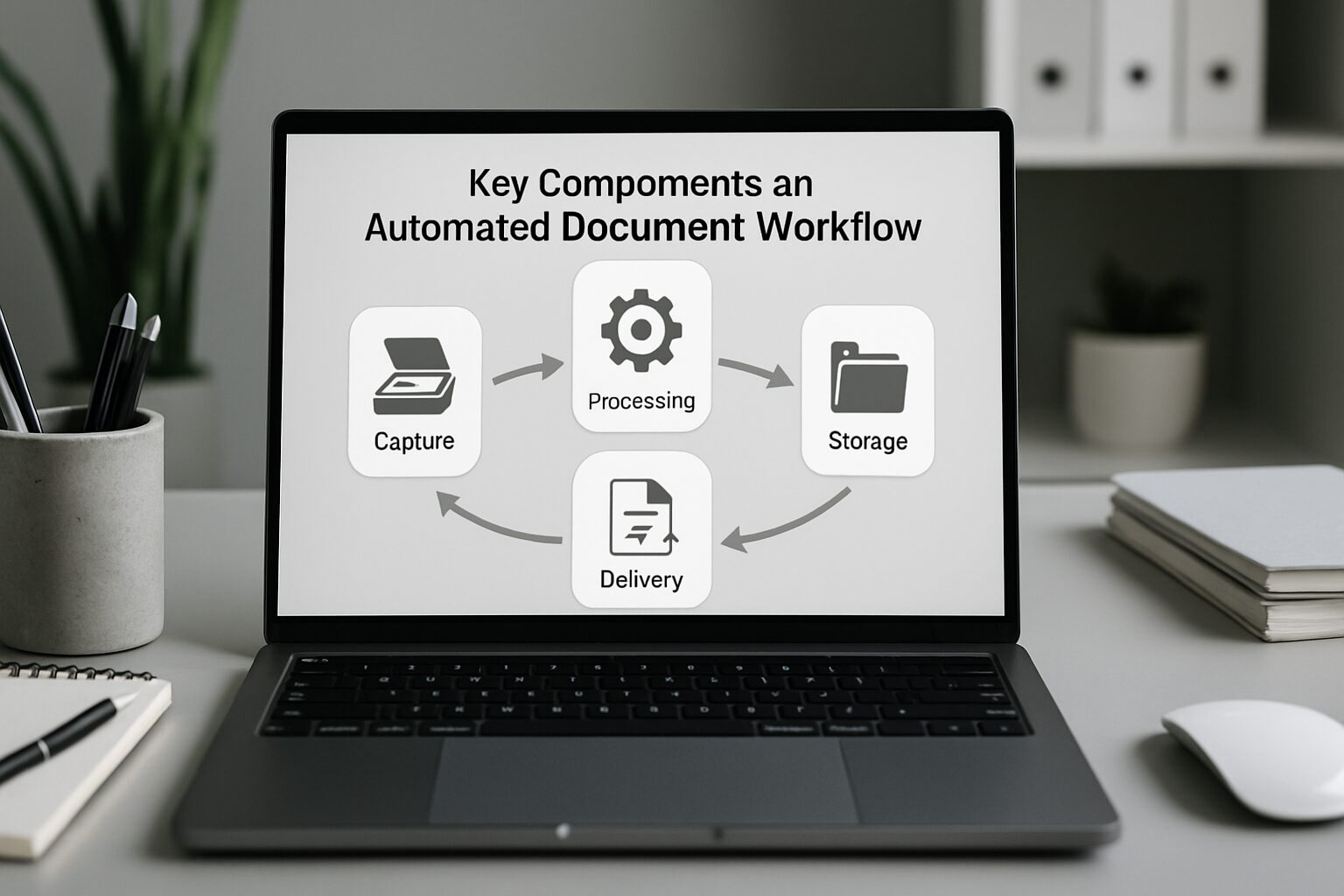
Key Components of an Automated Document Workflow
Intelligent Metadata and Tagging
Metadata, meaning information about a document like author, date, vendor, or contract type, is the engine behind automation. When you automate document workflow, metadata allows systems to classify, route, and retrieve files instantly. A document tagged as “invoice” with a vendor name and amount can trigger a payment approval chain automatically. According to AIIM research, only 29% of organizations rate their process and workflow design skills as advanced or expert, which highlights the untapped potential of structured metadata for most companies.
Centralized Document Repository
An automated workflow requires a single source of truth: a document management system (DMS) or cloud repository where all files reside. This eliminates scattered local drives and email attachments. When integrated with automation rules, the repository becomes the command center. Documents are captured via OCR, stored with metadata, versioned automatically, and made searchable in seconds. Tools like Box, Microsoft SharePoint, or Adobe Acrobat Sign provide such repositories with built-in workflow capabilities.
Integration Capabilities (APIs and Connectors)
No automation tool works in isolation. The ability to connect with CRM, ERP, HRIS, and e-signature platforms is essential. When you automate document workflow, look for solutions offering pre-built integrations or robust APIs. Adobe Acrobat Sign integrates natively with Salesforce, allowing sales teams to generate and send contracts without leaving the CRM. That kind of connected data flow prevents silos and ensures that automated steps like pulling customer data or updating a deal status happen in real time.
How to Automate Document Workflow: A Step-by-Step Guide
Step 1: Map Existing Processes
Start by documenting your current workflow for a specific document type, say an invoice or a contract. Identify every handoff, decision point, and bottleneck. Draw a simple flowchart showing who creates the document, who reviews it, where it gets stored, and how long each step takes. This map is your baseline; it reveals redundancies and delays that automation can eliminate. Engage team members who touch the process daily for the most accurate picture.
Step 2: Define Clear Goals and Rules
Before you automate document workflow, set measurable targets: reduce cycle time by a meaningful percentage, cut manual touches by half, or achieve zero lost documents. Then write the business rules that will drive automation, including permissions, approval hierarchies, required metadata, and compliance checks. For each document type, specify conditions like “if invoice amount exceeds $5,000, route to senior manager.” Document these rules in plain language to align IT and business stakeholders from the start.
Step 3: Select the Right Automation Software
Choose a platform that fits your technical environment and scalability needs. Assess features like visual workflow designers, pre-built templates, e-signature support, OCR, API access, and security controls. The comparison table below covers six leading tools to automate document workflow. Run a small pilot with one document type to validate usability and integration before an enterprise-wide rollout.
Step 4: Implement and Integrate
Configure the chosen tool according to your mapped process and rules. Set up triggers, actions, and notifications. For instance, when a PDF is uploaded to a watched folder, OCR extracts key data, the file is tagged as “contract,” and a review task is assigned to the legal team. Integrate with existing systems via native connectors or REST APIs. Test thoroughly with real data to confirm the flow works end-to-end without disrupting existing processes.
Step 5: Test, Train, and Iterate
Run a two-week pilot with a small group, collect feedback, and refine. Train users on the new system and emphasize how it simplifies their daily tasks. After launch, monitor performance against your predefined goals. Adjust rules based on real-world usage. Successful automation is never “set and forget”; continuous improvement keeps the workflow aligned with evolving business needs.
Best Practices for Successful Automation
Secure Stakeholder Buy-In Early
Automation affects multiple departments, and their support is crucial. Present the benefits with data: time saved, error reduction, and compliance gains. Involve IT, legal, HR, and operations from the start. When you automate document workflow, frame it as something that helps employees rather than replaces them. A well-communicated vision ensures smoother adoption and faster ROI.
Start Small and Scale
Avoid trying to automate everything at once. Choose a repetitive, high-volume process like expense reporting or vendor onboarding for your first project. A quick win builds confidence and generates internal champions. Once the initial workflow is stable, expand to adjacent processes, reusing templates and rules. This incremental approach minimizes disruption and allows learning at each stage.
Maintain Data Hygiene and Metadata Standards
Automation is only as good as the data it acts on. Establish consistent naming conventions, required metadata fields, and document type categories across the organization. Clean existing files before migrating them to the new system. Periodic audits ensure metadata accuracy, preventing misrouted documents or broken automations. As the volume of automated documents grows, a well-organized metadata framework becomes even more critical.
Document Workflow Automation by Industry Vertical
HR and People Operations
HR teams deal with a constant stream of offer letters, onboarding packets, policy acknowledgments, and performance reviews. When you automate document workflow for HR, new hire paperwork routes automatically to the right approvers, e-signatures are collected in minutes rather than days, and completed forms are filed with the correct employee record. This cuts onboarding time from days to hours and ensures compliance with employment regulations. According to ServiceTitan and similar field-service research, administrative bottlenecks in people operations are among the top time drains for growing businesses.
Architecture and Engineering (A&E) Firms
A&E firms manage dense document sets: RFIs, submittals, change orders, and project specifications. A single commercial project can generate thousands of documents across multiple stakeholders. Automating document workflow in this context means routing submittals to the right reviewer based on discipline, tracking revision cycles, and archiving approved drawings with version history intact. Industry-specific platforms and tools like Procore integrate with document automation solutions to keep project timelines on track. Firms that automate these flows typically recover hours per project week that were previously spent on manual status tracking.
Finance and Accounts Payable
Invoice processing is one of the highest-ROI targets for document workflow automation. An automated system can receive an invoice by email, extract vendor name, amount, and line items via OCR, match it against a purchase order, and route it for approval, all without a human touching it. For invoices under a set threshold, payment can be triggered automatically. This reduces processing time from days to hours and eliminates the late-payment penalties that erode vendor relationships.
Open-Source and No-Code Options
No-Code Connectors: Zapier and Make
Not every business needs an enterprise platform to automate document workflow. Zapier and Make (formerly Integromat) let non-technical users build automated document flows between apps they already use, such as Google Drive, Dropbox, DocuSign, and Slack, without writing a single line of code. A simple Zapier workflow can watch a folder for new PDFs, extract text, log data to a spreadsheet, and send a Slack notification, all in under 30 minutes to configure. Pricing starts at free tiers with paid plans scaling by task volume, making these tools accessible for businesses of any size.
Open-Source Document Workflow Tools
For organizations with developer resources and a preference for self-hosted solutions, open-source options provide flexibility without recurring SaaS fees. Paperless-ngx is a popular open-source document management system with OCR, tagging, and basic workflow capabilities. n8n offers open-source workflow automation with a visual editor and support for hundreds of integrations, including document-related services. These tools require more setup and maintenance than commercial platforms, but they give full control over data residency and customization, which matters for organizations with strict data sovereignty requirements.
Top Tools to Automate Document Workflow
Selecting the right software is a critical decision. The table below compares six leading solutions that help automate document workflow based on their core strengths, integration capabilities, and pricing models.
| Tool | Best For | Key Features | Integrations | Pricing Model |
|---|---|---|---|---|
| Box | Enterprise content management & collaboration | Pre-built workflow templates, real-time tracking, unlimited e-signatures, metadata management, Box Shield for security | 1,500+ via Box Relay & APIs (Salesforce, Microsoft 365, Google Workspace) | From $15/user/month, with a free 14-day trial |
| Adobe Acrobat Sign | E-signature & document routing | Visual Workflow Designer, conditional logic, Mega Sign for bulk send, agreement templates, audit trails | Salesforce, Workday, Apttus, Ariba, and custom APIs | From $12.99/month (individual); business plans from $14.99/user/month |
| Wrike | AI-powered work management | AI agents, dynamic request forms, Gantt charts, automations with 100+ templates, dashboards | 400+ apps including Salesforce, Slack, Jira, and REST API | Free tier; Team plan from $9.80/user/month; custom Enterprise pricing |
| Templafy | Document generation & brand compliance | AI agents for custom docs, universal document creation, MCP integration, advanced security & privacy | Microsoft 365, ChatGPT, Claude, Copilot, Perplexity via MCP | Custom quote based on enterprise size |
| Avokaado | Legal documents & contracts | Smart templates, clause-based automation, AI data extraction, global e-signing, end-to-end workflow management | CRM, HRIS, ERP via REST API; pre-built connectors for popular platforms | Personal plan from €19/month; Company & Private Workspace custom quotes |
| Folderit | Document management & approval flows | OCR, smart forms, version control, approval routing, email-to-archive capture | Integrates with Zapier, Make, and common business apps | Starting at $9/user/month, with a free trial |
How to Evaluate Your Options
When comparing tools to automate document workflow, prioritize platforms that offer a free trial or demo. Check for industry-specific compliance certifications like ISO 27001 and SOC 2. Assess mobile accessibility, offline capabilities, and the vendor’s roadmap for AI features. User reviews on G2 and Capterra provide real-world insight into ease of use and support quality that vendor marketing pages won’t give you.
Integration Essentials: APIs and No-Code Connectors
Modern automation platforms bridge gaps with thousands of pre-built connectors. Zapier and Make enable non-technical users to link document tools with email, CRM, and project management apps. When you need to automate document workflow with custom logic or legacy systems, a well-documented REST API is essential. The ability to webhook into external services ensures that your automated workflows can communicate across your entire tech stack.
Overcoming Common Challenges in Automation
Legacy System Integration
Many organizations still rely on older ERP or file servers that don’t support modern API standards. To automate document workflow in such environments, use middleware or platforms that offer connectors specifically designed for legacy systems. In some cases, robotic process automation (RPA) bots can bridge the gap by mimicking user interactions to move files between systems. The key is to incrementally move critical data to a cloud-friendly format while automating around the edges.
User Resistance and Training
Employees accustomed to email-based approvals may view automation as a threat or added complexity. Combat this by highlighting the personal benefits: fewer repetitive tasks, less time chasing documents, and clear accountability. Hands-on training sessions, quick-reference guides, and visible early wins turn skeptics into advocates. When people see that automating document workflow actually makes their job easier, adoption accelerates naturally.
Keeping Rules Up to Date
Businesses evolve, and so should your automated rules. A workflow that worked last quarter may become a bottleneck if compliance requirements or team structures change. Schedule quarterly reviews of all active automation rules. Involve process owners to confirm that approval steps, routing logic, and data validations still align with current operations. Proactive maintenance prevents small misalignments from turning into costly errors.
The Role of AI and Machine Learning in Document Workflow Automation
Intelligent Document Processing (IDP)
AI elevates simple OCR by understanding context. When you automate document workflow with Intelligent Document Processing (IDP), the system can classify documents, extract specific clauses, and flag anomalies without predefined templates. An AI model trained on thousands of invoices can pull line items, detect duplicates, and route exceptions to a human reviewer, all in seconds. This reduces manual effort substantially in high-volume implementations and allows organizations to handle complex, unstructured documents at scale.
“The organizations seeing the biggest gains from document automation aren’t the ones with the most sophisticated tools. They’re the ones who mapped their processes honestly first, then let the technology follow the logic.” – Based on patterns observed across enterprise automation deployments, as reported in Camunda’s State of Process Orchestration 2025.
Predictive Analytics for Process Optimization
Advanced platforms now analyze historical workflow data to predict bottlenecks before they happen. Machine learning algorithms can suggest optimal approval chains, identify slow-moving documents, and recommend rule adjustments. Such proactive insights turn a reactive automation initiative into a continuously self-improving system. As AI assistants become more common, voice-activated commands and natural language queries are beginning to simplify document interactions further.
Automated Compliance Monitoring
Regulatory landscapes shift rapidly. AI-powered automation can monitor documents for compliance red flags in real time, checking for missing clauses, expired certifications, or data privacy violations. When integrated with a compliance knowledge base, the system can suggest corrective actions before a problem becomes a penalty. This capability is especially valuable in banking, pharmaceuticals, and legal services, where non-compliance carries heavy financial consequences.
“According to AIIM research, only 29% of organizations rate their process and workflow design skills as advanced or expert. That gap is where most automation projects stall – not in the technology, but in the process clarity that has to come before it.”
Measuring the ROI of Document Workflow Automation
Key Performance Indicators to Track
To validate your investment in automating document workflow, monitor metrics such as average approval time, number of documents processed per employee, error rates, and compliance audit scores. Before automation, establish baselines so you can measure improvement quantitatively. A logistics company, for example, might reduce invoice processing time from 8 days to 2 days, directly improving cash flow and vendor relationships. That kind of concrete before-and-after comparison is what gets leadership to approve the next phase of automation.
Calculating Hard and Soft Savings
Hard savings include reduced labor hours, printing and storage costs, and penalties avoided through better compliance. Soft savings come from faster decision-making, improved employee morale, and a better client experience. To build a compelling business case, combine both. When you automate document workflow, track time spent on manual tasks before and after, then multiply by the hourly cost of those employees to get a dollar figure that resonates with leadership.
Long-Term Strategic Value
Beyond immediate ROI, automation creates an agile foundation. The data integrity and process visibility gained enable better forecasting and strategic planning. Companies that automate document workflow early are better positioned to adopt emerging technologies like blockchain-based smart contracts. This future-proofing, while hard to quantify, is often the most enduring benefit of getting started now rather than waiting for the “perfect” moment.
Frequently Asked Questions
What does it mean to automate document workflow?
To automate document workflow means using software to manage the entire lifecycle of a document, including creation, review, approval, storage, and archiving, with minimal human intervention. Rules and triggers replace manual handoffs, ensuring consistency, speed, and a clear audit trail.
What are the best tools for automating document workflows?
Top tools include Box for enterprise content management, Adobe Acrobat Sign for e-signature and routing, Wrike for AI-driven work management, and Templafy for brand-compliant document generation. The right choice depends on your specific document types, team size, and integration requirements.
How much does it cost to automate document workflow?
Costs vary widely. Basic plans for tools like Folderit start around $9 per user per month, while individual Adobe Acrobat Sign plans begin at $12.99 per month. Enterprise solutions like Templafy or Box enterprise tiers require custom quotes. Implementation and training add to the total, but the ROI typically justifies the expense within months for most organizations.
Can small businesses automate document workflow?
Absolutely. Cloud-based solutions and no-code platforms like Zapier or Make let small businesses automate without dedicated IT staff. Starting with a single workflow, such as expense approvals or client onboarding, delivers immediate time savings and scales as the business grows.
Is document workflow automation secure?
Yes, when implemented correctly. Reputable platforms offer encryption, role-based access controls, audit logs, and compliance certifications like ISO 27001 and SOC 2. Automation can actually improve security by removing the risk of lost paper documents or unauthorized access through shared drives.
How do I get started with automating a document workflow?
Begin by mapping a single, high-volume process. Define clear rules, choose a tool with a free trial, and run a two-week pilot. Measure results, collect feedback, and refine before expanding to other document types. This step-by-step approach reduces risk and builds internal expertise at a manageable pace.
Ready to see what document workflow automation looks like for your specific business? Book a free demo at digimeapp.com to see how AI can transform your practice.