Key Takeaways
- Automated workflow software eliminates repetitive tasks by connecting apps and applying rule-based logic, saving teams hours of manual work each week.
- Top tools include Zapier, Make, Gumloop, n8n, Screendragon, Creatio, monday.com, and more, with pricing from free plans to enterprise packages.
- AI-powered platforms now handle complex decision-making, not just simple data transfers, enabling autonomous agent workflows.
- Implementation can reduce manual workloads, improve data accuracy, and help teams focus on high-impact strategic work.
- Selecting the right solution requires evaluating integration depth, ease of use, security features, and scalability to match your organization’s size and goals.
Automated workflow software is a platform that uses rule-based logic and AI to connect apps, eliminate repetitive tasks, and boost team efficiency by replacing manual processes with trigger-based actions.
What Is Automated Workflow Software?

Definition and Core Functionality
workflow software is a platform that streamlines business processes by applying predefined rules, sequences, and actions to move data and tasks across applications. Unlike manual coordination, it automatically triggers steps – such as updating a CRM when a lead form is submitted or creating a task when a support ticket arrives – without human intervention. According to Atlassian, this software simplifies business processes by reducing manual effort through “predefined rules, sequences, and actions.” Think of it as a digital workforce that executes routine operations 24/7 with perfect consistency.
How It Differs from Traditional Automation
Traditional automation tools, such as basic scripts or batch processes, handle simple, linear tasks like file backups or data format conversions. this type of software goes further by orchestrating multi-step, cross-application processes with conditional logic. For example, it can route a purchase order based on amount, fetch data from an ERP system, and notify a manager only if a threshold is exceeded. The rise of AI-enabled platforms like Gumloop and n8n now injects decision-making capabilities, allowing the system to interpret unstructured data (emails, social posts) and act accordingly, moving beyond mere data routing to intelligent process automation.
Key Features of Automated Workflow Software
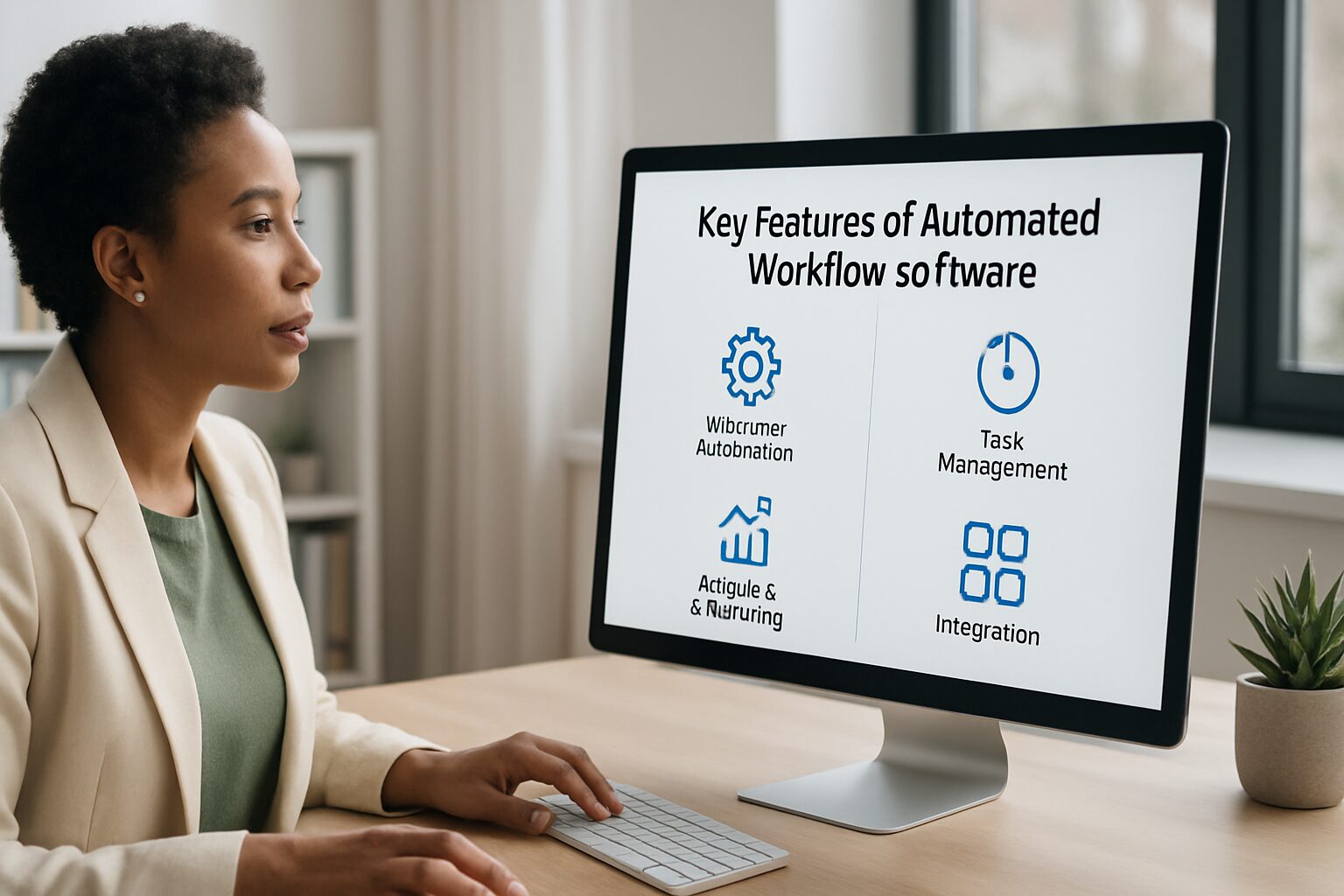
Visual Workflow Builders
Most leading platforms offer drag-and-drop visual designers that let users map out processes without writing a single line of code. Tools like Make and Zapier provide intuitive interfaces where you connect apps, define triggers, and insert actions in a flowchart style. This opens automation to business users who would otherwise depend on IT. Gumloop, for instance, features a visual canvas that connects everyday tools with the latest large language models, making it straightforward to create AI-powered automations without separate API keys.
AI and Agent Capabilities
The latest platforms embed artificial intelligence to handle tasks that require reasoning, not just routing. Tools like Lindy let you build autonomous AI agents that can schedule meetings, respond to emails, or qualify leads using natural language instructions. This moves beyond static “if-then” rules to dynamic, context-aware automation. Lindy’s free plan includes 400 credits per month, making it accessible for teams testing AI-driven workflows before committing to a paid tier.
“The best workflow automation tools aren’t just connecting apps – they’re building and orchestrating AI agents.” – Jacob Bank, CEO of Relay.app
These agents can read, summarize, categorize, and even generate content, freeing teams from routine cognitive tasks that used to eat up hours every week.
Integration Ecosystems
A key element of any solid platform is its library of native connectors and API support. Zapier offers over 8,000 integrations with popular apps like Slack, Gmail, Google Sheets, and Salesforce. Make provides hundreds of modules for deep data manipulation. Even more specialized platforms like Screendragon integrate with Microsoft Teams, Slack, SharePoint, Jira, and thousands of others via API or Zapier. Robust integration capabilities ensure the software becomes the central nervous system of your tech stack, not an isolated tool collecting dust.
Types of Automated Workflow Software
Project Management Automation
Project management tools like monday.com, ClickUp, and Smartsheet have built-in automation capabilities that standardize processes across teams. They automatically assign tasks, update statuses, and send reminders when deadlines approach. monday.com starts at $9 per user per month (billed annually), ClickUp at $7 per user per month with a free plan available, and Smartsheet at $9 per member per month. These platforms are ideal for teams that need to visualize project progress and keep work moving without constant manual handoffs.
Sales and Marketing Automation
Sales and marketing teams use these tools to manage leads, nurture prospects, and personalize communications at scale. Gumloop, which is used by teams at Shopify, Instacart, and Webflow, can build a “scrape and categorize leads” agent that finds potential customers, organizes them by quality, and sends personalized outreach emails. Marketing-specific platforms often integrate with CRM systems like Salesforce and HubSpot to trigger actions based on customer behavior, such as sending a follow-up offer after a cart abandonment event.
IT and DevOps Automation
IT teams rely on these platforms to provision accounts, manage incidents, and orchestrate infrastructure changes. n8n is a favorite for engineering-forward teams due to its open-source, self-hosted nature and full control over node logic. The self-hosted version is free, while the cloud version starts at €20 per month. Enterprise-grade solutions like IBM watsonx Orchestrate and Celigo provide robust API management and powerful workflow orchestration for complex cross-department processes, including handling Model Context Protocol (MCP) for AI model integration.
Finance and HR Automation
Finance teams automate invoice approvals, expense routing, and compliance reporting, while HR departments use these tools to streamline onboarding, time-off requests, and employee data updates. According to Microsoft, automation in finance and HR consistently delivers some of the fastest payback periods because these processes are high-volume, rule-based, and prone to costly manual errors. Organizations that automate onboarding alone typically reclaim dozens of hours per new hire across HR, IT, and management.
Benefits of Using Automated Workflow Software

Increased Efficiency and Productivity
These platforms slash the time spent on mundane tasks. Instead of manually moving data between spreadsheets and emails, teams can focus on strategic work. Microsoft emphasizes that automation improves productivity by allowing employees to concentrate on high-impact projects that require problem-solving and creativity. Organizations often reclaim hundreds of hours annually, especially when automating finance processes like invoice approvals or HR tasks like onboarding checklists.
Reduced Human Error
Manual data entry is error-prone. Automated workflow software applies rules consistently, eliminating typos, missed steps, and misrouted information. An automated order processing workflow will always populate the correct fields in an ERP system, reducing costly fulfillment mistakes. This reliability improves data quality across departments and strengthens compliance with internal policies and external regulations like GDPR and SOC 2.
Cost Savings and ROI
While these tools require an initial investment, the long-term savings are real. By minimizing manual labor, companies can redirect headcount toward revenue-generating activities. Industry surveys suggest businesses typically see a payback period of less than six months on workflow automation investments. Many tools also offer free plans or low-cost entry points: Gumloop starts at $37 per month with a free tier, Make’s paid plans begin at $9 per month, and Zapier’s paid plans start at $19.99 per month.
Understanding the Total Cost of Ownership
Beyond subscription costs, factor in implementation time, training, and ongoing maintenance. Some tools like Screendragon require more initial setup but offer deep customization that pays off for complex marketing operations. Others, like Zapier, are extremely user-friendly but can become costly per task as automation volume grows. Evaluating total cost of ownership helps you avoid budget overruns and ensures the platform aligns with your scaling needs over a 2-3 year horizon.
Pros and Cons of Automated Workflow Software
Pros
- Saves significant time: Teams reclaim hours each week by eliminating repetitive manual tasks across departments.
- Reduces costly errors: Rule-based execution means data moves correctly every time, improving accuracy across your entire tech stack.
- Accessible to non-technical users: No-code and low-code builders like Zapier and Gumloop let business users build workflows without IT support.
- Scales with your business: Most platforms grow from solo users to enterprise teams, with pricing tiers to match.
- AI capabilities are maturing fast: Platforms now support autonomous agents that handle multi-step reasoning, not just simple data transfers.
Cons
- Can get expensive at volume: Task-based pricing models (common in Zapier) can spike costs as automation usage grows.
- Setup takes real effort: Complex workflows require careful planning, testing, and documentation before they run reliably.
- Integration gaps exist: Not every tool connects natively to every app, and custom API work can require developer time.
- Over-automation risk: Automating poorly designed processes just makes bad processes run faster. Map your workflows carefully first.
Top Automated Workflow Software in 2026
Tool Comparison Table
| Tool | Best For | Pros | Cons | Pricing |
|---|---|---|---|---|
| Gumloop | AI-powered workflows for all teams | Visual canvas, built-in AI models, free plan, no API keys needed | Smaller support team; still growing ecosystem | Free plan; paid starts at $37/month |
| Zapier | Non-technical users needing wide app connectivity | 8,000+ integrations, easy setup, large community | Can get expensive at high volumes; limited AI features | Free plan; paid from $19.99/month |
| Make (Integromat) | Power users with complex multi-branch automations | Visual debugging, robust data transformations, affordable | Steeper learning curve than Zapier | Free plan; paid from $9/month |
| n8n | Tech-savvy teams wanting self-hosted control | Open-source, full node logic control, MCP support | Requires technical know-how for deployment | Free self-hosted; cloud from €20/month |
| Screendragon | Marketing and creative teams needing no-code AI workflows | AI agents, advanced approvals, resource planning | Complex setup; not suited for small teams | Pricing upon request |
| Creatio Studio | Enterprises requiring deep customization | No-code platform, BPM plus CRM, wide integration | Premium pricing; learning curve | From $40/user/month |
Detailed Reviews of Top Picks
Gumloop has quickly become a favorite for its all-in-one subscription that includes premium large language models without needing separate API keys. It raised a $50M Series B led by Benchmark, and its Gummie AI assistant can build workflows for you based on plain-language descriptions. Zapier remains the go-to for sheer connector breadth at over 8,000 apps, while Make excels at visually mapping intricate branching logic. n8n stands out for developers who want to host their own infrastructure and modify node code directly. Screendragon and Creatio target enterprises with sophisticated governance and customization requirements. For teams seeking AI-native agents, Lindy and Relay.app are rising options that blend task management with true autonomous execution.
“According to The Digital Project Manager’s 2026 review, which tested 28 workflow automation tools, teams consistently report the fastest wins from automating approval workflows and CRM updates – two processes that are high-volume, rule-based, and easy to map before building.”
How to Choose the Right Automated Workflow Software
Define Your Automation Needs
Start by listing the manual processes that consume the most time. Are you primarily connecting SaaS apps, or do you need to automate legacy systems? If your workflows involve complex data transformations, a tool like Make will likely outperform a simple trigger-action platform. For AI-driven tasks, look for software with built-in LLM credits and agent capabilities. The right platform must also match the technical skill set of your team: no-code tools empower non-developers, while developer-centric platforms offer deeper flexibility for custom logic.
Evaluate Integration Fit
Check that the platform integrates with the apps already in your stack. If you rely heavily on Salesforce, choose a tool like Creatio that offers native Salesforce automation. If your team lives in Google Workspace, confirm those connections work smoothly out of the box. API access is critical for custom applications, and most platforms also offer webhook support for flexible integrations with tools that lack native connectors.
Small Business vs. Enterprise Considerations
Small businesses typically prioritize cost-effectiveness and ease of use, making Zapier or monday.com attractive starting points at $9 to $20 per user per month. Enterprises need scalability, role-based access controls, audit logs, and security certifications. Screendragon and IBM watsonx Orchestrate provide governance layers essential for compliance-heavy industries. Hybrid options like Gumloop scale from solo creators to teams at Shopify and Instacart, offering a practical middle ground for growing businesses.
Implementing Automated Workflow Software: A Step-by-Step Guide
Step 1: Identify Processes to Automate
Begin by documenting high-volume, repetitive tasks that follow clear rules, such as data entry, email responses, or file syncing. According to the Digital Project Manager’s 2026 review, teams often start with approval workflows and CRM updates as quick wins. Map out the trigger, decision points, and desired outcome for each process before building anything in your chosen platform.
Step 2: Select and Test the Software
Sign up for free trials. Almost every platform offers one, and most require no credit card upfront. Build a pilot workflow that touches a couple of apps and compare the user experience side by side. Test edge cases and error handling carefully. Tools like Relay.app include debugging features to catch issues early. Engage end users during this phase to gather honest feedback before you scale.
Step 3: Roll Out and Train Your Team
Deploy gradually, starting with one department or one workflow. Provide training sessions and create internal documentation that your team can reference without calling IT. Many vendors offer onboarding support: Gumloop has an active Slack community and the Gummie assistant to guide users through setup. Monitor adoption closely and refine workflows based on real-world usage to maximize ROI over the first 90 days.
Automated Workflow Software Trends in 2026
Rise of AI Agents and Hyperautomation
The shift from simple task automations to AI-powered agents is reshaping the entire category. Platforms like Lindy let you create agents that handle multi-step processes, from transcribing meeting notes to updating CRMs, without constant human oversight. Gumloop recently launched Gumstack, a security layer that gives enterprises visibility into MCP tool usage. Hyperautomation, the combination of robotic process automation (RPA), AI, and low-code development, is becoming mainstream, enabling end-to-end process automation that was once reserved for large enterprises with dedicated engineering teams.
Low-Code and No-Code Accessibility
The democratization of automation continues to accelerate. Tools like Jotform Workflows and Screendragon offer no-code builders that let non-technical staff create complex automations without waiting on IT. This reduces dependency on development resources and speeds up digital transformation across departments. AI assistants within these platforms can now interpret natural language to build workflows, further lowering the barrier for teams with zero technical background.
Focus on Security and Governance
As these platforms handle increasingly sensitive data, vendors are adding enterprise-grade security features. Screendragon includes advanced permission controls, and Gumloop introduced audit logs and access controls via Gumstack. Open-source tools like n8n allow self-hosting to keep data entirely on-premises. Compliance with standards such as SOC 2 and GDPR is increasingly standard across the category, ensuring that automation doesn’t come at the cost of data privacy or regulatory exposure.
Frequently Asked Questions
What is automated workflow software?
Automated workflow software is a digital tool that uses rules and AI to connect applications, trigger actions, and automate repetitive tasks, reducing manual intervention and improving process consistency. It works by defining a trigger event and a sequence of actions that execute automatically whenever that trigger fires.
How much does automated workflow software cost?
Costs vary widely depending on the platform and usage volume. Many tools offer free plans: Gumloop has a free tier with paid plans starting at $37 per month, Zapier has a free plan for basic tasks with paid plans from $19.99 per month, and n8n’s self-hosted version is completely free. Paid plans across the category typically range from $7 to $40 per user per month, with enterprise pricing available upon request.
Which automated workflow software is best for small businesses?
For ease of use and affordability, Zapier and monday.com are strong choices for small businesses. Gumloop also offers a free plan and scales up as your needs grow. ClickUp’s free plan is a solid all-in-one option that includes workflow automation alongside project management features.
Can automated workflow software replace human workers?
No. These tools automate repetitive, rule-based tasks, freeing humans to focus on strategic, creative, and interpersonal work. The goal is to enhance productivity and reduce errors, not to replace the judgment and relationships that drive a business forward.
Do I need coding skills to use automated workflow software?
Most modern platforms are no-code or low-code, offering drag-and-drop visual builders that require no programming knowledge. Tools like Gumloop, Zapier, and Jotform Workflows are designed specifically for business users. Developer-focused options like n8n exist for teams that want deeper customization and are comfortable working with code.
What are the first steps to automate a workflow?
Identify a simple, high-volume process with clear rules, such as forwarding email attachments to a cloud folder or notifying a team when a form is submitted. Use a free trial to build and test it in a low-risk environment, then expand gradually to more complex processes once you’re confident in the setup.