CRM workflow automation software is a system that uses triggers, conditions, and actions to automatically execute tasks inside your CRM, eliminating manual updates and follow-ups.
Key Takeaways
- automation software automates repetitive tasks like lead assignment, follow-ups, and data updates using rule-based logic.
- According to Nucleus Research, every dollar invested in CRM returns an average of $8.71, and automation amplifies that return significantly.
- Professionals who automate tasks are 16% more likely to hit their sales targets, per Pipedrive’s State of Sales and Marketing report.
- Common use cases span sales, marketing, and customer service, from lead routing to automated email sequences.
- Selecting the right software requires evaluating integration depth, customization, and AI capabilities.
- A phased implementation approach ensures measurable gains without disrupting existing workflows.
“Automation gives people the bandwidth and breathing room to do more interesting, more inspiring, and more valuable work that moves the business forward, such as building customer relationships or making hard decisions on what to do next.” – John Kucera, SVP Product Management, Salesforce
What Is CRM Workflow Automation Software?

this type of software is the application of rules, triggers, and AI inside your customer relationship management platform to carry out routine actions without manual intervention. Your CRM stops being a passive database and starts acting on the data it holds.
The Core Mechanism: Triggers, Conditions, and Actions
Every automated workflow follows a simple structure: a trigger initiates the process (for example, a new lead fills out a form), conditions filter when the workflow should run (for example, lead score above 50), and an action is executed (for example, assign to a sales rep). This “if this, then that” logic underpins all CRM workflow automation, making it highly predictable and reliable.
How It Differs from Basic CRM Usage
A standard CRM records customer interactions. this kind of automation software goes further by operationalizing that data. Without automation, reps manually log calls, managers chase updates, and deals stall silently. With automation, activities sync automatically, tasks generate instantly, stale opportunities get flagged, and follow-ups trigger on schedule. That shift from reactive to proactive CRM usage dramatically improves pipeline hygiene and forecasting accuracy.
Key Benefits of CRM Workflow Automation
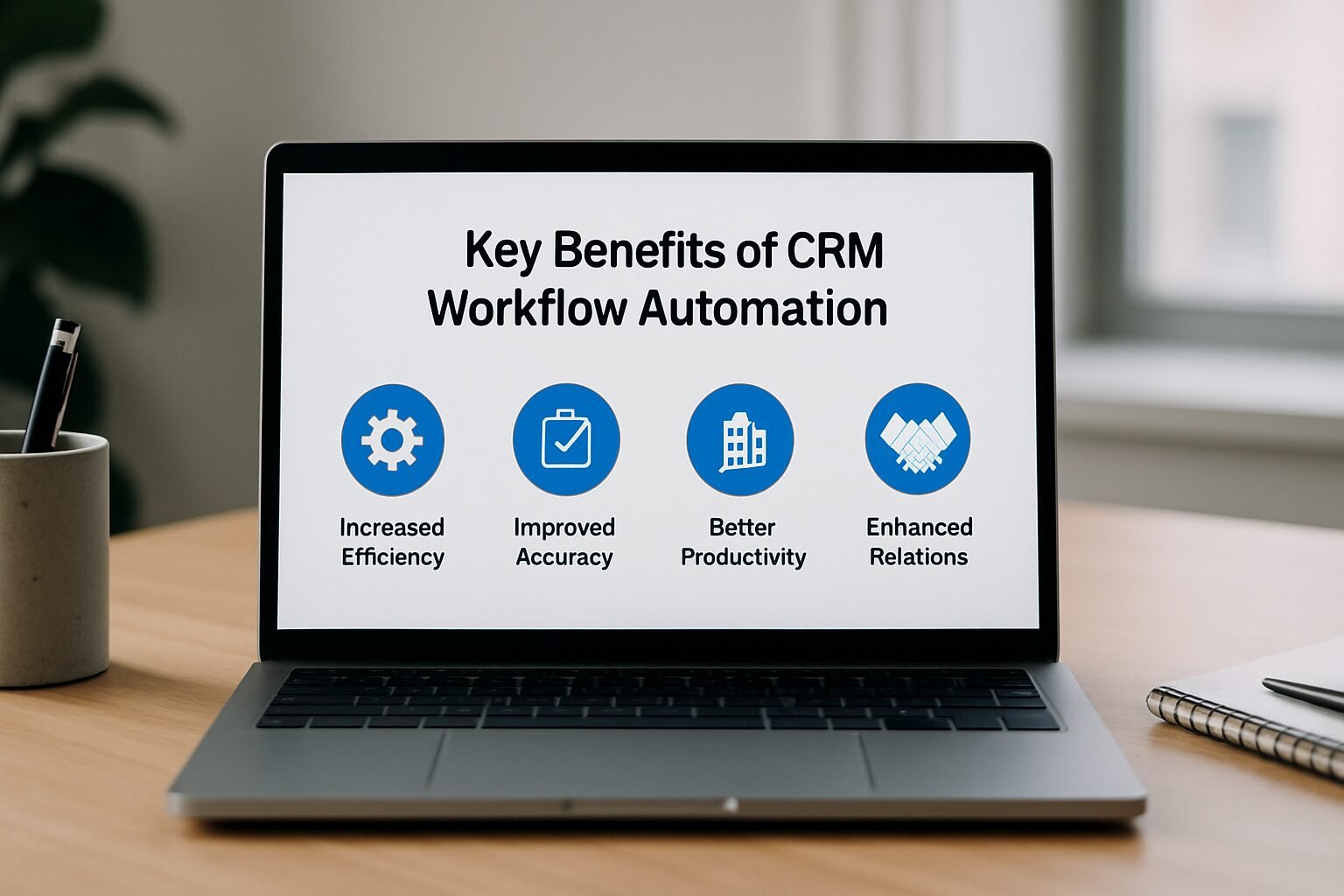
Adopting the workflow automation software yields tangible improvements across revenue, efficiency, and data quality. The benefits below are grounded in real-world data, not theory.
Quantifiable ROI and Business Impact
According to Nucleus Research, every dollar invested in a CRM system returns an average of $8.71. That multiplier grows when you layer automation on top, because automation maximizes how much of your CRM’s capability you actually use. Pipedrive’s State of Sales and Marketing report found that professionals who automate tasks are 16% more likely to hit their sales targets. In one documented case study, Key Search accelerated its workflows by 40% after implementing Pipedrive’s automation features.
Time Savings and Productivity Boosts
Manual data entry and status updates consume hours every week. software removes that friction. Sales reps reclaim time for high-value activities like calling prospects and building relationships. Marketing teams run autonomous campaign sequences. Service agents handle more cases with less administrative overhead. The net effect is a leaner, faster operation where your team focuses on strategic work instead of busywork.
Enhanced Data Quality and Pipeline Visibility
Incomplete or outdated records produce poor forecasts. Automated workflows enforce consistent data entry and update opportunity stages based on real activity, keeping the pipeline clean and trustworthy. Managers get an accurate, real-time view of where every deal stands without chasing updates. That transparency is a direct outcome of deploying crm workflow across your team.
Common CRM Workflow Automation Use Cases

The versatility of automation software means it addresses pain points in every customer-facing department. Below are three high-impact areas where businesses see immediate gains.
Sales Process Automation
From lead to closed deal, sales workflows are ready for automation. this type of software can route new leads using round-robin or territory-based rules, trigger follow-up email sequences after meetings, and auto-update opportunity stages when a demo is completed. Alerts for stalled deals or large-value opportunities ensure managers intervene before a deal is lost. These automations compress the sales cycle and improve conversion rates.
Marketing Campaign Automation
Marketing and sales alignment improves when the CRM automatically passes qualified leads to sales. Automated workflows can enrich lead data from form submissions, segment contacts based on behavior, and trigger personalized drip campaigns. When a lead downloads a whitepaper or abandons a cart, the system instantly schedules a tailored follow-up, moving prospects through the funnel without manual coordination.
Customer Service Workflows
Service teams benefit from automated case creation, routing, and escalation. A high-priority support ticket can be automatically assigned to the most experienced agent, and the customer receives an acknowledgment email within seconds. SLA breaches trigger management notifications before they become complaints. These workflows speed resolution times and raise satisfaction scores.
How to Choose the Right CRM Workflow Automation Software

With dozens of options available, selecting the best this kind of automation software requires a clear evaluation framework. Focus on the following criteria to match a tool to your actual business needs.
Integration Capabilities and Ecosystem
The value of any automation platform depends on its ability to connect with your existing stack. Look for platforms that integrate natively with email, calendars, marketing automation, ERP, and collaboration tools. Activepieces, for example, offers over 749 integrations, while Zapier connects thousands of apps across categories. Deep API access and middleware support (such as MuleSoft) are essential for complex enterprise environments.
Customization, Scalability, and No-Code Features
Your business logic is unique, so the software must allow custom triggers, conditions, and actions without requiring developer skills. The best platforms offer drag-and-drop visual builders that a non-technical team member can use on day one. Ensure the platform scales from a handful of users to hundreds, with role-based access controls and audit trails. Scalability also covers data volumes and workflow complexity, both critical for growing teams.
AI and Intelligent Automation
AI-powered the workflow automation software moves beyond static rules to dynamic decision-making. Features like predictive lead scoring, sentiment analysis, and AI-generated task recommendations are becoming standard across mid-market platforms. Salesforce Einstein and Pipedrive’s AI assistant are leading examples, moving automation from simple execution to strategic orchestration. Evaluate how each tool handles unstructured data and whether it provides AI assistance for workflow creation, similar to Gumloop’s AI assistant.
Pros and Cons of CRM Workflow Automation Software
software delivers real efficiency gains, but it’s not without trade-offs. Here’s an honest look at both sides before you commit.
Pros
- Significant time savings: Automating lead assignment, follow-ups, and data entry frees your team for higher-value work.
- Proven ROI: Nucleus Research data shows CRM investments return $8.71 per dollar spent, and automation amplifies that figure.
- Better data quality: Automated workflows enforce consistent record-keeping, reducing human error and improving forecast accuracy.
- Scalability: Rule-based and AI-driven automations scale with your business without proportional headcount increases.
- Accessible pricing: Options start at $7-$9 per user per month, making automation viable for small teams, not just enterprises.
Cons
- Initial setup time: Mapping workflows, configuring triggers, and testing logic takes meaningful effort upfront, especially for complex processes.
- Over-automation risk: Poorly designed automations can send irrelevant messages or create duplicate records, damaging customer experience.
- Integration complexity: Connecting your CRM to legacy systems or niche tools may require IT support despite no-code interfaces.
- Ongoing maintenance: As your business evolves, workflows need regular review and refinement to stay accurate and effective.
Step-by-Step Guide to Implementing CRM Workflow Automation Software
Deploying crm workflow doesn’t have to be disruptive. Follow this phased approach to ensure adoption and measure ROI from day one.
Step 1: Planning and Mapping
Start by auditing your existing processes to identify repetitive, manual tasks that consume significant time. Focus on high-volume, low-complexity activities first: lead assignment, meeting reminders, and data entry are prime candidates. Map the ideal automated workflow by defining the trigger, setting condition rules, and specifying the desired action. Involve stakeholders from sales, marketing, and service to align on priorities before touching any software.
Step 2: Configuration and Testing
- Choose your tool: Select the automation software that best fits your integration and scalability needs.
- Build the workflow: Use the visual editor to connect apps and define logic.
- Test in a sandbox: Run the automation with dummy data to verify it behaves as expected.
- Roll out gradually: Start with a pilot team, monitor performance, and gather feedback before a full rollout.
- Measure and refine: Track key metrics (time saved, lead response time, data accuracy) and adjust conditions or actions accordingly.
Continuous iteration matters. Even well-built this type of software requires tuning as your business processes evolve.
Comparing the Best CRM Workflow Automation Software in 2026
Below is a practical overview of leading platforms based on features, pricing, and target use cases. As of 2026, these tools represent the current state of the market.
| Tool | Best For | Key Automation Features | Pricing |
|---|---|---|---|
| Pipedrive | Sales-focused teams | Visual workflow builder, AI deal recommendations, auto-email tracking | From $14.90/user/month |
| monday.com | Standardizing cross-team processes | No-code automations, real-time dashboards, 200+ templates | From $9/user/month |
| Activepieces | Open-source, customizable automation | 749+ integrations, AI agents, self-host or cloud | Free plan available; team plans from $25/month |
| altaFlow | Salesforce document automation | Deep Salesforce integration, no-code document generation, approval workflows | From $399/month |
| ClickUp | Workflow automation flexibility | Custom task automations, dependency tracking, multi-step approvals | From $7/user/month |
| Gumloop | AI-powered automation for enterprises | Visual canvas with LLM models, AI assistant, enterprise security | Free plan; paid plans from $37/month |
Pricing and Trial Options
Most this kind of automation software providers offer free plans or trials so you can validate fit before committing. Smartsheet provides a 30-day free trial, Wrike a 14-day free trial, and Qntrl a 15-day free trial. Monthly subscription costs range from $7 per user (ClickUp) to $399 for enterprise-grade features (altaFlow), with many mid-tier tools landing in the $25-$50 per month range. Always test with a pilot before signing an annual contract.
Open-Source vs. Commercial Solutions
Open-source platforms like Activepieces give you full control over your data and the ability to self-host, which matters for businesses with strict compliance requirements. Commercial platforms like Pipedrive and monday.com trade that flexibility for faster setup, dedicated support, and polished user interfaces. For most small and mid-sized service businesses, a commercial platform with a generous free tier is the faster path to ROI. Larger teams with in-house developers may find open-source options worth the extra configuration effort.
How to Evaluate a Solution
Move beyond feature checklists. Request demos that replicate your specific workflows. Assess the user interface: can a non-technical team member build an automation in under 30 minutes? Confirm security certifications (SOC 2, GDPR) and examine the vendor’s roadmap for AI enhancements. The right the workflow automation software should feel like a natural extension of your team, not an IT project that requires a consultant to maintain.
AI-Powered CRM Workflow Automation: The Next Frontier
Artificial intelligence is redefining what software can achieve. Instead of hard-coded rules, AI models analyze historical patterns to trigger smarter, context-aware actions that static logic simply cannot replicate.
AI Agents and Decision Automation
Modern platforms now incorporate AI agents that draft personalized emails, suggest the next best action for a deal, and predict which leads are most likely to convert. These agents operate within the CRM, drawing on unified customer data to make decisions autonomously. Salesforce Einstein and Pipedrive’s AI assistant are leading examples, moving crm workflow from simple task execution to strategic orchestration. Gumloop, which raised $50 million in Series B funding, is pushing this further with a visual canvas that connects large language models directly to business workflows.
Predictive Lead Scoring and Sentiment Analysis
AI models score leads by analyzing firmographic and behavioral signals far beyond what traditional rules can capture. Sentiment analysis of email or call transcripts can automatically escalate negative interactions before they become churn risks. By embedding these capabilities into automated workflows, businesses reallocate human attention to the highest-value activities. That reallocation is the key differentiator of next-generation automation platforms.
“According to industry research from HubSpot’s State of Marketing report, businesses that use marketing automation see measurably higher lead nurturing efficiency, with automated workflows consistently outperforming manual follow-up sequences in both speed and consistency.”
Future Trends in CRM Workflow Automation
Staying ahead means understanding where automation software is headed. Two trends stand out as we move through 2026 and beyond.
Hyperautomation and Composable CRM
Hyperautomation, the disciplined approach to rapidly automating everything that can be automated, is converging with the composable CRM concept. Instead of a monolithic suite, businesses will assemble a best-of-breed tech stack connected through APIs and low-code platforms. This makes automation more modular and specialized, allowing teams to swap components without disrupting core processes. Gartner predicts that by 2027, 60% of enterprises will adopt composable CRM strategies.
The Rise of Citizen Developers with No-Code Platforms
No-code and low-code interfaces are giving business users, not just IT, the ability to build sophisticated automations. Sales ops managers, marketers, and service leads can now directly implement workflows tailored to their daily needs. Platforms like Gumloop and Activepieces are at the forefront, offering visual builders that require zero programming knowledge. This shift compresses development cycles from weeks to hours and builds a culture of continuous improvement across the organization.
CRM Workflow Automation for Local Service Businesses
Local service businesses, including dental practices, MedSpas, HVAC companies, and law firms, often assume automation is built for enterprise sales teams. It isn’t. The same trigger-condition-action logic that routes enterprise leads also books patient appointments, sends HVAC maintenance reminders, and follows up with MedSpa consultation no-shows.
A dental front desk running on manual processes might spend 2-3 hours per day on appointment confirmations, recall reminders, and new patient follow-ups. Automating those three workflows alone can reclaim that time and reduce no-show rates. An HVAC company can trigger seasonal tune-up campaigns automatically based on the last service date stored in the CRM, turning a passive database into an active revenue driver. For MedSpas, automated post-treatment check-in sequences improve retention without adding staff. The tools in the comparison table above all support these use cases at price points that work for small teams.
If you want to see how this applies specifically to your practice or service business, explore our dental marketing automation solutions or see how DigiMe works for MedSpas.
Making CRM Workflow Automation Software Work for You
this type of software is no longer optional for competitive service businesses. The data is clear: automating manual CRM tasks yields a 16% improvement in target attainment and can accelerate processes by up to 40%. With a thoughtful selection process and a phased rollout, any team can capture those gains.
Practical Steps to Get Started
Start small. Automate one high-impact workflow and measure the time saved before expanding. Involve end-users early to ensure the software you choose fits their real-world workflow, not some idealized version. Prioritize integrations and AI readiness; these factors determine long-term scalability. Treat automation as a continuous process, regularly refining logic to adapt to changing business conditions.
Your Next Move
Audit your current CRM usage and list the top five manual tasks your team handles every day. Use that list to request demos from vendors that offer the right balance of power and ease of use. Most providers offer free trials ranging from 14 to 30 days. Take advantage of them. The efficiency gains are too significant to leave on the table, and with the options available in 2026, the barrier to entry has never been lower.
Book a free demo at digimeapp.com to see how AI-powered automation can transform your practice or service business.
Frequently Asked Questions
What exactly is CRM workflow automation software?
CRM workflow automation software is a tool that uses triggers, conditions, and actions to automatically perform routine tasks inside your CRM, such as assigning leads, sending follow-ups, or updating records without human intervention. It transforms your CRM from a static database into an active system that drives sales and service outcomes.
How does CRM workflow automation differ from basic CRM?
Basic CRM stores data passively, requiring manual updates from your team. CRM workflow automation software actively responds to data changes, executing actions automatically, which eliminates repetitive work and improves data accuracy across the board.
What are the main benefits of using CRM workflow automation software?
Key benefits include significant time savings, higher data quality, improved pipeline visibility, and proven ROI. Nucleus Research data shows a $8.71 return per dollar spent on CRM, and Pipedrive’s research found a 16% boost in sales target achievement for teams that automate.
Can small businesses afford CRM workflow automation software?
Yes. Many solutions offer free plans or low-cost subscriptions starting at $7-$9 per user per month, making automation accessible to teams of any size. Open-source options like Activepieces also provide a free self-hosted path for budget-conscious businesses.
Do I need technical skills to set up CRM workflow automation?
Modern CRM workflow automation software is designed for business users. No-code visual builders enable anyone to create workflows without writing code. Complex integrations with legacy systems may require IT support, but most standard use cases are fully manageable by non-technical staff.
Which CRM workflow automation software is best for sales teams?
Pipedrive and monday.com are popular choices for their sales-centric automation templates and intuitive interfaces. For AI-driven decision-making and enterprise-scale workflows, Gumloop and Activepieces offer advanced capabilities worth evaluating during a free trial.