Automated workflow solutions are software platforms that design, execute, and monitor sequences of tasks across multiple systems with minimal human intervention. If your team is still copying data between apps or chasing approvals by email, this guide is for you.
Key Takeaways
- Automated workflow solutions orchestrate multi-step processes across applications, reducing manual work and costly errors.
- Leading platforms include monday.com, Smartsheet, and Gumloop, each offering distinct strengths from AI automation to visual workflow design.
- Modern solutions integrate AI to handle decision-making, not just data movement, enabling autonomous task execution.
- Successful implementation requires process mapping, monitoring, and iterative improvement – not just technology adoption.
- No-code interfaces are lowering the barrier, allowing business users to build automations without IT support.
- Compliance standards like SOC 2, ISO 27001, and HIPAA are now baseline expectations for enterprise-grade platforms.
What Are Automated Workflow Solutions?

Automated workflow solutions are software platforms that design, execute, and monitor sequences of tasks across multiple systems with minimal human intervention. They transform manual, error-prone processes into reliable, scalable workflows by connecting apps, applying conditions, and triggering actions automatically. According to Microsoft, such tools “automate manual processes and repetitive tasks with rule-based logic, improving productivity, efficiency, and organizational accuracy.” In short, they are the digital backbone for modern business operations.
The Core Components of Workflow Automation
Every workflow automation platform relies on three fundamental elements: triggers (events that start a workflow, like a form submission), logic (if/then rules that route tasks), and actions (the actual work performed, such as sending an email or updating a database). Integration is the glue connecting these components across CRM, finance, HR, and support apps. For example, a trigger in Salesforce (Closed Won) can initiate an action in an ERP system to generate an invoice, all without manual handoffs.
Types of Workflow Automation
Workflow automation is not one-size-fits-all. It spans a spectrum, from task automation (individual repetitive actions) to process automation (end-to-end business processes) and intelligent automation (AI-driven decision-making). The four common categories defined by Celigo are:
- Task automation: individual repetitive tasks like data entry.
- Workflow automation: multi-step workflows connecting tasks across apps.
- Process automation: complete business processes such as order-to-cash.
- Intelligent automation: AI-powered automation that makes decisions and optimizes outcomes.
Most platforms today combine these types, offering no-code builders that let teams automate without writing a single line of code.
How Automated Workflow Solutions Work
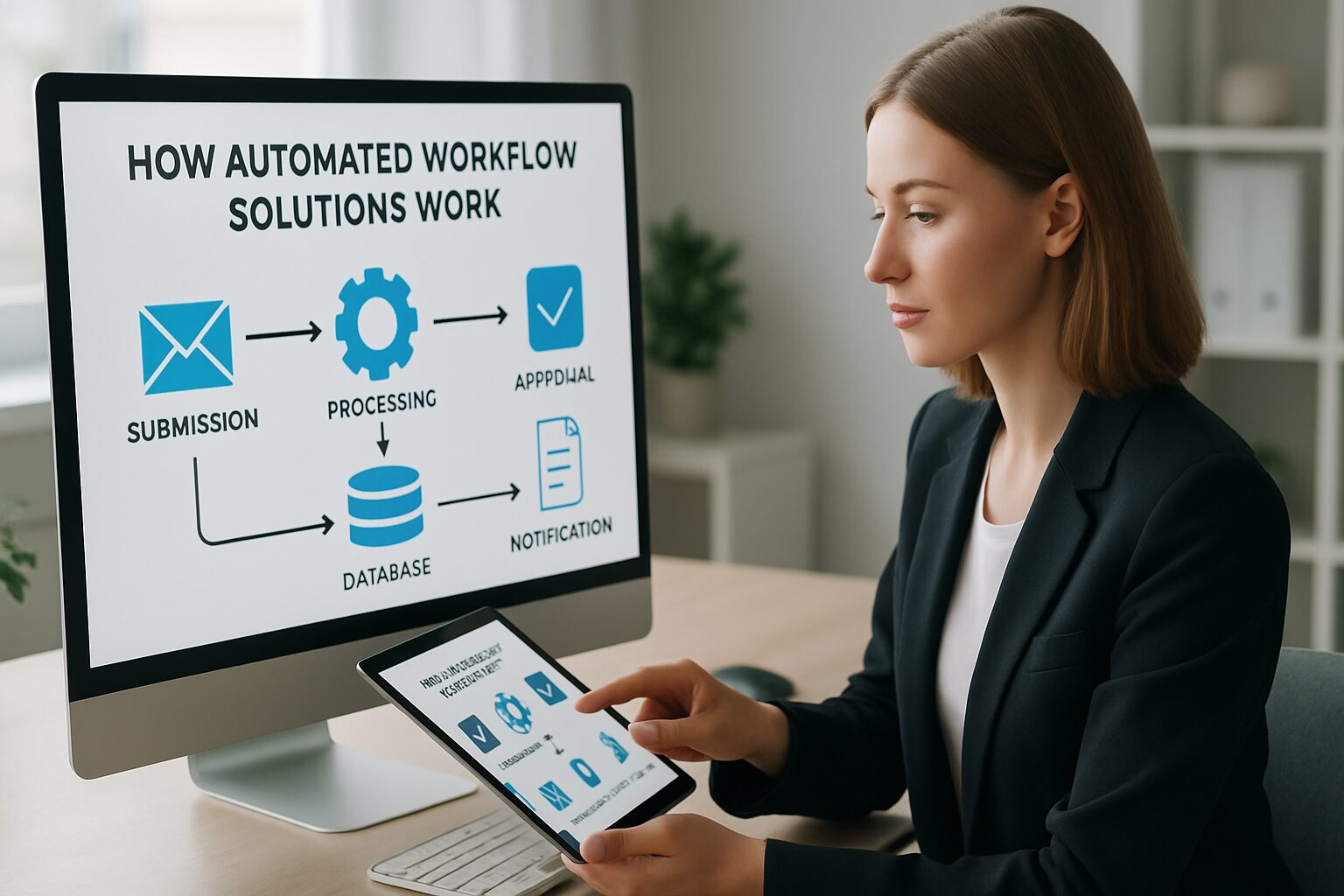
Understanding the mechanics behind these tools helps teams design better processes. While interfaces vary, the underlying logic follows a consistent five-step pattern.
The 5-Step Workflow Automation Process
As detailed by integration experts at Celigo, the sequence is:
- Trigger: An event (e.g., a new lead in Salesforce) kicks off the workflow.
- Logic evaluation: The system checks pre-set rules – Is the customer new? Is the deal size above threshold? – to determine the path.
- Data mapping: Information is transformed and aligned between systems (e.g., CRM fields mapped to ERP fields).
- Cross-system actions: Tasks execute simultaneously across apps: create an order in ERP, send a welcome email, notify the support team.
- Monitoring and management: A central dashboard tracks all workflows, flags errors, and allows for replay or manual override.
This model ensures your automation delivers reliability at scale, reducing the need for constant human oversight.
AI Integration in Modern Workflows
Today’s platforms are moving well beyond simple rule-based logic. They incorporate large language models (LLMs) to process unstructured data, like interpreting sentiment in customer emails or extracting key information from contracts, and then trigger appropriate actions. As noted by Gumloop’s research, “AI can actually think about that data and make smart decisions about what to do next,” a capability that turns traditional automation into intelligent orchestration. This shift allows platforms like IBM’s watsonx Orchestrate to build AI assistants that handle exceptions and complex decisions autonomously.
“AI-powered workflow tools are no longer a luxury for enterprise teams. They’re becoming the baseline expectation for any business that wants to compete on speed and accuracy.” – Industry analysis, Gumloop Blog, 2025
Top Automated Workflow Solutions in 2026
The market for these tools is rich with platforms catering to businesses of all sizes. Based on hands-on testing by The Digital Project Manager (over 2,000 tools tested since 2012) and adoption data from industry leaders, here are the top contenders as of 2026.
Leading Platforms at a Glance
| Tool | Best For | Starting Price | Free Trial | Key Strength |
|---|---|---|---|---|
| monday.com | Process standardization and visual management | $9/seat/month (annual) | 14 days | Intuitive boards, strong collaboration features |
| Smartsheet | Dynamic, spreadsheet-driven workflows | $9/user/month (annual) | 30 days | Familiar interface with powerful automation |
| Gumloop | AI-powered workflow automation | Free plan, then $37/month | Free plan available | No-code AI agent building, built-in LLM access |
| ClickUp | All-in-one work management and automation flexibility | $7/user/month (annual) | Free plan + trial | Highly customizable, affordable |
| Jotform Workflows | No-code automation building | $19.50/month (annual) | Free plan | Form-centric workflows, easy setup |
AI-Powered Tools Leading the Charge
Beyond traditional platforms, a new wave of AI-first tools is reshaping expectations. Gumloop raised $50M in Series B funding in 2025, led by Benchmark, reflecting strong demand for tools that let users build workflows using natural language prompts. Similarly, Microsoft Power Automate and IBM’s watsonx Orchestrate embed generative AI to suggest optimizations and handle unstructured data. These solutions are ideal for teams looking to go beyond simple if/then logic and embrace autonomous decision-making.
Compliance and Security: What to Expect

Enterprise buyers now treat compliance as a baseline requirement, not a bonus feature. Leading workflow platforms support frameworks including SOC 2 Type II, ISO 27001, GDPR, and increasingly HIPAA for healthcare-adjacent workflows. Some vendors, particularly those serving federal clients, also pursue FedRAMP authorization. Before signing any contract, request a vendor’s current security certifications and ask specifically about role-based access controls, audit logging, and data residency options. A platform that cannot answer those questions clearly is not ready for your business.
“Security and compliance are no longer differentiators in workflow automation – they’re table stakes. Any vendor that can’t show you a SOC 2 report should not be on your shortlist.” – Ben Aston, Founder, The Digital Project Manager
Benefits of Automated Workflow Solutions
The operational impact of these tools is measurable and immediate. Organizations that adopt them see gains in efficiency, accuracy, and employee satisfaction.
Efficiency Gains and Error Reduction
By eliminating manual data movement and repetitive tasks, workflow automation slashes processing times. Consider a lead-to-cash process: when a Salesforce opportunity closes, the right platform can instantly create an ERP sales order, trigger invoicing, and notify fulfillment, all without human lag. This not only speeds revenue recognition but also reduces data entry mistakes that can cascade through financial reporting. Teams working with clients in dental and MedSpa practices, for example, report saving 10-15 hours per week on scheduling, billing, and follow-up tasks after deploying workflow automation.
Scalability and Cost Savings
Automation scales linearly with business growth. A workflow that handles 100 customers per day can handle 1,000 with the same infrastructure. Unlike manual processes, which require proportional headcount increases, the right platform lets organizations grow without ballooning operational costs. According to IBM, such solutions “minimize human error” while empowering teams to focus on high-value tasks, directly impacting the bottom line.
Pros and Cons
Pros
- Significant time savings: Repetitive tasks that once took hours are completed in minutes, freeing staff for higher-value work.
- Reduced errors: Rule-based execution eliminates the data entry mistakes that plague manual handoffs between systems.
- Scalability without added headcount: A single workflow can handle 10x the volume with no additional staffing cost.
- No-code accessibility: Platforms like Jotform Workflows and Gumloop let non-technical users build and modify automations independently.
- AI-enhanced decision-making: Modern tools process unstructured data and make contextual decisions, not just move information between fields.
Cons
- Change management overhead: Even well-designed automations fail if the team does not trust or understand them. Adoption takes real effort.
- Fragility at high customization: Highly tailored workflows can break when business rules change, especially without version control.
- Integration complexity: Legacy systems and custom apps often require significant API work before they can participate in automated workflows.
- Upfront process mapping investment: You cannot automate a broken process. Mapping current workflows before deployment takes time most teams underestimate.
Key Features to Look For
Not all workflow tools are created equal. Evaluating the right capabilities ensures you choose a platform that fits your technical environment and user skill levels.
No-Code vs. Low-Code Capabilities
No-code platforms like Jotform or HighGear allow business users to build workflows via drag-and-drop interfaces without any programming. Low-code platforms, such as OutSystems, offer more customization for developers while still accelerating delivery. The choice depends on your team’s technical depth and the complexity of processes you need to automate. For most local service businesses, a no-code tool is the right starting point.
Integration and API Support
The true power of any automated workflow solution lies in its ability to connect disparate systems. Pre-built connectors for popular apps (Salesforce, Jira, Slack, Google Workspace) are a must. For businesses with custom or legacy systems, robust API management capabilities, like those offered by Celigo or Workato, become critical. Without deep integration, workflows remain siloed and fail to deliver end-to-end automation.
Implementing Automated Workflow Solutions: Best Practices
Deployment success hinges on preparation and change management, not just technology selection. Here is a practical approach that works for teams of any size.
Step 1: Process Mapping and Design
Before selecting any tool, map your current processes in detail. Identify bottlenecks, decision points, and handoffs. Then design the future state with clear triggers, rules, and expected outcomes. Involving process owners early prevents unrealistic automation attempts and ensures buy-in from the people who will actually use the system.
Step 2: Start Small and Prove Value Fast
Begin with low-risk, high-visibility processes like time-off approvals or new patient intake forms. A quick win builds organizational trust and gives your team hands-on experience before tackling complex, cross-departmental workflows. Most teams see measurable results within the first 30-60 days of deployment when they follow this approach.
Step 3: Monitoring and Continuous Improvement
After go-live, use the monitoring dashboards built into your platform to track performance. Look at error rates, execution times, and adoption metrics. Modern tools like IBM Concert or Celigo’s integration platform provide AI-assisted recommendations for optimization, turning workflows into continuously improving assets rather than static automations.
Challenges and Considerations
Workflow automation brings real value, but it is not plug-and-play. Organizations must navigate common pitfalls to get the most from their investment.
Change Management and User Adoption
Even the best-designed system fails if team members resist using it. Transparency about the “why,” coupled with training and quick wins, builds trust. Start with processes that affect a small group before rolling out organization-wide changes.
Balancing Customization with Maintainability
Highly tailored workflows can become fragile over time as business rules change. Aim for modular designs that are easy to update. Platforms with version control and sandbox environments, such as Wrike or monday.com, allow safe experimentation without breaking live processes.
Trends Shaping Workflow Automation in 2026
The space is evolving fast. Two trends stand out this year and are worth planning for now.
Agentic AI and Autonomous Workflows
Agentic AI, where software agents make decisions within defined boundaries, is moving from concept to production. IBM’s watsonx Orchestrate and Gumloop’s AI agents already let users describe desired outcomes in plain English, and the system builds the workflow. This reduces dependency on specialized technical skills and accelerates deployment timelines from weeks to days.
The Rise of Integration-Driven Automation
As noted by Celigo, “modern enterprises use workflow automation to optimize the orchestration of complex workflows and processes across systems.” The focus is shifting from single-app automation to integration-driven platforms that connect CRM, ERP, finance, and HR in one coherent system. Platforms offering pre-built connectors and robust API management will lead this market through 2026 and beyond.
Frequently Asked Questions
What is an automated workflow solution?
An automated workflow solution is software that designs and executes sequences of tasks across multiple applications based on predefined rules, minimizing manual intervention. It connects triggers, logic, and actions across systems like CRM, ERP, and HR tools to run processes end-to-end without human handoffs.
How do automated workflow solutions differ from task automation?
Task automation focuses on single, repetitive actions like sending a confirmation email. Workflow automation orchestrates entire multi-step processes that span systems and teams, such as moving a new client from inquiry to onboarded customer across five different platforms.
Can small businesses benefit from workflow automation tools?
Yes. Even small teams can use free or low-cost tools like Zapier or ClickUp to automate lead management, invoicing, and customer support, freeing time for growth. Most no-code platforms offer free tiers that cover the needs of a team under 10 people.
Do these tools require coding skills?
Not always. No-code platforms like Jotform Workflows and Gumloop let anyone build automations visually, though low-code options exist for more complex needs. Most local service businesses find no-code tools more than sufficient for their day-to-day processes.
How secure are workflow automation platforms?
Leading solutions comply with SOC 2, ISO 27001, and GDPR. Healthcare-adjacent workflows may also require HIPAA compliance, and federal clients should look for FedRAMP-authorized vendors. Role-based access controls and audit logs are standard, but always review a vendor’s current security certifications before signing a contract.
Ready to stop managing processes manually? Book a free demo at digimeapp.com to see how AI-powered workflow automation can transform your practice, whether you run a dental office, MedSpa, or HVAC business.